Overview
| Duration | 35 minutes |
| Level | Intermediate |
| Prerequisites | Lab 01 |
Learning Objectives
By the end of this lab, you will be able to:
- Configure Infracost with an API key and project settings
- Run
infracost breakdownto estimate monthly infrastructure costs from Bicep templates - Use
infracost diffto compare cost changes between Bicep revisions - Convert Infracost JSON output to SARIF using the
infracost-to-sarif.pyconverter - Understand how the PR cost gate workflow blocks expensive changes
Exercises
Exercise 5.1: Configure Infracost
You will set up Infracost with an API key and review the project configuration.
-
Register for a free Infracost API key at infracost.io if you have not already.
-
Configure the API key:
infracost configure set api_key YOUR_API_KEY -
Verify the configuration:
infracost configure get api_key -
Open
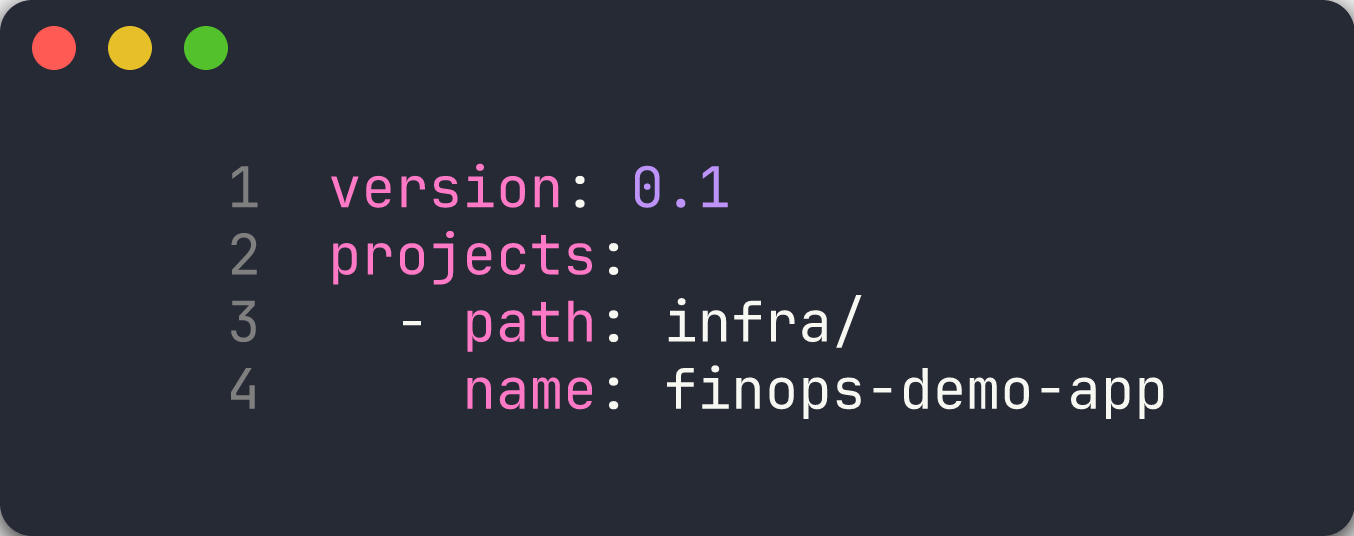
src/config/infracost.ymland review the project configuration:version: 0.1 projects: - path: infra/ name: finops-demo-appThis tells Infracost to scan the
infra/directory within each demo app for Bicep or Terraform templates.
[!TIP] Infracost uses cloud pricing APIs to estimate costs. It does not require deployed resources — it analyses IaC templates and maps resource types to current pricing data. This makes it ideal for pre-deployment cost checks in CI/CD pipelines.
Exercise 5.2: Cost Breakdown — App 002
You will generate a cost breakdown for the oversized resources demo app.
-
Create the reports directory:
mkdir -p reports -
Run the Infracost breakdown against app 002:
infracost breakdown --path finops-demo-app-002/infra/ --format json --out-file reports/infracost.json -
View the human-readable summary:
infracost breakdown --path finops-demo-app-002/infra/The table output shows each resource, its SKU or tier, and the estimated monthly cost.
- Open
reports/infracost.jsonand review the structure:projects— array of scanned IaC pathstotalMonthlyCost— total estimated monthly cost across all resourcesresources— individual resource cost breakdowns with line-item pricing
- Note the cost of the P3v3 App Service Plan. This is the oversized resource that app 002 intentionally deploys — a premium tier plan for a development workload.

[!NOTE] App 002 uses a P3v3 App Service Plan and Premium storage. These are expensive tiers intended for production-grade workloads. Infracost makes the monthly cost immediately visible so you can make informed decisions before deploying.
Exercise 5.3: Cost Diff
You will modify a SKU in app 002’s Bicep template and use infracost diff to see the cost impact.
-
Open
finops-demo-app-002/infra/main.bicepin your editor. -
Find the App Service Plan SKU and change it from
P3v3toB1(Basic tier):// Before: // sku: { name: 'P3v3', tier: 'PremiumV3' } // After: sku: { name: 'B1', tier: 'Basic' } -
Run
infracost diffto compare the cost of the modified template against the baseline:infracost diff --path finops-demo-app-002/infra/ --compare-to reports/infracost.json - Review the diff output. It shows:
- Resources with increased cost (▲)
- Resources with decreased cost (▼)
- The net monthly change from the modification
-
The diff should show a significant cost reduction from downgrading P3v3 to B1 — this demonstrates why right-sizing matters for FinOps governance.
-
Revert the change to
main.bicepso it does not affect later labs:git checkout finops-demo-app-002/infra/main.bicep

[!IMPORTANT] Always revert intentional Bicep changes after completing this exercise. The demo apps are designed with specific violations, and modifying them permanently can affect Labs 06 and 07.
Exercise 5.4: Convert to SARIF
You will convert the Infracost JSON output to SARIF format.
-
Run the SARIF converter:
python src/converters/infracost-to-sarif.py reports/infracost.json reports/infracost.sarif -
Open the generated SARIF file:
cat reports/infracost.sarif - Review the SARIF structure:
- The
tool.driver.nameis set toinfracost-to-sarif - Each resource with a monthly cost above a threshold is reported as a finding
- The
message.textincludes the estimated monthly cost for the resource - The
physicalLocationpoints to the Bicep file that defines the resource
- The
- This SARIF file can be uploaded to the GitHub Security tab alongside PSRule, Checkov, and Cloud Custodian results to provide a unified view of cost governance findings.

Exercise 5.5: Review Cost Gate Workflow
You will walk through the GitHub Actions workflow that blocks expensive infrastructure changes in pull requests.
-
Open
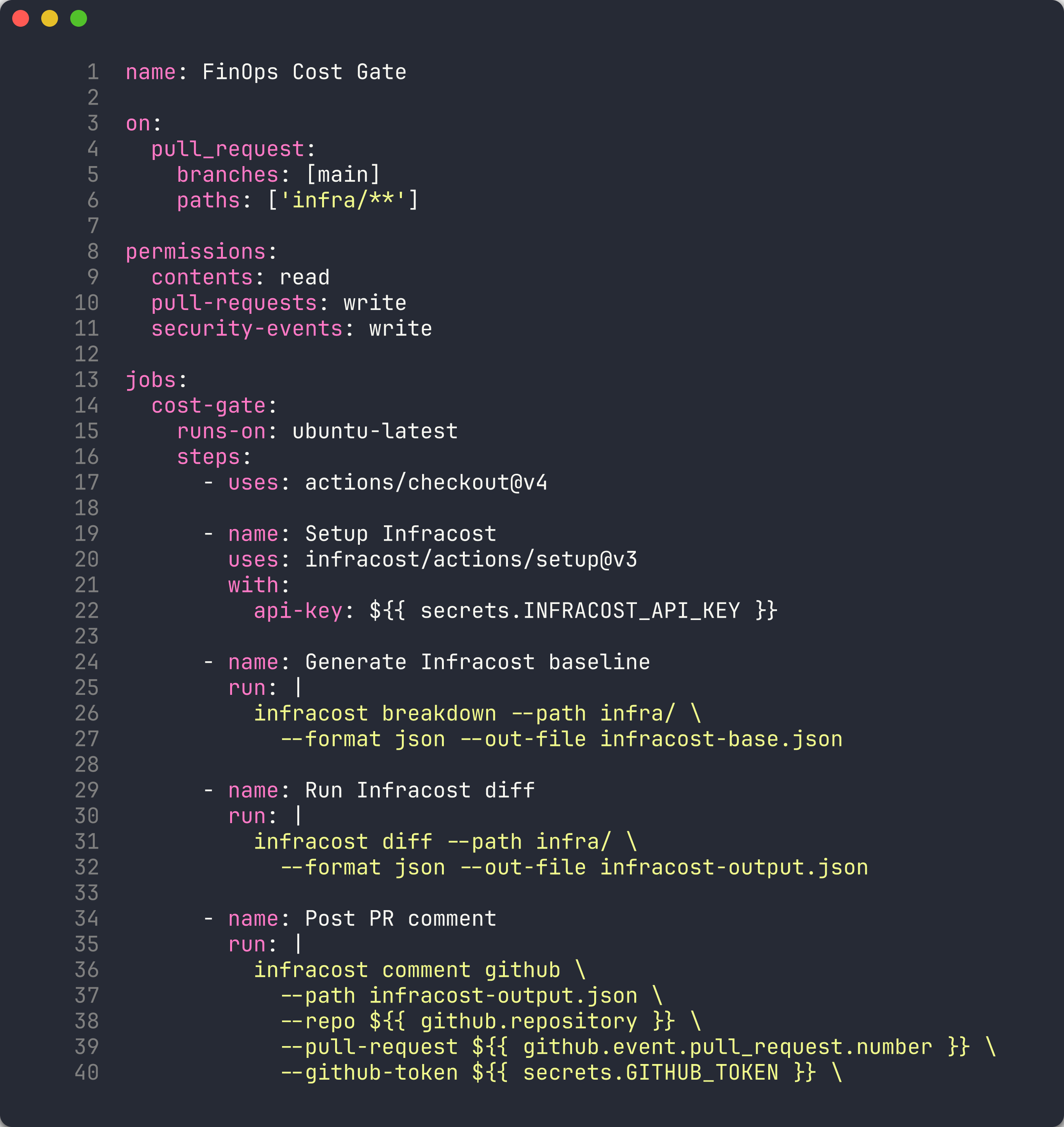
.github/workflows/finops-cost-gate.ymland review the workflow structure:name: FinOps Cost Gate on: pull_request: branches: [main] paths: ['infra/**']The workflow triggers on pull requests to
mainthat modify files underinfra/. - Review the workflow steps:
- Setup Infracost — installs the Infracost CLI with the API key from repository secrets
- Generate Infracost baseline — runs
infracost breakdownto capture the current cost - Run Infracost diff — compares the PR changes against the baseline
- Post PR comment — uses
infracost comment githubto add a cost summary comment to the PR - Convert to SARIF — generates a SARIF file from the Infracost diff output
- Upload SARIF — uploads the SARIF file to the GitHub Security tab
-
Note the
infracost comment githubcommand:infracost comment github \ --path infracost-output.json \ --repo $ \ --pull-request $ \ --github-token $ \ --behavior updateThe
--behavior updateflag updates the existing comment instead of creating duplicates on each push. - This workflow creates a cost gate — reviewers can see the cost impact of infrastructure changes directly in the PR before approving.
[!TIP] In production, you can extend the cost gate to fail the PR check if costs exceed a threshold. Add a step that reads
totalMonthlyCostfrom the Infracost JSON and compares it against a budget limit.
Verification Checkpoint
Before proceeding, verify:
- Infracost authenticated and returning cost estimates
- Cost breakdown generated for at least 1 demo app
- Observed cost difference using
infracost diffafter modifying a SKU - SARIF file generated from Infracost output
Next Steps
Proceed to Lab 06 — SARIF Output and GitHub Security Tab.