Overview
| Duration | 30 minutes |
| Level | Intermediate |
| Prerequisites | Lab 01 |
Learning Objectives
By the end of this lab, you will be able to:
- Run Checkov against Bicep templates using the CLI
- Interpret Checkov output including passed, failed, and skipped checks
- Export Checkov results in SARIF format for GitHub Security Tab integration
- Compare Checkov findings with PSRule findings for the same template
Exercises
Exercise 3.1: Run Checkov on App 001
You will scan the missing-tags app with Checkov and generate SARIF output.
-
Create the reports directory if it does not exist:
mkdir -p reports -
Run Checkov against app 001 with both console and SARIF output:
checkov -d finops-demo-app-001/infra/ --output cli --output sarif --output-file-path console,reports/This produces CLI output on screen and writes a SARIF file to the
reports/directory. - Review the CLI output. Checkov summarises results in three categories:
- Passed — checks the template satisfies
- Failed — checks the template violates
- Skipped — checks excluded by configuration
- Note the check IDs for any failed findings. Checkov uses IDs in the format
CKV_AZURE_*(for example,CKV_AZURE_18for storage account network rules).
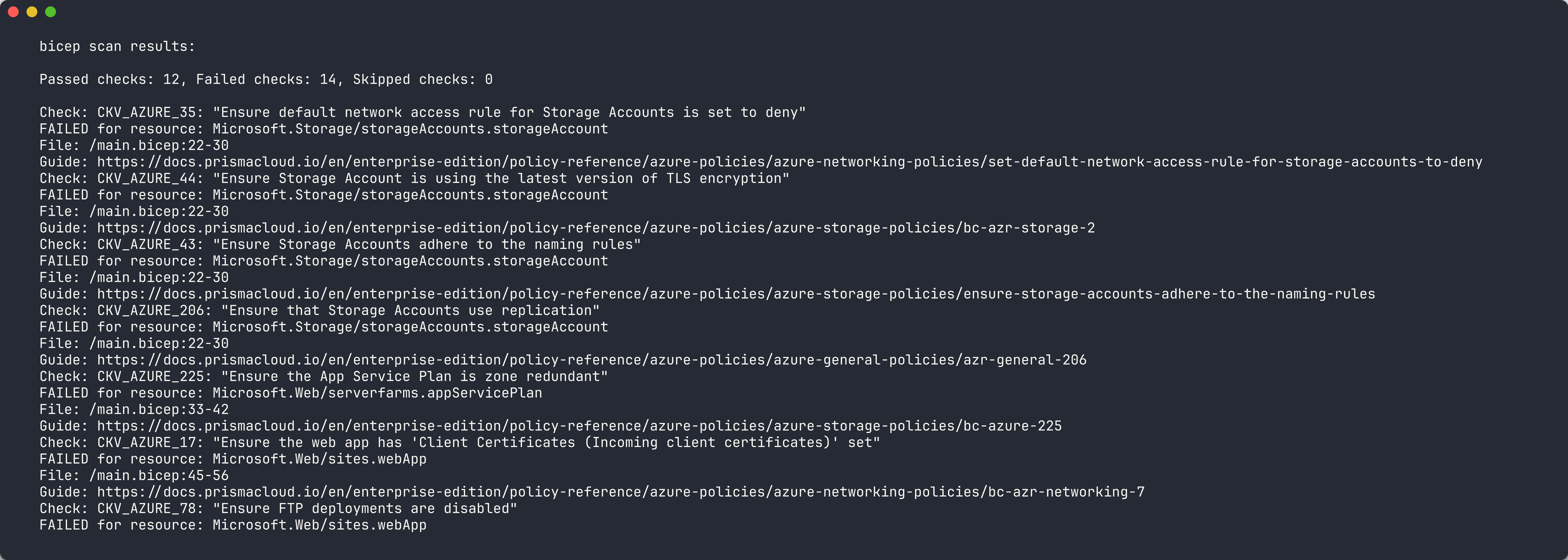
[!TIP] Checkov scans for both security and best practice violations. You will see checks related to HTTPS enforcement, TLS version, access keys, and network configuration — not only cost governance. This broader coverage complements PSRule’s Azure-specific focus.
Exercise 3.2: Review Checkov Findings
You will analyse the Checkov results to understand what each finding means.
-
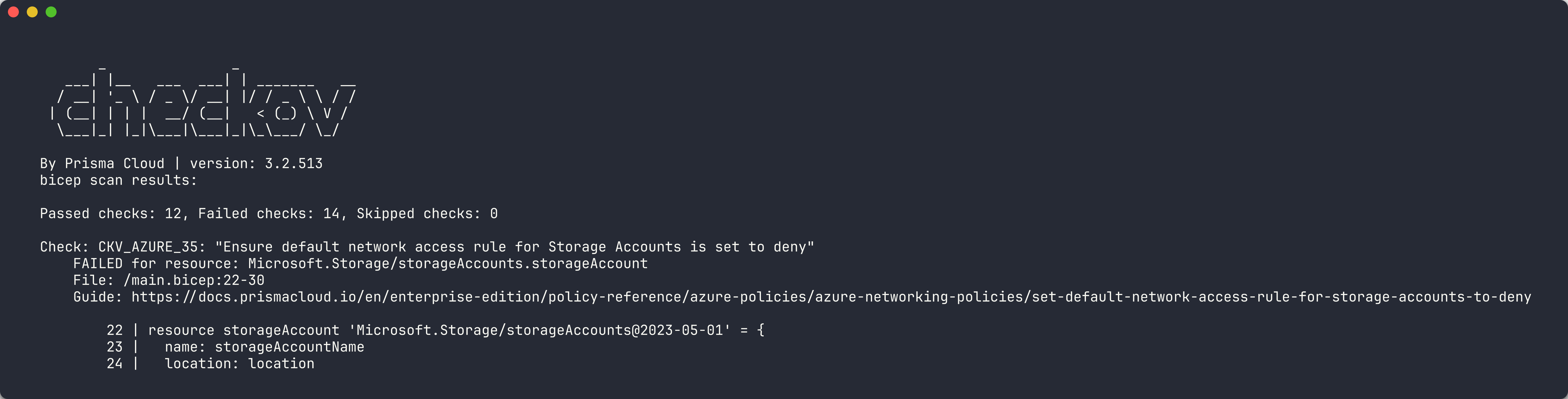
Open the SARIF file generated by Checkov in the
reports/directory. - Look at the
resultsarray. Each entry contains:ruleId— the Checkov check ID (for example,CKV_AZURE_18)level— severity of the findingmessage.text— description of the failed checklocations— file path and resource reference
-
Categorise the findings into groups:
Category Example Check IDs Description Network Security CKV_AZURE_18,CKV_AZURE_59Storage account network rules, HTTPS only Encryption CKV_AZURE_33,CKV_AZURE_43Encryption at rest, TLS version Access Control CKV_AZURE_36Shared access key disabled Monitoring CKV_AZURE_65App Service detailed error messages - Notice that Checkov does not explicitly check for the 7 governance tags the way PSRule does. This is a key difference between the tools.
[!IMPORTANT] Checkov check IDs and descriptions may vary between versions. Use
checkov --listto see all available checks for thearmframework.
Exercise 3.3: Run Checkov on App 005
You will scan the redundant/expensive resources app and look for additional findings.
-
Run Checkov against app 005:
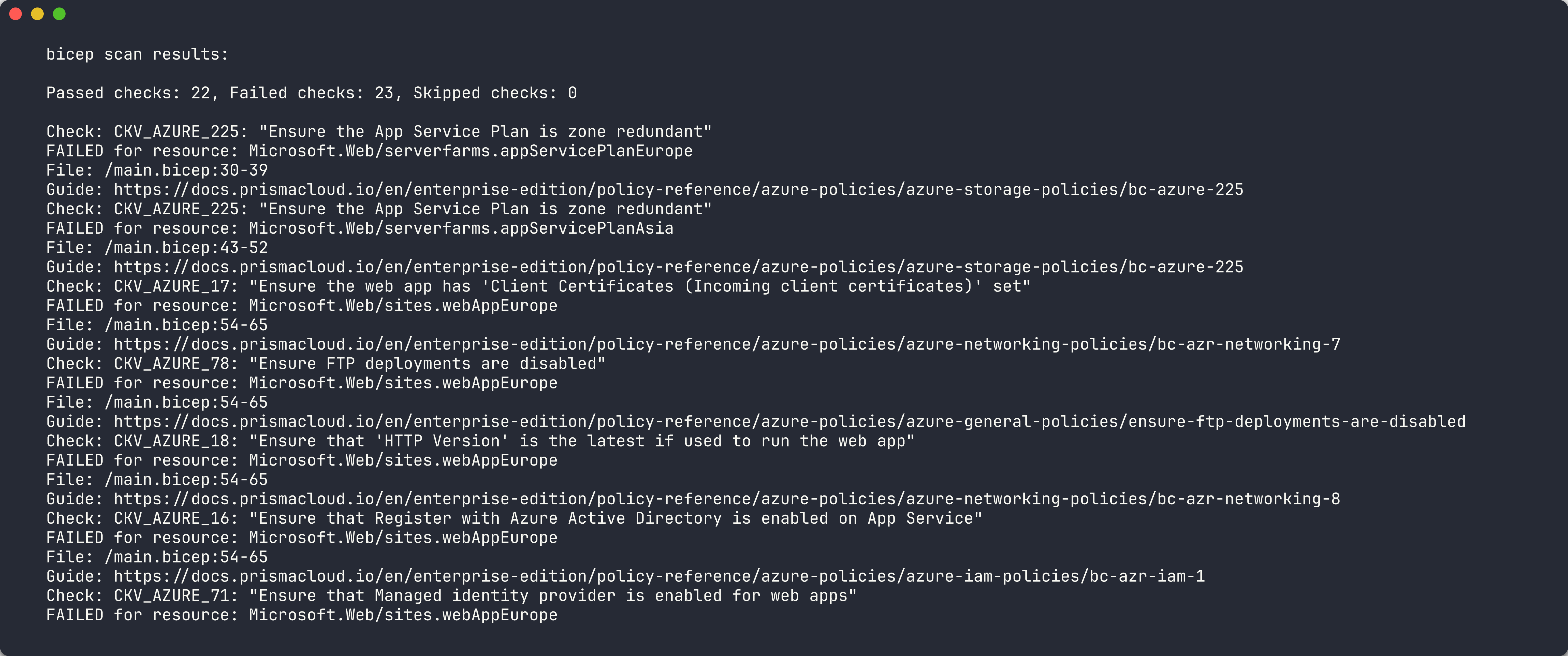
checkov -d finops-demo-app-005/infra/ --output cli --output sarif --output-file-path console,reports/ - Compare the output with the app 001 scan. App 005 has:
- 2 App Service Plans deployed to non-approved regions (
westusandwesteurope) - GRS (geo-redundant) storage for a development workload
- All 7 governance tags present
- 2 App Service Plans deployed to non-approved regions (
- Check whether Checkov flags:
- The duplicate App Service Plans
- The GRS storage tier as overly expensive
- Any region-related violations
- Note which violations Checkov does detect versus those it misses. This gap motivates using multiple scanner tools.
Exercise 3.4: Compare with PSRule
You will create a side-by-side comparison to understand the strengths of each tool.
- If you completed Lab 02, open the PSRule SARIF results for apps 001 and 005.
- If you have not completed Lab 02, run PSRule now (refer to Lab 02, Exercise 2.2 for the command).
-
Build a comparison table based on your findings:
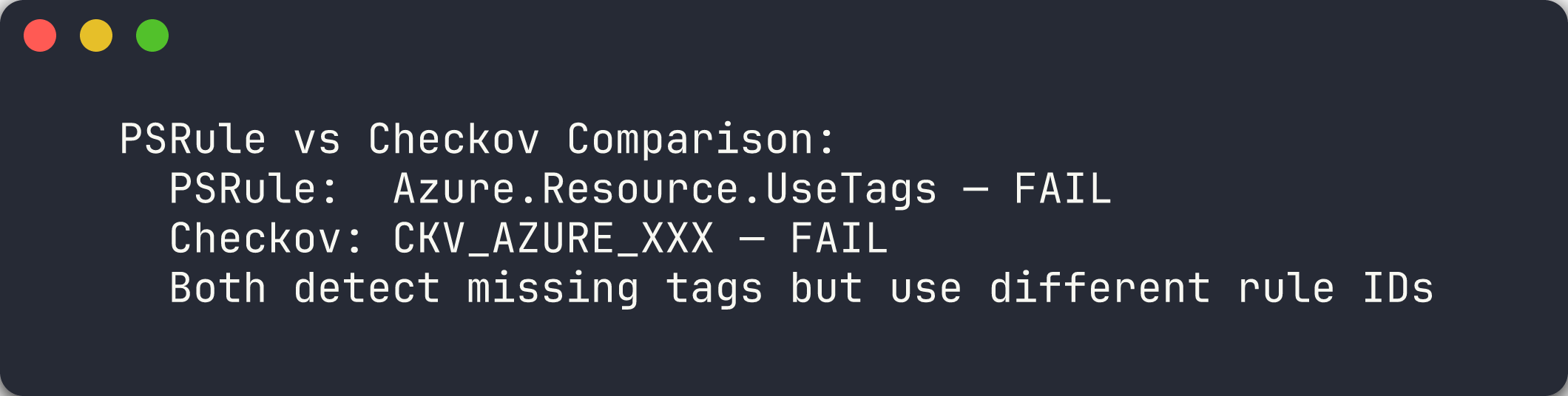
Aspect PSRule Checkov Focus Area Azure best practices, tagging, naming Security, compliance, CIS benchmarks Tag Checks Explicit Azure.Resource.UseTagsruleNo dedicated tag governance check Region Checks AZURE_RESOURCE_ALLOWED_LOCATIONSconfigLimited region awareness SKU Checks Some rules for sizing best practices Checks for specific service configurations Output Format SARIF, CSV, JSON SARIF, JSON, JUnit, CSV Language Support Bicep (via expansion), ARM JSON ARM JSON, Bicep, Terraform Custom Rules PowerShell-based custom rules Python-based custom checks - Summarise your key insight: PSRule excels at Azure-specific governance (tags, regions, naming) while Checkov excels at security and compliance (encryption, network rules, CIS benchmarks). Using both tools together provides comprehensive coverage.
[!TIP] In a production FinOps scanning pipeline, you run all scanner tools in parallel and merge the SARIF results. Labs 06 and 07 cover this exact pattern using GitHub Actions.
Verification Checkpoint
Before proceeding, verify:
- Checkov scan completed successfully against at least 2 demo apps
- SARIF output generated from Checkov in the
reports/directory - Can explain at least 3 Checkov check IDs and what they detect
- Documented the overlap and gaps between Checkov and PSRule
Next Steps
Proceed to Lab 04 — Cloud Custodian: Runtime Resource Scanning.