Overview
| Duration | 35 minutes |
| Level | Intermediate |
| Prerequisites | Lab 01 |
Learning Objectives
By the end of this lab, you will be able to:
- Configure PSRule with
ps-rule.yamlfor Azure Bicep analysis - Run PSRule locally using
Invoke-PSRulewith the Azure.GA baseline - Interpret PSRule SARIF output to identify tag and SKU violations
- Understand PSRule rule categories for cost governance
Exercises
Exercise 2.1: Review PSRule Configuration
You will examine the PSRule configuration file that controls how Bicep templates are analysed.
- Open
src/config/ps-rule.yamlin VS Code. -
Review the configuration:
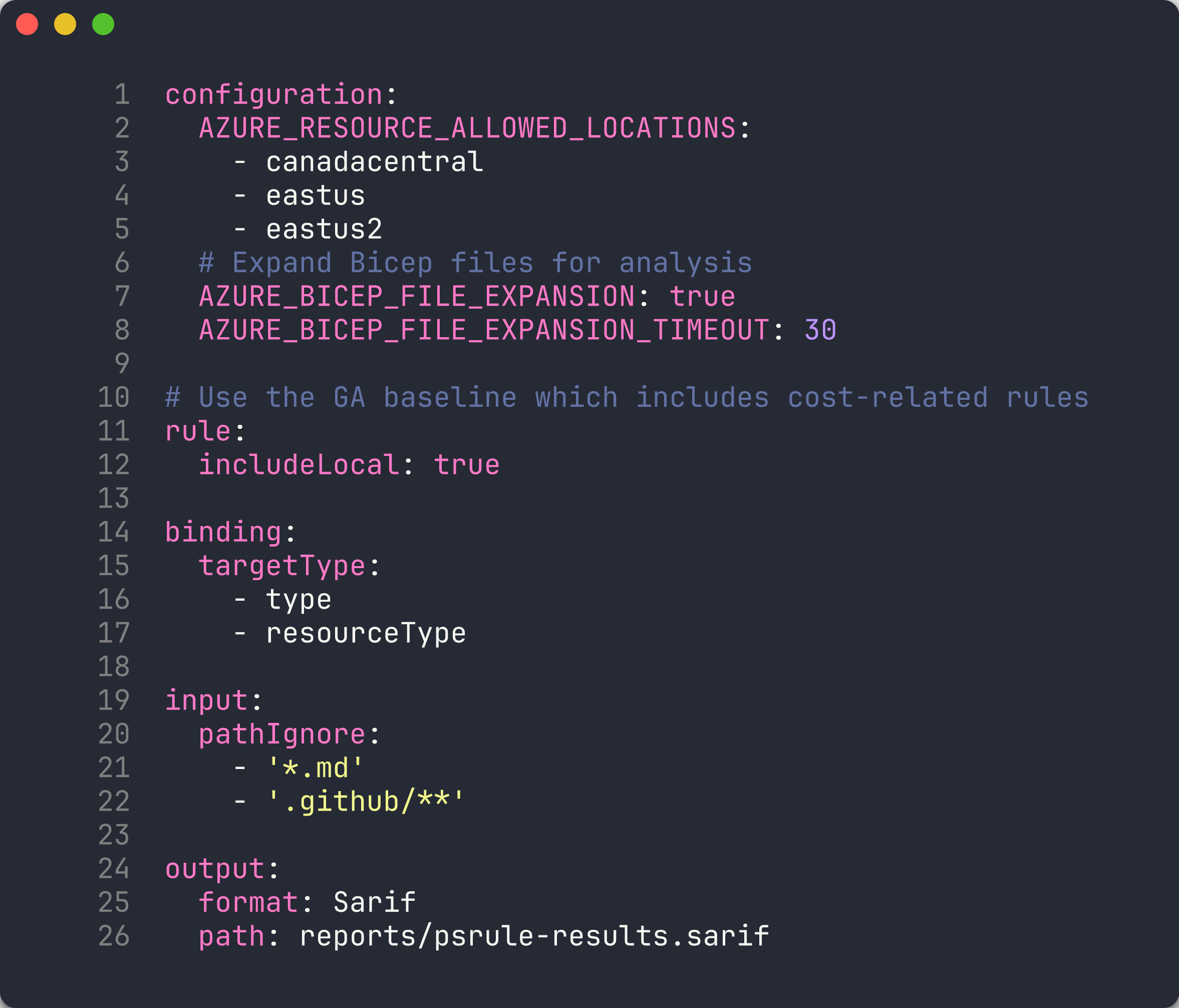
configuration: AZURE_RESOURCE_ALLOWED_LOCATIONS: - canadacentral - eastus - eastus2 # Expand Bicep files for analysis AZURE_BICEP_FILE_EXPANSION: true AZURE_BICEP_FILE_EXPANSION_TIMEOUT: 30 # Use the GA baseline which includes cost-related rules rule: includeLocal: true binding: targetType: - type - resourceType input: pathIgnore: - '*.md' - '.github/**' output: format: Sarif path: reports/psrule-results.sarif - Note the key settings:
AZURE_BICEP_FILE_EXPANSION: true— PSRule expands Bicep files into ARM JSON before scanning, enabling deeper analysis.AZURE_RESOURCE_ALLOWED_LOCATIONS— restricts resources tocanadacentral,eastus, andeastus2. Resources in other regions are flagged.output.format: Sarif— results are written in SARIF format for GitHub Security Tab integration.
[!TIP] The
Azure.GA_2024_12baseline includes rules for resource tagging, naming, SKU sizing, and security. You can view the full rule list withGet-PSRule -Module PSRule.Rules.Azure -Baseline Azure.GA_2024_12.
Exercise 2.2: Scan App 001
You will run PSRule against the missing-tags app to generate your first set of findings.
-
Create a reports directory:
New-Item -ItemType Directory -Path reports -Force -
Run PSRule against app 001:
Invoke-PSRule ` -InputPath finops-demo-app-001/infra/ ` -Module PSRule.Rules.Azure ` -Baseline Azure.GA_2024_12 ` -Option src/config/ps-rule.yaml ` -OutputFormat Sarif ` -OutputPath reports/psrule-001.sarif -
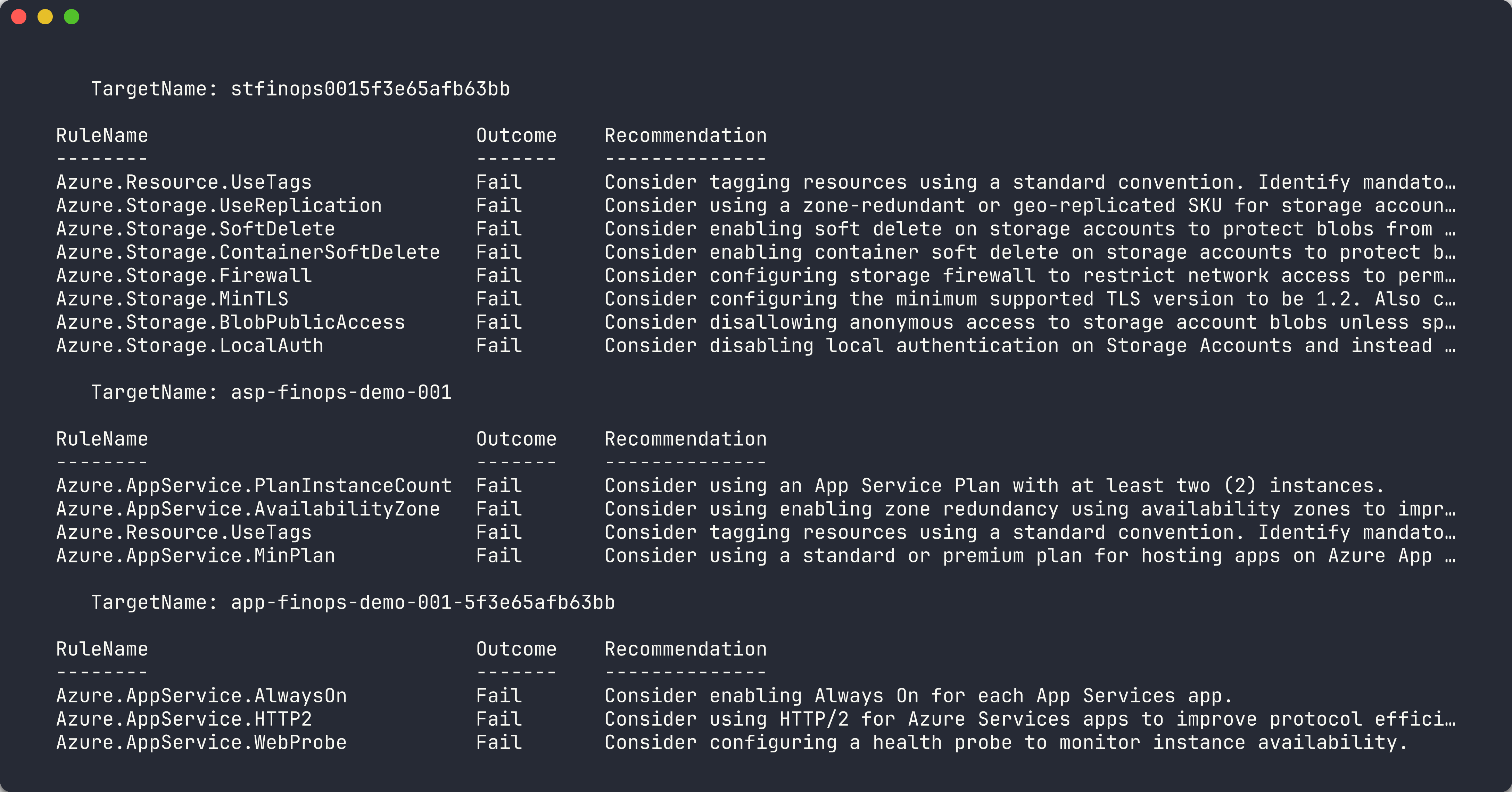
Review the console output. You should see multiple Fail results related to missing tags.
[!TIP] To see results in a table on the console without writing to file, omit the
-OutputFormatand-OutputPathparameters.
Exercise 2.3: Analyze Results
You will open the SARIF file and understand the structure of PSRule findings.
-
Open
reports/psrule-001.sarifin VS Code (install the SARIF Viewer extension for a richer experience). - Locate the
resultsarray. Each result contains:ruleId— the PSRule rule that was violated (for example,Azure.Resource.UseTags)level— severity:error,warning, ornotemessage.text— human-readable description of the violationlocations— the resource name and type that failed the rule
-
Identify the findings. Common rule IDs for cost governance include:
Rule ID Category Description Azure.Resource.UseTagsTagging Resources should have tags Azure.Resource.AllowedRegionsLocation Resources in non-approved region - Count the total number of findings. App 001 has 3 resources with no tags, so you should see at least 3 tagging-related findings.

Exercise 2.4: Scan App 002
You will scan the oversized resources app and compare the results with app 001.
-
Run PSRule against app 002:
Invoke-PSRule ` -InputPath finops-demo-app-002/infra/ ` -Module PSRule.Rules.Azure ` -Baseline Azure.GA_2024_12 ` -Option src/config/ps-rule.yaml ` -OutputFormat Sarif ` -OutputPath reports/psrule-002.sarif -
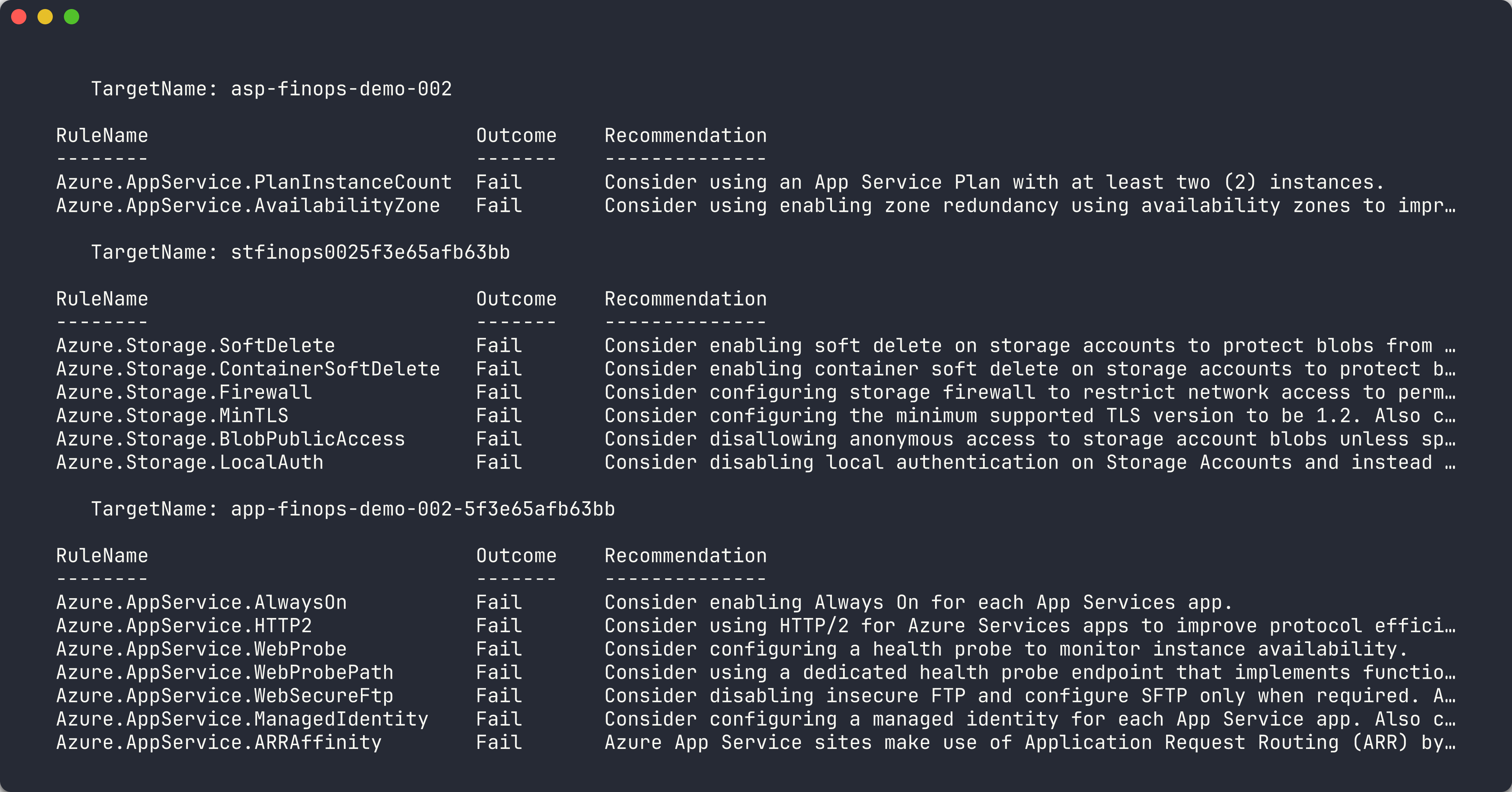
Review the console output. App 002 has all 7 required tags, so tagging rules should pass.
-
Look for findings related to SKU sizing or tier governance. The P3v3 App Service Plan and Premium storage may trigger rules depending on the baseline.
-
Compare the finding count between apps 001 and 002:
App Tag Findings SKU Findings Total 001 Multiple 0 High 002 0 Varies Lower
[!TIP] PSRule focuses primarily on IaC best practices. For runtime cost analysis (actual spend, right-sizing recommendations), you will use Cloud Custodian in Lab 04 and Infracost in Lab 05.
Exercise 2.5: Fix and Re-scan
You will fix the tagging violation in app 001 and observe the reduced findings.
-
Open
finops-demo-app-001/infra/main.bicep. -
Add a
commonTagsvariable after the parameter declarations:var commonTags = { CostCenter: 'CC-1234' Owner: 'team@contoso.com' Environment: 'dev' Application: 'finops-demo-001' Department: 'Engineering' Project: 'FinOps-Scanner' ManagedBy: 'Bicep' } -
Add
tags: commonTagsto each resource. For example, the Storage Account becomes:resource storageAccount 'Microsoft.Storage/storageAccounts@2023-05-01' = { name: storageAccountName location: location kind: 'StorageV2' sku: { name: 'Standard_LRS' } tags: commonTags } -
Repeat for the
appServicePlanandwebAppresources. -
Re-run the PSRule scan:
Invoke-PSRule ` -InputPath finops-demo-app-001/infra/ ` -Module PSRule.Rules.Azure ` -Baseline Azure.GA_2024_12 ` -Option src/config/ps-rule.yaml ` -OutputFormat Sarif ` -OutputPath reports/psrule-001-fixed.sarif -
Compare the new results with the original scan. The tagging findings should be eliminated.

[!CAUTION] Do not commit the fixed Bicep file if you want the violation to remain for later labs. Use
git checkout -- finops-demo-app-001/infra/main.bicepto revert your changes.
Verification Checkpoint
Before proceeding, verify:
- PSRule scan completed successfully against at least 2 demo apps
- SARIF output files generated in the
reports/directory - Can explain what
Azure.Resource.UseTagsdetects - Successfully remediated at least 1 finding by adding tags to Bicep
Next Steps
Proceed to Lab 03 — Checkov: Static Policy Scanning.