Lab 6: Human sign-off and changes requested
Sign-off 30 min Intermediate
Overview
The security gate from Lab 5 is blocked and nothing has been deployed. Two decisions are left, and they belong to a person: what to do with the blocked finding, and whether to approve this exact commit. The agent asks. A person answers. The answer is written down word for word. That is the whole human gate.
Learning objectives
By the end of this lab, you will be able to:
- Read a sign-off package: what was built, gates, decisions, risks and the exact commit.
- Act for the three approver roles (Product Owner, Security Team, Tech Lead) as a single learner.
- Record a waiver with a reason and a re-check trigger.
- Read the sign-off record in
state.jsonand indecisions.md. - Explain why any change after approval resets sign-off and loops back to Build.
- List what the agents must never do: approve for you, push or deploy before sign-off.
Cost and credits
Almost free if you follow the recorded run
The recorded sign-off was part of one run, lab-06-07-signoff-deploy, which also covered the deploy of Lab 7: 117.52 credits and 8 minutes 52 seconds for both. The questions themselves cost very little. The changes-requested example uses the Focus Garden evidence, so you do not run a second build: its run 3 took about 57 minutes and 747 credits. See Lab 0 for the general cost advice.
Steps
Step 1: Start from the checkpoint
git clone https://github.com/devopsabcs-engineering/ai-sdlc-labs-pinch
Set-Location -LiteralPath ai-sdlc-labs-pinch
git checkout lab-06-start
git rev-parse HEAD
git rev-parse 'HEAD^{tree}'
Expected result
The commit is 5e5633122c50eca34cbf2a6a332a14bfc579187b and the tree is 9418e31b7ba315d15592ff1f12096d6f4bb76b31. Keep both values: they are the identity of what you are about to approve.
Step 2: Let the agent present the package and ask
Run the orchestrator interactively, so that it can ask you questions. Do not use --no-ask-user here: the agent must be able to ask, and you must be able to answer.
Then paste the prompt (in VS Code, the same text works in the chat):
Use the ait-sdlc-orchestrate skill to resume run 2026-10-05-pinch. Run ONLY the human sign-off gate. Present the sign-off package: what was built, the gate results, the decisions and risks, and the exact commit and tree. Ask me each question, record my answers verbatim in decisions.md and state.json, and stop. Do not fill in the approvers yourself. Do not push, do not deploy.
The agent never self-approves
If the agent writes approved without asking you, or fills in the approvers on its own, reject the result and stop the run. The Pinch brief says it explicitly: pause at sign-off and do not populate approvers.
Step 3: Answer question 1, the waiver
In the recorded run, the first question was whether to waive the development-only npm audit finding that blocked T-013. Before you answer, check the argument yourself:
The recorded answer was "Waive and continue", for these reasons:
- The remaining
source-map-js < 1.2.2finding is in development tooling (vite->postcss->source-map-js), and no fixed release exists. - Pinch has zero runtime dependencies, and
npm audit --omit=dev --audit-level=highreports 0 vulnerabilities. - The only automatic "fix" would downgrade Vite and Vitest to old versions.
A waiver is only acceptable with the four parts below. This is the real entry (ADR-017) that the Scribe wrote from the answer, shortened (the date and consequences lines are left out):
## ADR-017 — Human waiver for the development-only source-map-js advisory

- Human: Emmanuel Knafo (`emmanuelknafo`)
- Source: VS Code chat
- Verbatim answer: "Waive and continue"
- Context: The remaining `source-map-js <1.2.2` npm audit finding is development-only, no fixed
  release exists, the application has zero runtime dependencies, and
  `npm audit --omit=dev --audit-level=high` reports zero vulnerabilities.
- Decision: Accept the development-only advisory and pass T-013 security with a human waiver.
  The production dependency audit gate is `npm audit --omit=dev --audit-level=high`.
- Re-check trigger: Re-run the full `npm audit` when `source-map-js 1.2.2` ships.
| Part | What it answers | In ADR-017 |
|---|---|---|
| Who | A named person, not "the team" | Emmanuel Knafo (emmanuelknafo) |
| What exactly | The finding and the criteria that are waived | source-map-js <1.2.2, development-only |
| Why | The evidence behind the decision | 0 runtime dependencies, 0 production vulnerabilities |
| When to look again | A re-check trigger, a concrete event | source-map-js 1.2.2 ships |
The waiver also changes the gate: from then on, the production audit command is the security gate for audit findings, and the full audit is re-run when the trigger fires.
Expected result
After your answer, the agent marks T-013 done with a note that it passed with a human waiver, and shows you the new decisions.md entry. The entry contains your words, not a summary.
Step 4: Answer question 2, approve one exact commit
The second question asks you to approve as Product Owner, Security Team and Tech Lead, for one commit and tree (the values from Step 1). Alone, you play all three roles in this lab. The recorded answer was "Approve all three roles".
Roles are real, even when one person plays them
A team would have three different people. A solo learner can approve all three roles, but the record must still list the three roles separately, with the identity and the quote for each. If you only want to approve one role, say so: the agent must leave the others empty.
Before you answer, check what you approve:
- The commit and tree match the values from Step 1.
- The gates are all
passedin the package (withT-013passed by your waiver). - You have read the risks. Pinch has one: the development-only advisory you just waived.
Expected result
The agent writes the approval and only then shows signoff.status: approved. It pushes nothing and deploys nothing. Deploying is Lab 7.
Step 5: Read the sign-off record
The tracking store is git-ignored, so in the reference repository read the committed snapshot on main:
$s = git show main:docs/run/2026-10-05-pinch/state.json | Out-String | ConvertFrom-Json
$s.signoff.status
$s.signoff.artifact
$s.signoff.approvers.PSObject.Properties.Name
This is the real signoff block, shortened (the three approvers have the same fields and values, only the role key changes):
"signoff": {
  "status": "approved",
  "artifact": {
    "branch": "feature/pinch",
    "commit": "5e5633122c50eca34cbf2a6a332a14bfc579187b",
    "tree":   "9418e31b7ba315d15592ff1f12096d6f4bb76b31"
  },
  "approvers": {
    "product_owner": {
      "identity": "Emmanuel Knafo",
      "githubUser": "emmanuelknafo",
      "source": "VS Code chat",
      "verbatimApproval": "Approve all three roles",
      "grantedAt": "2026-10-06T12:39:09.706Z"
    },
    "security_team": { /* same fields, same quote */ },
    "tech_lead":     { /* same fields, same quote */ }
  },
  "grantedAt": "2026-10-06T12:39:09.706Z"
}
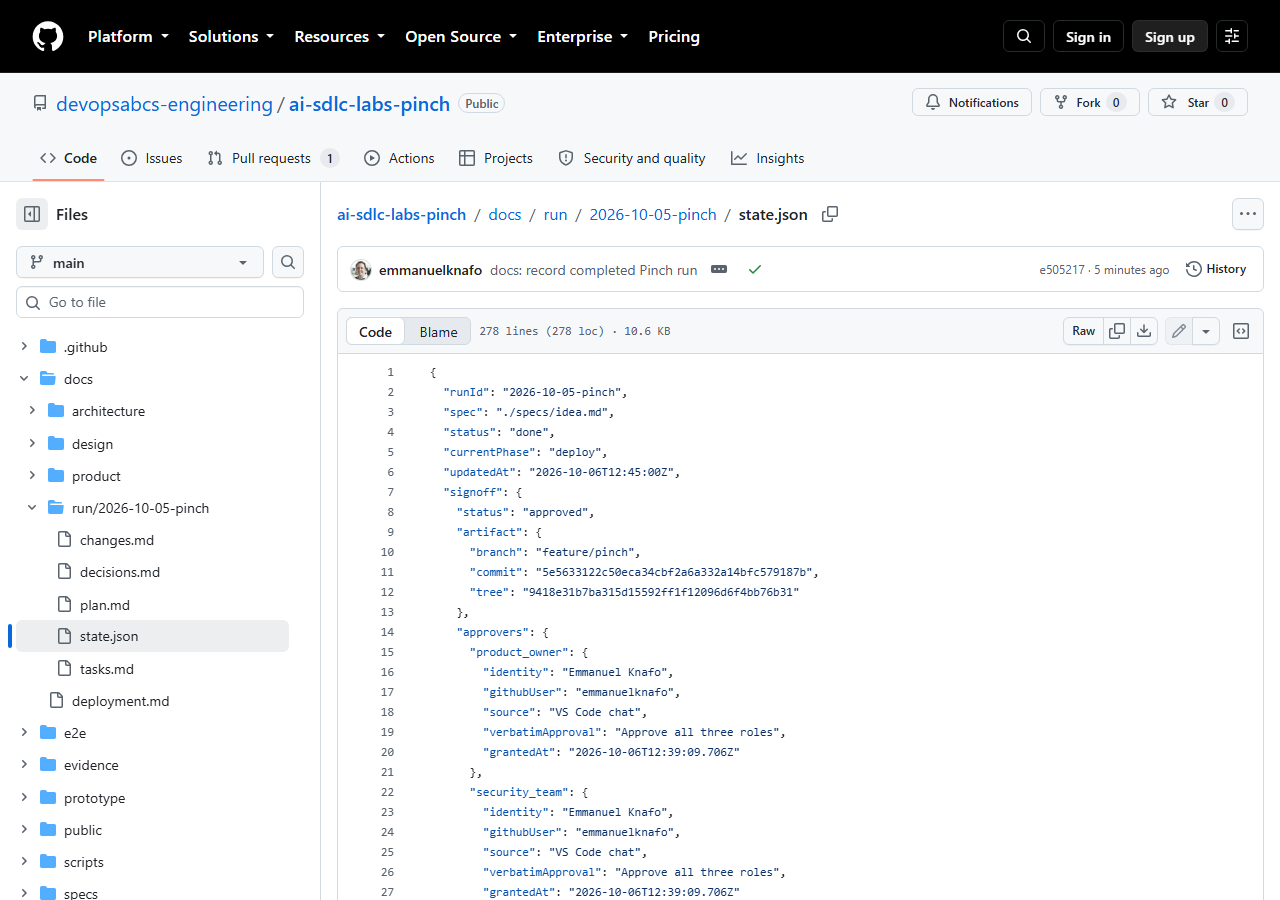
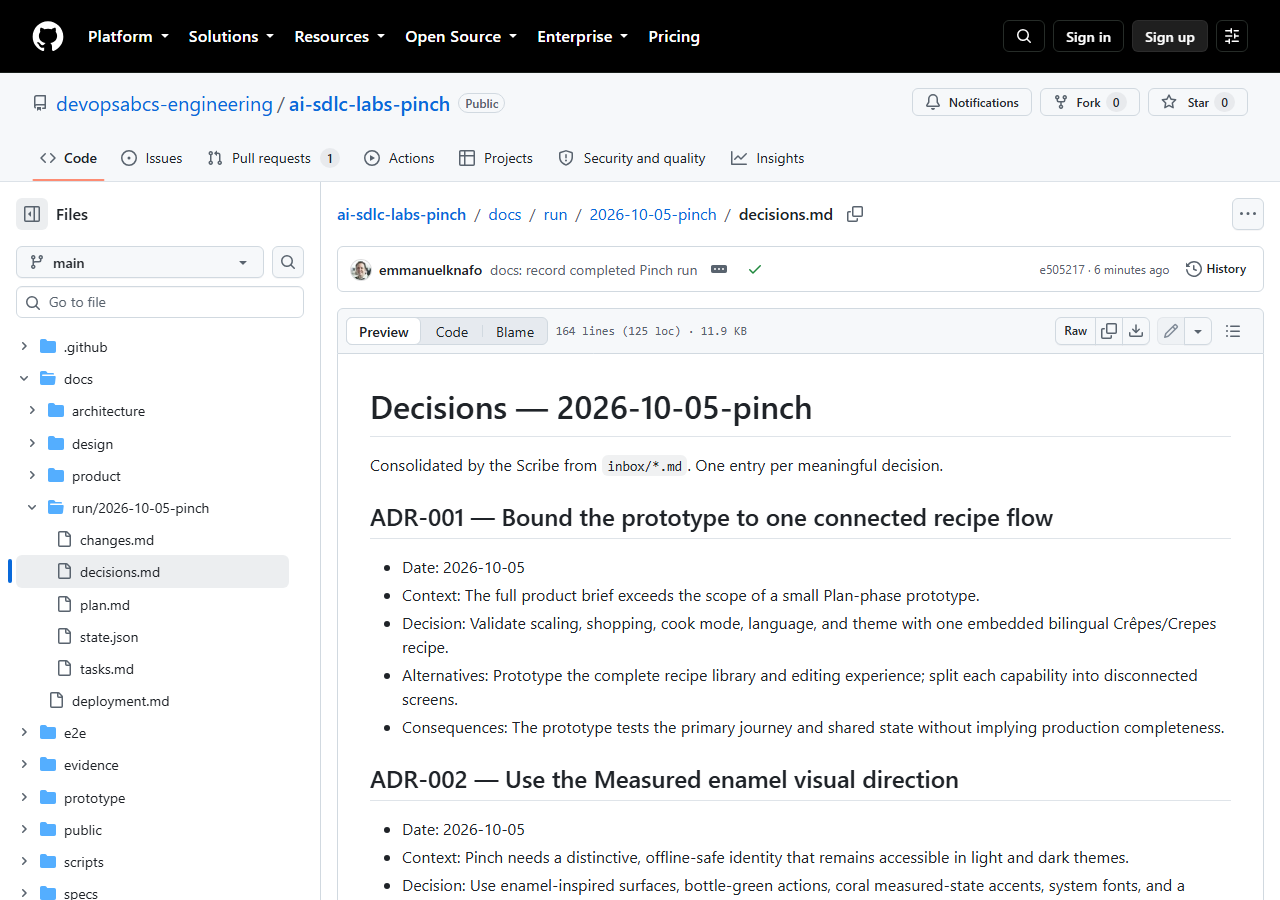
Three details make this record trustworthy:
- Verbatim.
verbatimApprovalis the exact answer, not a paraphrase. The agent cannot "improve" it. - Pinned.
commitandtreeidentify one artifact. Deploy compares the tree that it is about to ship withsignoff.artifact.tree, and stops if they differ. - Reset on change. Any change to the files, the artifact or a gate result after approval sets
signoff.statusback topendingand loops to Build.
Verify the pin yourself
$approved = $s.signoff.artifact.tree
$current  = git rev-parse 'HEAD^{tree}'
if ($approved -eq $current) { 'OK: the tree is the approved one' } else { 'RESET: not the approved tree' }
lab-06-end this prints OK.
Step 6: Read a changes-requested loop
Pinch was approved at the first review, so its record has no loop. To see the loop, use the real example from the Focus Garden run (see its wiki page Evidence-focus-garden, section 6).
In Focus Garden, QA, critic and security had all passed. The person who opened the app then requested changes for three defects that no automated gate had caught:
- A malformed SVG path in the plant art, which logged console errors.
- Plants that were small and looked alike.
- A heavy focus outline after hash navigation.
The run was resumed, the three defects were fixed, the build, QA, critic and security gates ran again, and the human approved a second time. That fix run (run 3) took about 57 minutes and 747 credits. The run before it (run 2: waiver, critic and security) took about 19 minutes and 392 credits.
Gates pass -> Human sign-off -> Approve -> Deploy the approved tree
                   |
                   +-> Request changes -> signoff: changes_requested
                       -> tasks reopened, back to Build
                       -> fix, re-run all gates
                       -> signoff: pending -> Human sign-off again
The lesson: automated gates verify what someone thought to check. A human looking at the real app finds the rest. Requesting changes is a normal outcome, not a failure.
Step 7: Exercise, write a "request changes" message
Imagine that you opened Pinch and found one small problem, such as "the metric toggle changes the units but not the serving label". Write the message that you would give the agent, and the effect that you expect in state.json.
-
Write the message. Be specific, one defect per line, with how to see it:
-
Write the expected record, before you look at the answer below:
signoff.statusbecomeschanges_requested, thenpending, and the approvers are empty again.- The affected build task is reopened (
pending), and its gates and the QA, critic and security tasks that depend on it run again. - Your message is recorded verbatim in
decisions.md. - A new approval pins a new commit and tree.
Answer: why can the old approval not be reused?
Approval is bound to one commit and tree. A fix produces a new tree, so the old pin no longer matches and Deploy would stop. A new answer is needed for the new commit.
Expected result
You can state, in your own words, the three effects of a change request: status goes to changes_requested then pending, work returns to Build, and a new approval pins a new commit.
Checkpoint
- Tag
lab-06-endis commit5e56331, the same aslab-06-start. There is no code diff; the decisions are in the tracking state. - In your tracking store,
state.jsonhassignoff.status: approved, the commit and tree from Step 1, and the three approvers with a verbatim quote each. decisions.mdcontains your waiver (ADR-017 in the recorded run, with a re-check trigger) and your approval (ADR-018).- Nothing has been pushed or deployed.
Bring your own idea
Run the same gate on your own app. Check that:
- The agent presents a package with what was built, gate results, decisions, risks and the exact commit and tree.
- You answer every question yourself, and the answers are recorded verbatim with your name.
- Every waiver names the person, the exact finding, the reason and a re-check trigger.
-
state.jsonshowssignoff.statusasapprovedonly after your answer, and the artifact is pinned by commit and tree. - You tried a "request changes" message at least once, to see the loop.
What went wrong in the recorded run
Pinch's sign-off had no failure. These are the limits you should know about.
One person played three roles
The three approvers have the same identity. This is fine for a lab, but it is not separation of duties. In a real team, Security Team and Tech Lead are different people.
The waiver was needed because no fix existed
T-013 was blocked after two retries because source-map-js 1.2.2 was not yet published. Without a human waiver, the run would stay blocked. The waiver is a decision with a trigger, not a way to make the problem disappear.
Pinch never exercised the loop
Pinch was approved at the first review. The changes-requested loop is taught with Focus Garden, where it happened for real, and with the exercise above.
Changes after approval need a fresh sign-off
In Focus Garden, a later pull request changed one test file, so main was no longer byte-identical to the approved commit. The product code was the approved code, and the run recorded the reason, but a stricter team would ask for a new sign-off. Pinch avoided this: its merged main tree matched the approved tree (Lab 7).
Troubleshooting
The agent asks no question and goes straight to approved
Stop it. Run copilot without --no-ask-user and repeat the prompt in Step 2, adding "Do not fill in the approvers yourself". Check signoff.approvers for a verbatimApproval that you really typed.
The commit or tree does not match the approval
Something changed after approval. Run git status --short and git log --oneline -n 5. Sign-off must be reset to pending and the loop restarted. Never edit the pin by hand to make the values match.
I cannot find the tracking store
.copilot-tracking/ is git-ignored, so a fresh clone does not have it. Read the committed snapshot with git show main:docs/run/2026-10-05-pinch/state.json, or run the lifecycle in your own repository.
The waiver was refused or the agent proposes to skip the gate
Do not accept a skip. A waiver must be your decision, with a name, the exact criteria, a reason and a re-check trigger. If you do not want to waive, leave T-013 blocked or fix the finding.
Knowledge check
Who writes the answer in verbatimApproval?
The agent records it, but the words are yours, exactly as you gave them. The agent asks, a person answers, and the answer is recorded verbatim.
What is a re-check trigger and why does a waiver need one?
It is a concrete event that reopens the decision, such as "when source-map-js 1.2.2 ships". Without it, a waiver becomes permanent by accident.
What happens to the sign-off if one file changes after approval?
It is reset to pending, the work loops back to Build, the gates run again, and a new approval pins the new commit and tree.
Summary
- The human gate is a question asked by the agent and answered by a person; the answer is stored verbatim in
state.jsonanddecisions.md. - A waiver names a person, the exact finding, the reason and a re-check trigger.
- Approval pins one commit and one tree. Any later change resets sign-off to
pending. - Requesting changes is a normal path, shown here with the Focus Garden evidence.
Next steps
Continue with Lab 7: Deploy to production, where the deploy phase ships the approved tree and nothing else.