Lab 1: From idea to brief
Idea 25 min Beginner
Overview
Every agent in the lifecycle reads one file first: the product brief. In this lab you write it. No agent runs here. You are the product owner, and the quality of this one file sets the cost and the safety of every later lab.
The sample is Pinch, a bilingual (EN/FR) offline recipe scaler. You can follow the Pinch brief as written, or write your own (see Bring your own idea).
Learning objectives
By the end of this lab, you will be able to:
- Write
specs/idea.md: the idea, the users, a numbered v1 scope and an explicit out-of-scope list. - Add non-functional requirements and a delivery section that name the quality gates the run must pass.
- Add a "Run rules for the agents" section: work branch, Conventional Commits, never push, never deploy before sign-off.
- Describe what the tracking store
.copilot-tracking/<run-id>/contains.
Cost and credits
This lab is almost free, but it decides what the others cost
Writing the brief uses no agent run. The real cost comes later: the recorded Pinch build used about 1,730 credits in total (see Lab 8 for the breakdown). A short brief with a small scope is the cheapest way to cut that number. The general guidance is in Cost and credits in Lab 0.
Steps
Step 1: Create the brief file
Work in the practice repository from Lab 0. The folder name specs matters: later labs point the orchestrator at specs/idea.md.
Set-Location -LiteralPath "$HOME\src\ai-sdlc-practice"
New-Item -ItemType Directory -Force specs | Out-Null
notepad specs\idea.md
Start from the Pinch brief
To follow Pinch exactly, copy the recorded brief from the reference repository instead of typing it:
git clone https://github.com/devopsabcs-engineering/ai-sdlc-labs-pinch "$HOME\src\ai-sdlc-labs-pinch"
git -C "$HOME\src\ai-sdlc-labs-pinch" show lab-01-end:specs/idea.md | Set-Content specs\idea.md -Encoding utf8
Then read the steps below to understand each section before you move on.
Full Pinch brief to copy and paste (75 lines)
Use the copy button at the top right of the block, paste into specs\idea.md and save it as UTF-8. This is the exact file at tag lab-01-end.
# Pinch - product brief

## Idea

Pinch is a friendly recipe scaler for the kitchen. Paste or type a recipe once, pick how many people you are cooking for,
and every quantity rescales instantly. Switch between metric and imperial with one tap. A cook mode keeps the screen
awake and shows one step at a time in large type, and a shopping list gathers what you need to buy. It speaks English and
French, works offline, collects no data and needs no account.

## Why it has broad appeal

- Everyone cooks, and almost everyone has had to halve or double a recipe or convert cups to grams.
- Bilingual by design: useful at home and in any English or French kitchen, including shared households.
- Calm, fast and private: no ads, no sign-up, no tracking.

## Users and jobs to be done

- **Home cook**: scale a recipe to the number of guests and read the amounts in my own units.
- **Cook with floury hands**: follow the recipe one large step at a time without touching the phone to unlock it.
- **Shopper**: turn the ingredients of one or more recipes into a single checklist.
- **Francophone or anglophone user**: use the whole app, and read recipes, in my language.

## Scope (v1)

1. Recipe entry: a title, a base number of servings and ingredient lines such as `250 g flour` or `1 1/2 cup milk`,
   plus numbered steps. Parse quantity (integers, decimals, fractions and mixed numbers), unit and name; keep unparsed
   lines as plain text.
2. Servings scaler: change servings and all parsed quantities rescale, shown as friendly fractions where natural
   (for example 1/2, 1 1/4) and rounded sensibly for grams and millilitres.
3. Unit toggle between metric and imperial for mass and volume, using documented conversion factors. Unknown units
   are left unchanged.
4. Cook mode: full-screen, one step at a time, large type, previous and next by button, keyboard and swipe, with the
   Screen Wake Lock API where supported and a graceful message where not.
5. Shopping list: add the scaled ingredients of the current recipe, merge identical items and units, tick items off,
   clear checked, and keep the list across sessions.
6. A small library of recipes saved on the device, with three bilingual sample recipes to start from.
7. Full English and French UI with a language switcher, the language remembered, `lang` set on the document, and
   locale-aware number formatting (decimal comma in French). No untranslated key may ship: a script must fail the build
   when the two catalogs differ.
8. Installable PWA that works fully offline. All data stays in localStorage on the device. Export and import as JSON,
   and a clear-all-data button.
9. Responsive from 360 px phones to wide desktops; WCAG 2.1 AA contrast; full keyboard operation;
    `prefers-reduced-motion` respected.

Out of scope for v1: accounts, sync across devices, importing from URLs, nutrition data, photos, and any server.

## Non-functional requirements

- Static site only. Stack: Vite and TypeScript with no UI framework, CSS variables for theming, a light and a dark theme.
- Unit tests with Vitest (quantity parsing, fraction formatting, scaling, unit conversion, list merging,
  import/export, catalog parity). End-to-end tests with Playwright (scale, convert, cook mode, shopping list, language switch).
  ESLint and Prettier. `npm audit` clean for high and critical.
- Every script and test must run on Linux and Windows: no hard-coded OS paths. Use Playwright's Chromium, not an installed browser.
- Lighthouse-style smoke: installable manifest, service worker, performance 0.9 or better on a throttled run.
- Secrets: none. No third-party network calls at runtime.

## Delivery

- Production target: GitHub Pages for this repository through a GitHub Actions workflow
  (`https://devopsabcs-engineering.github.io/ai-sdlc-labs-pinch/`), with the Vite `base` set to `/ai-sdlc-labs-pinch/`.
- Gates: `design-review`, `prototype-review`, `spec-review`, build, lint, unit, acceptance (e2e), an i18n parity gate,
  critic review, security (secrets, SAST, dependency audit, privacy check), then the human sign-off, then `pre-deploy`,
  `smoke`, `rollback-ready`.
- The release workflow must be manually dispatched and require a `governance_approved` input, as in the plugin's sample.

## Run rules for the agents

- This run is a teaching artifact for eight bilingual labs. Work in small bounded steps. At the end of each lab's step,
  commit with a Conventional Commit message and stop; the operator tags `lab-NN-end`.
- Work on a git branch named `feature/pinch`. Never push and never deploy before the human sign-off is recorded.
- Pause at the sign-off gate and wait. Do not populate approvers yourself.
- Keep scope small. Prefer the simplest implementation that satisfies the acceptance criteria, and keep the number of
  files and agent invocations low, because learners will reproduce this and pay per run.
- If a plugin component does not naturally apply (for example a backend developer agent for a backend-less app), record a
  justified skip in `decisions.md`.
Change the delivery URL for your own repository
The Delivery section names the reference repository. If you deploy from your own GitHub repository in Lab 7, replace devopsabcs-engineering, ai-sdlc-labs-pinch and the base path with your own account and repository name.
Step 2: Describe the idea, the appeal and the users
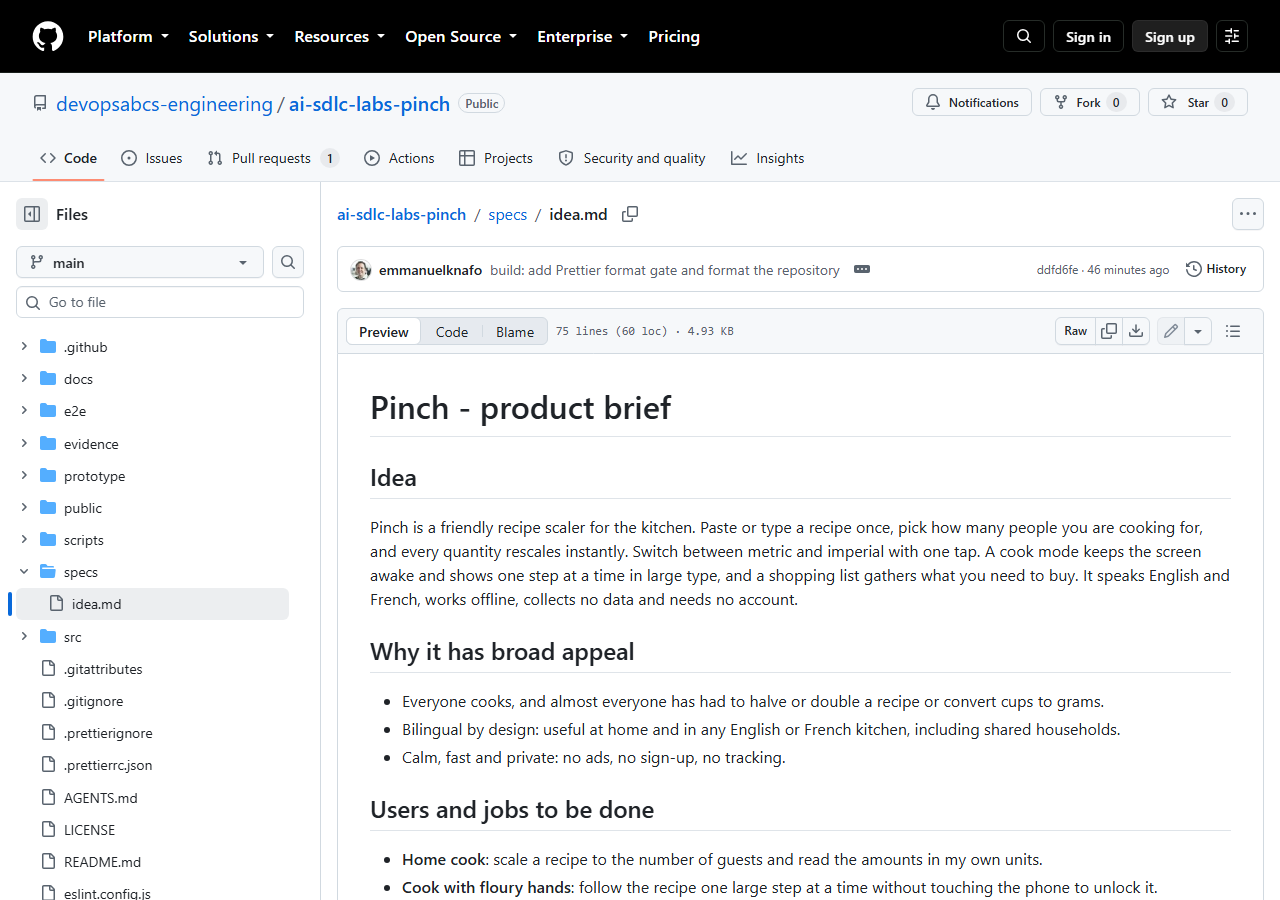
Open with three short sections. The reference brief is titled Pinch - product brief and starts like this:
## Idea

Pinch is a friendly recipe scaler for the kitchen. Paste or type a recipe once, pick how many people you are cooking for,
and every quantity rescales instantly. ... It speaks English and French, works offline, collects no data and needs no account.

## Why it has broad appeal
## Users and jobs to be done
The users section lists four people, each with a job: the home cook, the cook with floury hands, the shopper and the francophone or anglophone user. Write jobs, not features: "follow the recipe one large step at a time without touching the phone to unlock it".
Step 3: Write a numbered v1 scope and an out-of-scope list
Number the scope items. Agents and reviewers later refer to "item 7", and the numbers become the base of the requirements in Lab 3. The Pinch brief has nine items, for example:
7. Full English and French UI with a language switcher, the language remembered, `lang` set on the document, and
   locale-aware number formatting (decimal comma in French). No untranslated key may ship: a script must fail the build
   when the two catalogs differ.
Notice that this item is testable: a script can fail the build. Write each item so that someone can answer yes or no.
Then say what you will not build. Pinch lists accounts, sync across devices, importing from URLs, nutrition data, photos and any server. An explicit out-of-scope list is the best protection against an agent that adds features you did not ask for.
Step 4: Add non-functional requirements and delivery
State the technical frame once, in the brief:
- A static site with Vite and TypeScript, no UI framework, a light and a dark theme.
- Vitest unit tests, Playwright end-to-end tests, ESLint and Prettier, and
npm auditclean for high and critical. - Every script and test must run on Linux and Windows: no hard-coded OS paths, use Playwright's Chromium.
- A Lighthouse-style smoke check: installable manifest, service worker, performance 0.9 or better on a throttled run.
Then give the delivery target and the gates. Pinch deploys to GitHub Pages through a manually dispatched workflow that requires a governance_approved input. The gate list in the brief reads in order: design-review, prototype-review, spec-review, build, lint, unit, acceptance (e2e), an i18n parity gate, critic review, security, then the human sign-off, then pre-deploy, smoke and rollback-ready.
Why the portability line is in the brief
In the earlier Focus Garden run, a Windows-only Chrome path in the Lighthouse test broke the first Linux release. The Pinch brief says "no hard-coded OS paths; use Playwright Chromium" so the agents avoid the same mistake.
Step 5: Write the run rules for the agents
This section turns a wish list into a safe run. The Pinch brief says, in short:
- Work in small bounded steps. At the end of each step, commit with a Conventional Commit message and stop.
- Work on a git branch named
feature/pinch. Never push and never deploy before the human sign-off is recorded. - Pause at the sign-off gate and wait. Do not populate approvers yourself.
- Keep scope small, because learners reproduce this and pay per run.
- If a plugin component does not apply (for example a backend developer agent for a backend-less app), record a justified skip in
decisions.md.
Where the run state will appear
The first lifecycle run creates .copilot-tracking/<run-id>/, where <run-id> is the date plus a short name (the reference run is 2026-10-05-pinch). It holds state.json (the canonical state), plan.md and tasks.md (readable views of it), changes.md, decisions.md and an inbox/ folder where each agent drops its own result file. The folder is git-ignored. You do not create any of it by hand.
Step 6: Check and commit the brief
(Get-Content specs\idea.md).Count
Select-String -Path specs\idea.md -Pattern '^## ' | ForEach-Object { $_.Line }
git add specs/idea.md
git commit -m "docs: add product brief"
Expected result
For the Pinch brief, the line count is 75 and the headings include Idea, Why it has broad appeal, Users and jobs to be done, Scope (v1), Non-functional requirements, Delivery and Run rules for the agents. git log --oneline shows your new commit.
Checkpoint
Tag lab-01-end
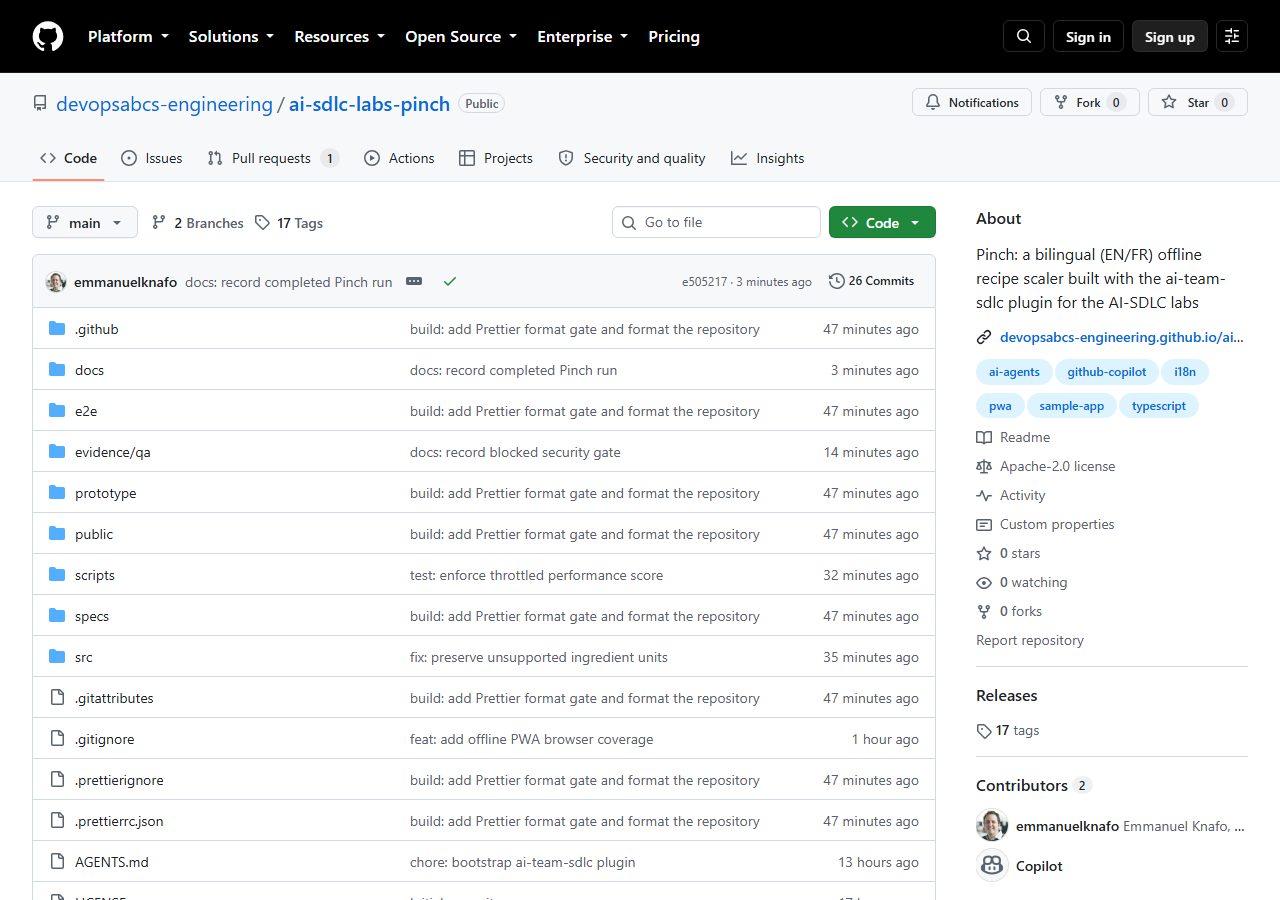
In the reference repository, lab-01-end points at commit 22d3f4e, and specs/idea.md is committed. The brief itself was added earlier, in commit 3e1f825 ("docs: add Pinch product brief"). That is why lab-01-start and lab-01-end are the same commit, and git diff lab-01-start lab-01-end --stat prints nothing.
To verify against the reference:
git clone https://github.com/devopsabcs-engineering/ai-sdlc-labs-pinch "$HOME\src\ai-sdlc-labs-pinch"
Set-Location -LiteralPath "$HOME\src\ai-sdlc-labs-pinch"
git checkout lab-01-end
(Get-Content specs\idea.md).Count
git show --stat --oneline 3e1f825
The count is 75, and the last command lists specs/idea.md with 75 insertions. Return to the latest state with git checkout main.
Bring your own idea
Use your own product with the same flow. A checklist:
- One paragraph that says what it does and for whom, in plain words.
- Two to four users, each with one job to be done.
- A numbered v1 scope of about 8 or 9 items, each one testable (yes or no).
- An explicit out-of-scope list: accounts, servers, payments, anything you do not want built.
- Non-functional requirements: stack, tests, accessibility, and "runs on Linux and Windows, no hard-coded OS paths".
- A delivery target and the gate list, including the human sign-off before deploy.
- Run rules: bounded steps, Conventional Commits, never push or deploy before sign-off, pause at sign-off.
Cost-saving scope
Keep v1 to 3 or 4 features and a static site with no server. Each extra feature adds tasks, gates and credits in every later lab. You can always write a second brief for v2.
What went wrong in the recorded run
Nothing failed in this lab, because no agent ran. The one real lesson came from an earlier project: Focus Garden's first two release attempts failed for outside reasons, and the second failed because tests/lighthouse-audit.mjs hard-coded a Windows Chrome path. Pinch's brief therefore demands portable scripts, and Lab 4 shows that rule being tested.
Troubleshooting
git add ignores the brief
Run git check-ignore -v specs/idea.md. If a rule matches, remove or narrow it in .gitignore. Only .copilot-tracking/ should be ignored, not specs/.
Accents look wrong in the file
Save the file as UTF-8. In PowerShell, use Set-Content -Encoding utf8 as shown above, and keep the UTF-8 console setting from Lab 0.
The brief grows past a few pages
A long brief makes every agent read more and costs more in every run. Move detail into later documents (the PRD in Lab 3), and keep the brief to the idea, scope, limits, gates and run rules.
Knowledge check
Why list what is out of scope?
An agent tries to be helpful. Without a clear out-of-scope list, it can add accounts, sync or a server. The list keeps the build small and the cost predictable.
Which run rules make the agents safe?
Bounded steps with a commit after each, a work branch, never pushing or deploying before the human sign-off, and pausing at the sign-off gate without filling in the approvers.
Is .copilot-tracking/ part of the source code?
No. It is the run state and it is git-ignored. state.json is canonical; plan.md and tasks.md are views of it.
Summary
You wrote specs/idea.md: the idea, users, a numbered v1 scope, an out-of-scope list, non-functional requirements, the gate list and the run rules. You know that the first lifecycle run creates .copilot-tracking/<run-id>/, and that the brief is the cheapest place to control scope and cost.
Next steps
Continue with Lab 2: Design and prototype, where the first agents turn the brief into a design and a clickable prototype.