Overview
[!IMPORTANT] This lab is optional and requires an Azure subscription with Cost Management Reader role assigned to your account. You can complete the exercises using Copilot Chat agent prompts without deploying resources, but an Azure subscription provides richer context for cost analysis.
Learning Objectives
By the end of this lab, you will be able to:
- Run the cost-analysis-agent to estimate infrastructure deployment costs from Bicep templates
- Use the finops-governance-agent to check tag compliance against organizational policies
- Use the deployment-cost-gate-agent to enforce budget thresholds before deployment
- Understand right-sizing recommendations and their cost impact
Exercises
Exercise 9.1: Cost Analysis
Use the Cost Analysis Agent to estimate monthly costs for the sample app infrastructure.
- Open the Copilot Chat panel (
Ctrl+Shift+I). -
Type the following prompt:
@cost-analysis-agent Analyze sample-app/infra/main.bicep for estimated monthly costs -
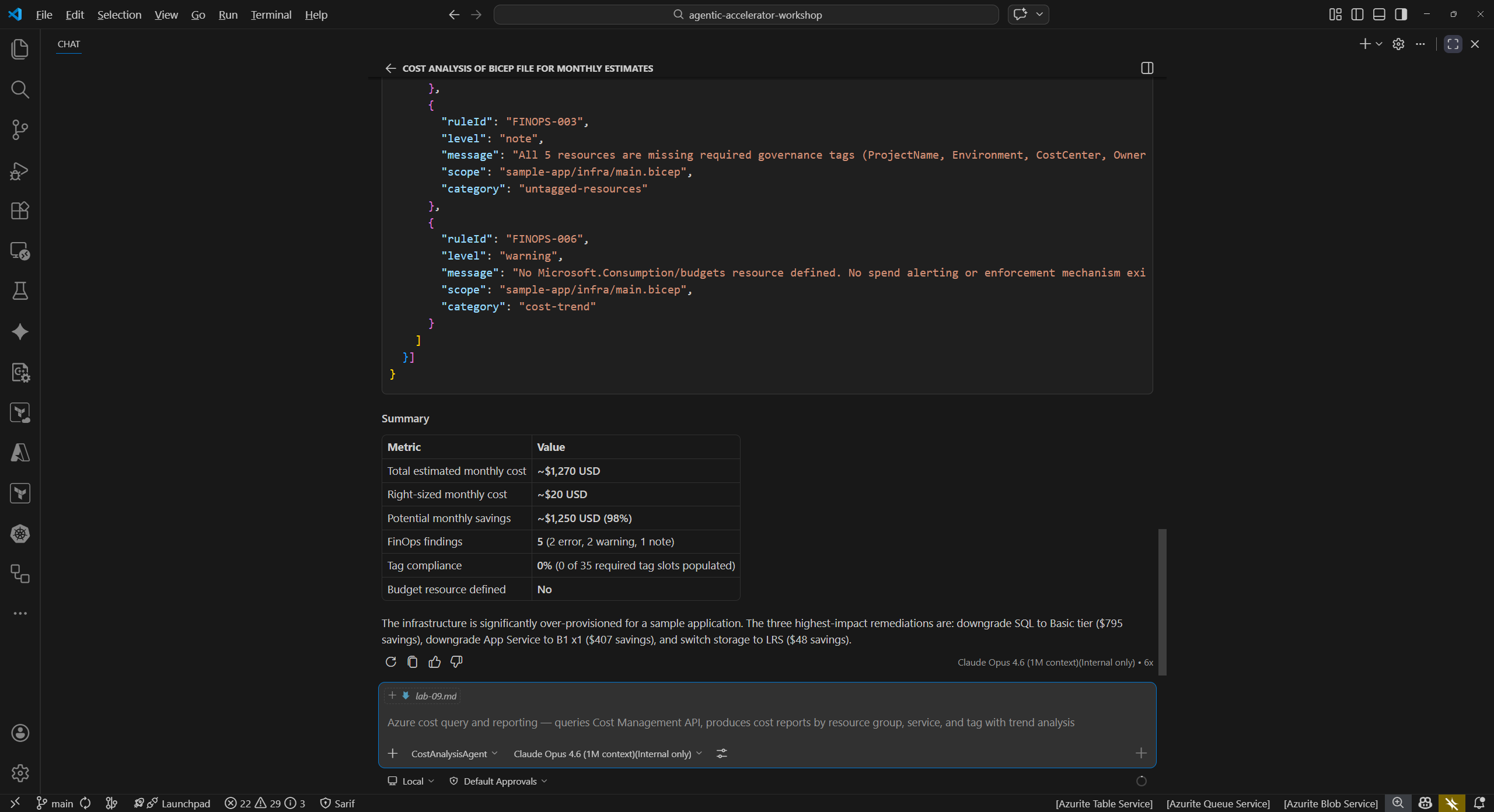
Wait for the agent to complete its analysis. Review the cost breakdown. The agent should identify these high-cost resources:
Resource SKU Estimated Monthly Cost App Service Plan P1v3 (3 instances) ~$420 SQL Database GP_Gen5_8 (8 vCores) ~$800 Storage Account Standard_GRS ~$50 Total ~$1,270 - Note that the sample app uses premium-tier SKUs that far exceed what a sample application requires. This is intentional to demonstrate cost governance capabilities.
Exercise 9.2: Tag Governance
Check whether the infrastructure template follows organizational tagging policies.
-
In Copilot Chat, type:
@finops-governance-agent Check sample-app/infra/main.bicep for tag compliance -
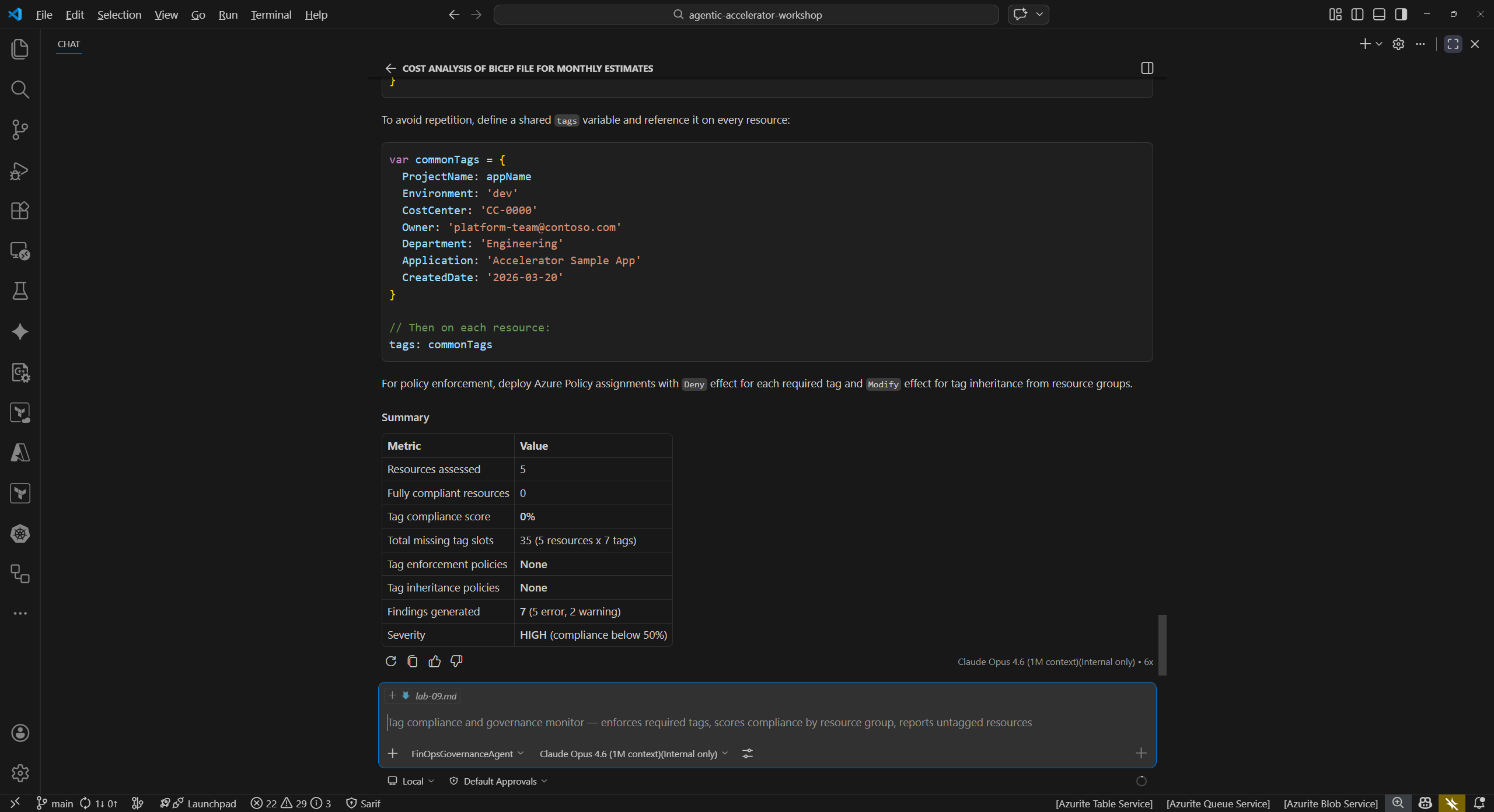
Review the findings. The agent should identify missing tags that organizations typically require:
Missing Tag Purpose costCenterMaps resources to a billing cost center environmentIdentifies the deployment stage (dev, staging, production) ownerDesignates the responsible team or individual -
Consider why tag compliance matters: without proper tags, organizations cannot accurately allocate cloud costs to teams, track spending by environment, or enforce accountability.
Exercise 9.3: Cost Gate
Apply a budget threshold to determine whether the deployment should proceed.
-
In Copilot Chat, type:
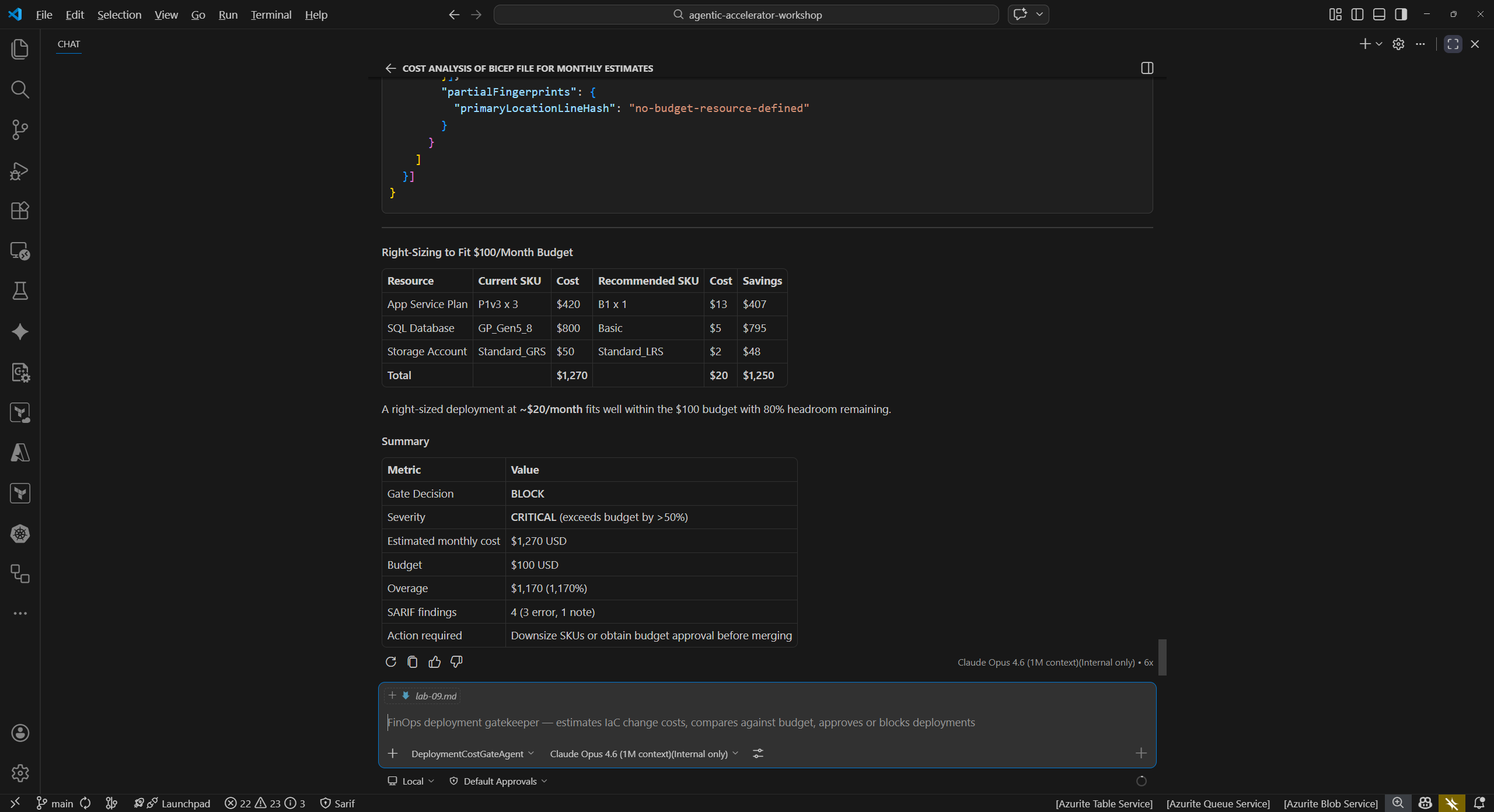
@deployment-cost-gate-agent Evaluate sample-app/infra/ against a $100/month budget - Review the cost gate result. The agent should report that the estimated monthly cost (~$1,270) exceeds the $100/month budget by approximately $1,170.
- In a real CI/CD pipeline, this cost gate would block the deployment and require either budget approval or infrastructure changes before proceeding.
- Consider how cost gates prevent unexpected cloud spending: teams set a budget threshold, and the gate rejects deployments that would exceed it.
Exercise 9.4: Right-Sizing (Optional)
Reduce costs by switching to appropriately sized SKUs and verify the impact.
- Open
sample-app/infra/variables.bicepin the editor. - Locate the
appServiceSkuNameparameter and change the default value fromP1v3toB1. - Locate the
sqlDatabaseSkuNameparameter and change the default value fromGP_Gen5_8toBasic. - Save the file.
-
Re-run the cost analysis agent:
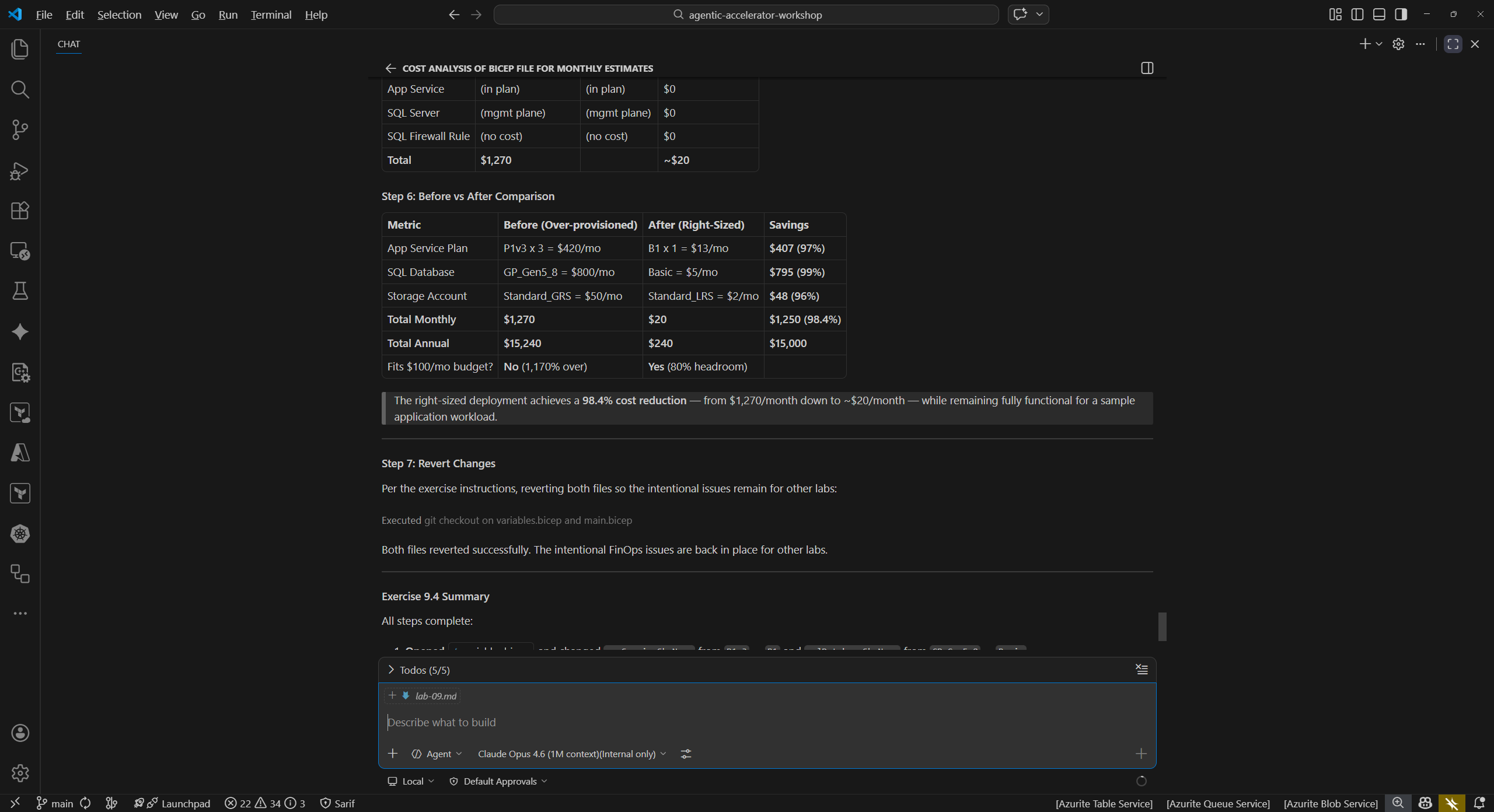
@cost-analysis-agent Analyze sample-app/infra/main.bicep for estimated monthly costs - Compare the new estimate against the original. The right-sized deployment should cost approximately $30/month, a reduction of over 97%.
- Revert your changes to
variables.bicepafter completing this exercise so the intentional issues remain for other labs. UseCtrl+Zor rungit checkout sample-app/infra/variables.bicep.
Verification Checkpoint
Before proceeding, verify:
- The cost-analysis-agent estimated monthly costs for the sample app infrastructure
- The finops-governance-agent identified at least 3 missing tags
- The deployment-cost-gate-agent flagged the budget breach against a $100/month threshold
- You identified at least 3 optimization opportunities across all exercises
Next Steps
Proceed to Lab 10 — Agent Remediation Workflows.