Overview
Learning Objectives
By the end of this lab, you will be able to:
- Run test coverage and understand the coverage gap in the sample app
- Run the code-quality-detector to find quality issues including coverage, complexity, and maintainability
- Use the test-generator to create unit tests for uncovered code
- Observe coverage improvement after applying generated tests
Exercises
Exercise 5.1: Measure Current Coverage
Before running any agents, establish a baseline by measuring the current test coverage.
-
Open a terminal in VS Code (
Ctrl+cd sample-app -
Run the test suite with coverage reporting:
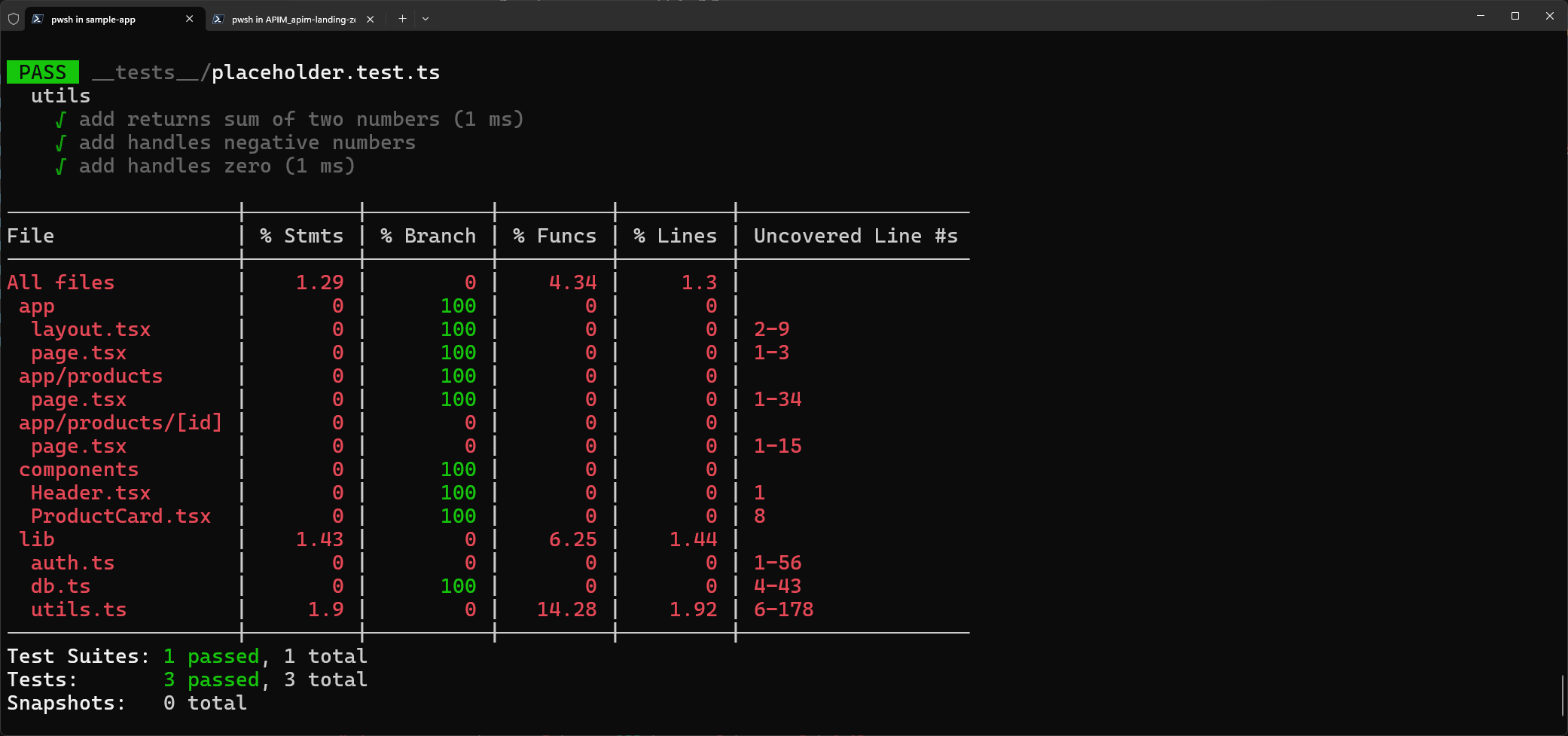
npm test -- --coverage - Review the coverage output. You should see coverage around 5% because only a placeholder test exists in
__tests__/placeholder.test.ts. - Note the specific files and functions with 0% coverage. These are the targets for later exercises.
Exercise 5.2: Code Quality Detection
Use the Code Quality Detector agent to get a comprehensive quality analysis.
- Open the Copilot Chat panel (
Ctrl+Shift+I). -
Type the following prompt:
@code-quality-detector Analyze sample-app/ for code quality issues including coverage, complexity, and maintainability -
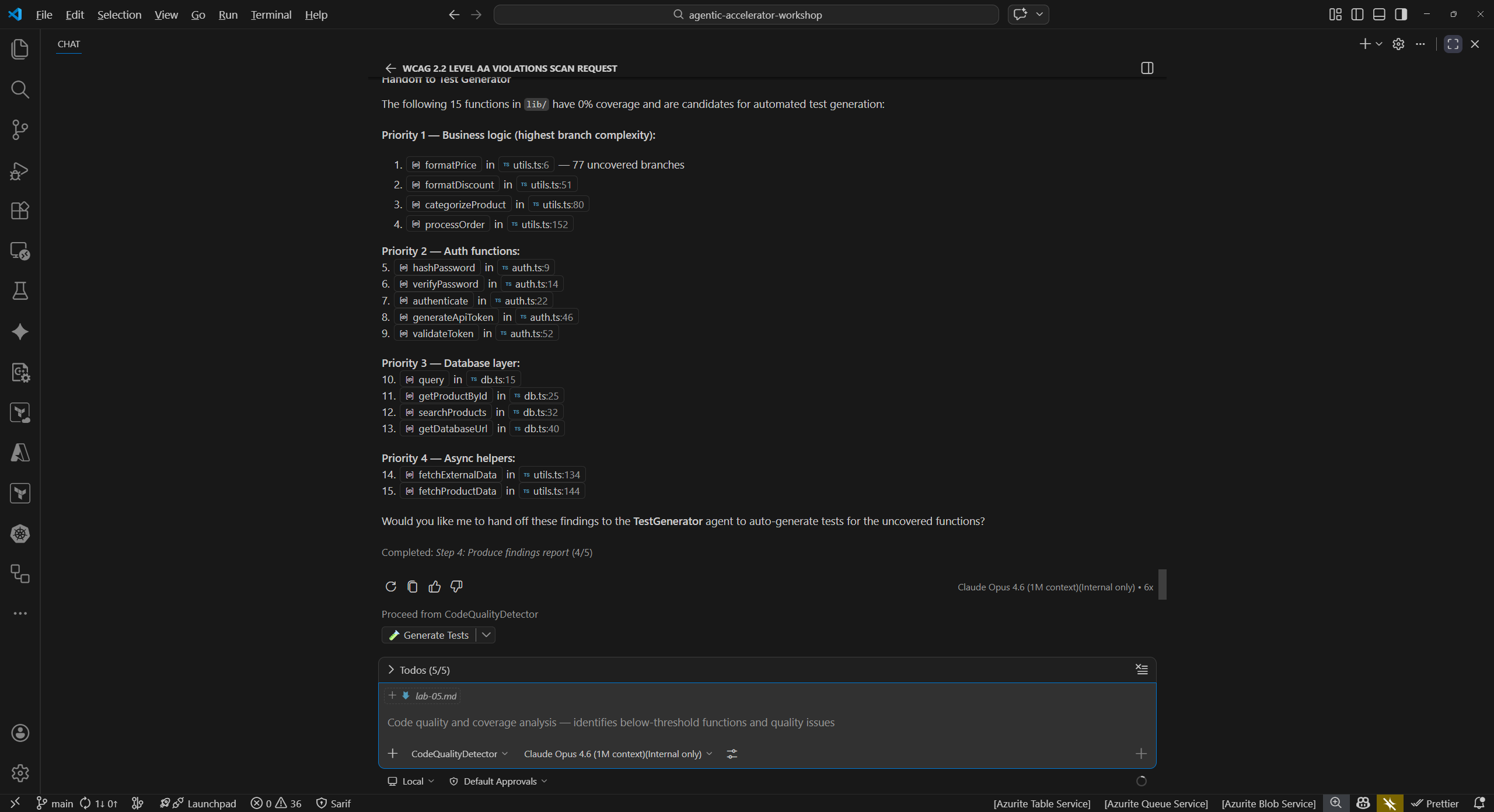
Review the findings. The detector should identify issues such as:
Finding Category File Test coverage below 80% threshold Coverage Project-wide High cyclomatic complexity Complexity sample-app/src/lib/utils.tsUse of anytype annotationsType Safety Multiple files Code duplication in utility functions Maintainability sample-app/src/lib/Missing error handling Reliability sample-app/src/lib/db.ts - Note which findings the detector flags as highest priority. Low coverage and type safety issues are common starting points for improvement.
Exercise 5.3: Generate Tests
Use the Test Generator agent to create unit tests for one of the uncovered files.
-
In Copilot Chat, type:
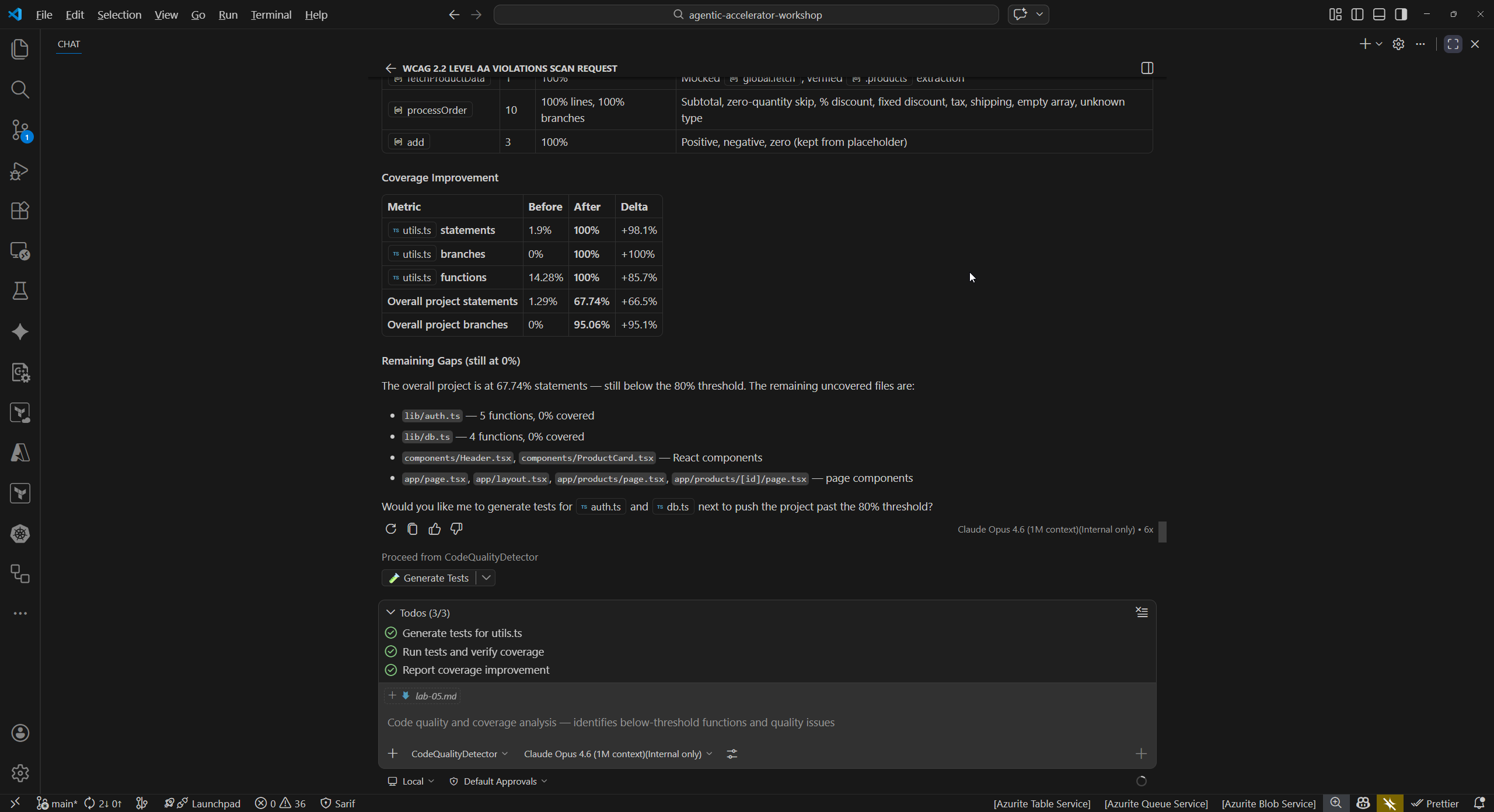
@test-generator Generate unit tests for sample-app/src/lib/utils.ts to improve coverage -
Review the generated test file. The agent should produce tests that cover:
- Each exported function in
utils.ts - Edge cases (null inputs, empty strings, boundary values)
- Expected return values for common inputs
- Each exported function in
-
Examine the test structure. The generated tests should use Jest syntax (
describe,it,expect) consistent with the project configuration injest.config.ts.
Exercise 5.4: Apply Tests and Re-measure (Optional)
Apply the generated tests and measure the coverage improvement.
-
Copy the generated test code into a new file:
# Create the test file (paste the generated content) code sample-app/__tests__/utils.test.ts - Save the file with the generated test content from Exercise 5.3.
-
Re-run the test suite with coverage:
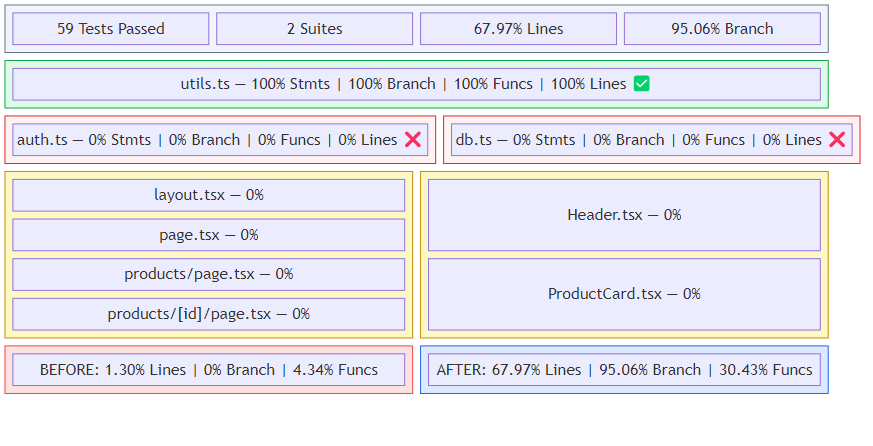
cd sample-app npm test -- --coverage - Compare the new coverage percentage to the baseline from Exercise 5.1. You should see a measurable improvement in the coverage for
src/lib/utils.ts. - This exercise demonstrates the detect → generate → verify cycle from Lab 02: the Code Quality Detector identified the gap, the Test Generator produced tests, and re-running coverage confirms the improvement.
Verification Checkpoint
Before proceeding, verify:
- You measured the baseline test coverage (approximately 5%)
- The code-quality-detector identified low coverage, complexity, or type safety issues
- The test-generator produced unit tests for
utils.ts - (Optional) You applied the generated tests and observed improved coverage
- You understand the detect → generate → verify cycle for code quality
Next Steps
Proceed to Lab 06.