Overview
| Duration | 30 minutes |
| Level | Beginner |
| Prerequisites | None |
Learning Objectives
By the end of this lab, you will be able to:
- Install the required tools (Node.js v20+, Git, VS Code)
- Install the four VS Code extensions used throughout the workshop
- Create your own repository from the workshop template
- Verify that GitHub Copilot Chat is working and can see the workspace agents
Exercises
Exercise 0.1: Install Required Tools
You need three tools on your machine before starting the workshop. If you already have them installed, confirm the minimum versions below.
-
Node.js v20 or later — download from https://nodejs.org if you do not have it.
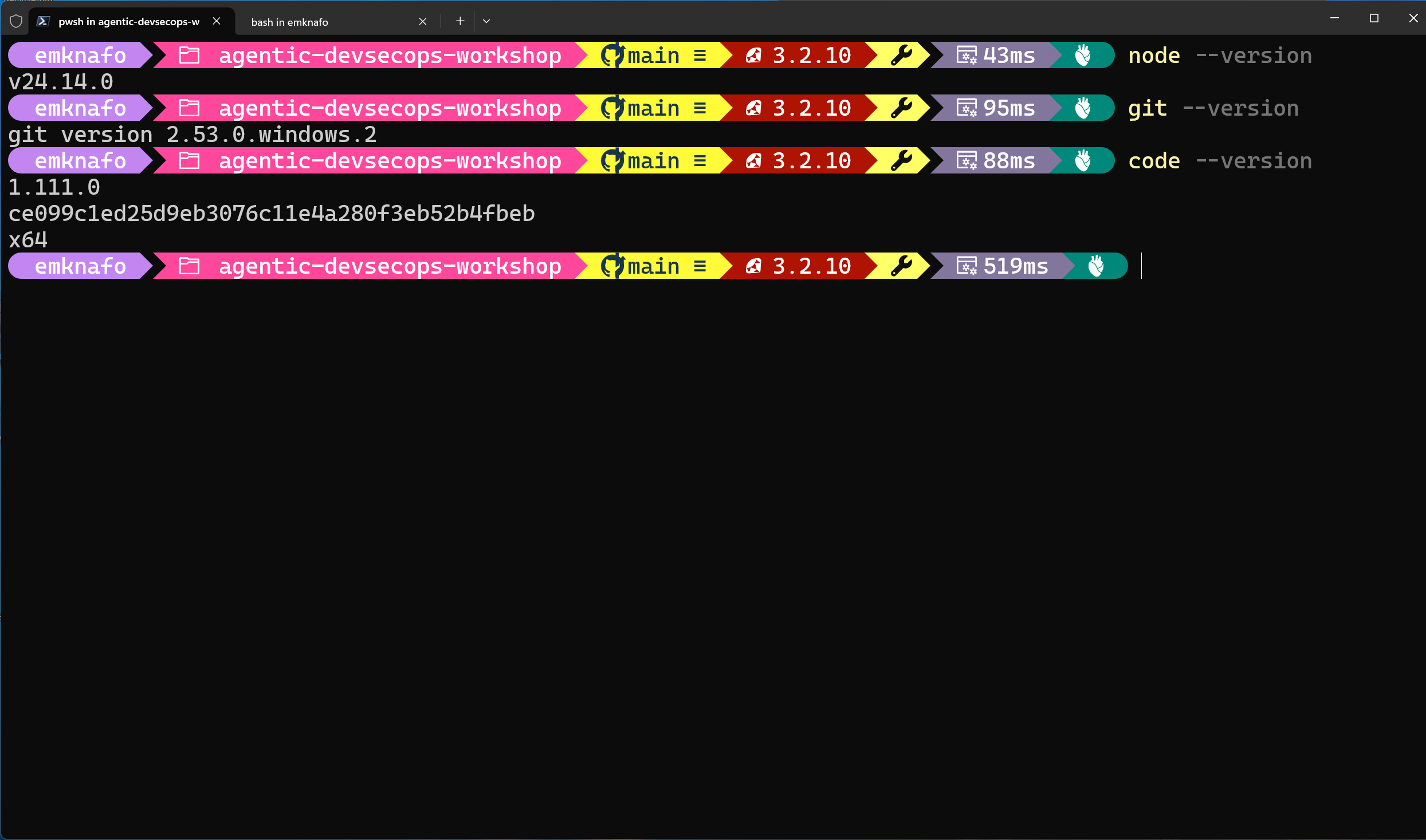
Open a terminal and run:
node --versionConfirm the output shows
v20.x.xor higher. -
Git — download from https://git-scm.com if you do not have it.
git --version -
Visual Studio Code — download from https://code.visualstudio.com if you do not have it.
code --version
Exercise 0.2: Install VS Code Extensions
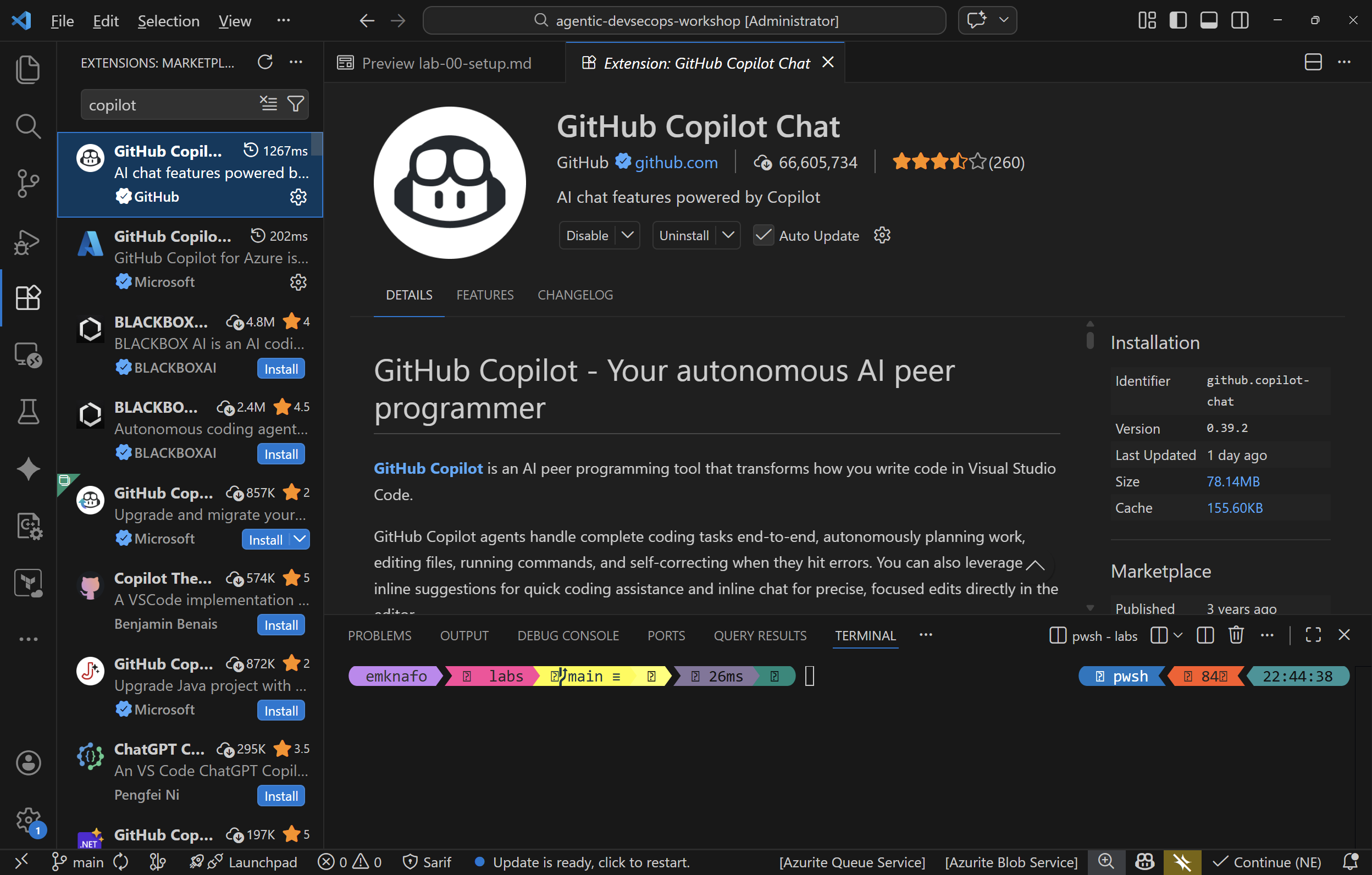
Open VS Code and install the following four extensions from the Extensions panel (Ctrl+Shift+X):
| Extension | ID |
|---|---|
| GitHub Copilot | github.copilot |
| GitHub Copilot Chat | github.copilot-chat |
| SARIF Viewer | MS-SarifVSCode.sarif-viewer |
| ESLint | dbaeumer.vscode-eslint |
You can also install them from the terminal:
code --install-extension github.copilot
code --install-extension github.copilot-chat
code --install-extension MS-SarifVSCode.sarif-viewer
code --install-extension dbaeumer.vscode-eslint
After installation, confirm all four extensions appear as enabled in the Extensions panel.
Exercise 0.3: Create Your Workshop Repository
- Navigate to https://github.com/devopsabcs-engineering/agentic-accelerator-workshop in your browser.
- Click Use this template and then select Create a new repository.
- Set the repository name to
agentic-accelerator-workshopunder your personal GitHub account. - Set visibility to Public (required for GitHub Security tab features in later labs).
- Click Create repository.
-
Clone the repository to your local machine:
git clone https://github.com/<your-username>/agentic-accelerator-workshop.git -
Open the repository in VS Code:
code agentic-accelerator-workshop
Exercise 0.4: Verify Copilot Chat
- Open the Copilot Chat panel (
Ctrl+Shift+Ion Windows orCmd+Shift+Ion macOS). -
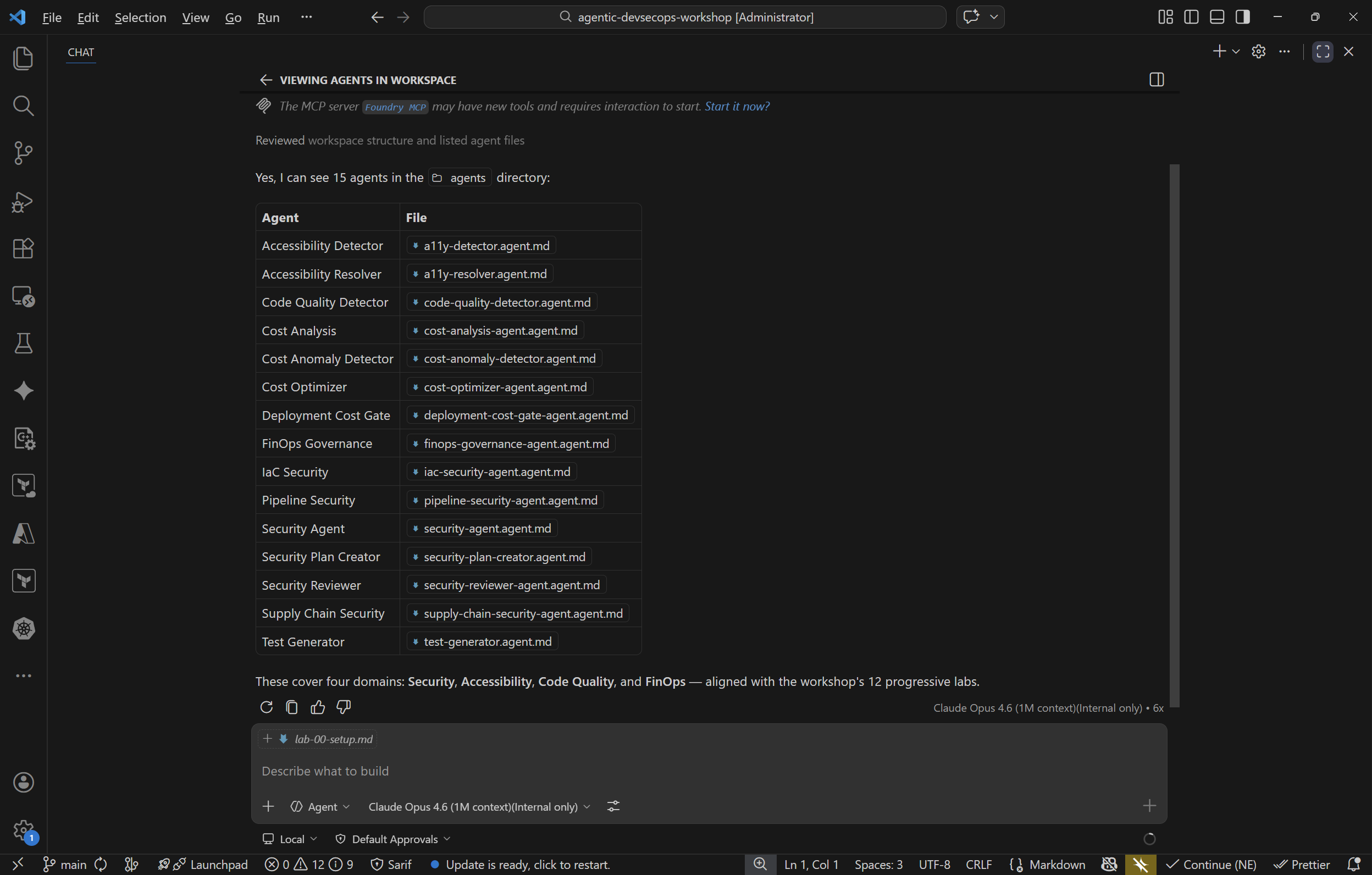
Type the following message:
Hello, can you see the agents in this workspace? - Copilot should respond with a list of agents it can see (for example,
@security-agent,@a11y-detector). - If Copilot does not list any agents, confirm the
.github/agents/folder is present in your workspace and the Copilot extensions are enabled.
Verification Checkpoint
Before proceeding, verify:
node --versionreturns v20.x.x or higher- All four VS Code extensions are installed and enabled
- Your workshop repository is created from the template and cloned locally
- Copilot Chat responds and lists workspace agents
Next Steps
Proceed to Lab 01 — Explore the Sample App.