Overview
Learning Objectives
By the end of this lab, you will be able to:
- Run the security-reviewer-agent to find OWASP Top 10 vulnerabilities in source code
- Run the iac-security-agent to find infrastructure misconfigurations in Bicep templates
- Run the supply-chain-security-agent to find dependency risks in package manifests
- Interpret security findings with CWE IDs and severity levels
Exercises
Exercise 3.1: Source Code Security Scanning
In this exercise you use the Security Reviewer Agent to scan the sample app source code for common vulnerabilities.
- Open the Copilot Chat panel (
Ctrl+Shift+I). -
Type the following prompt:
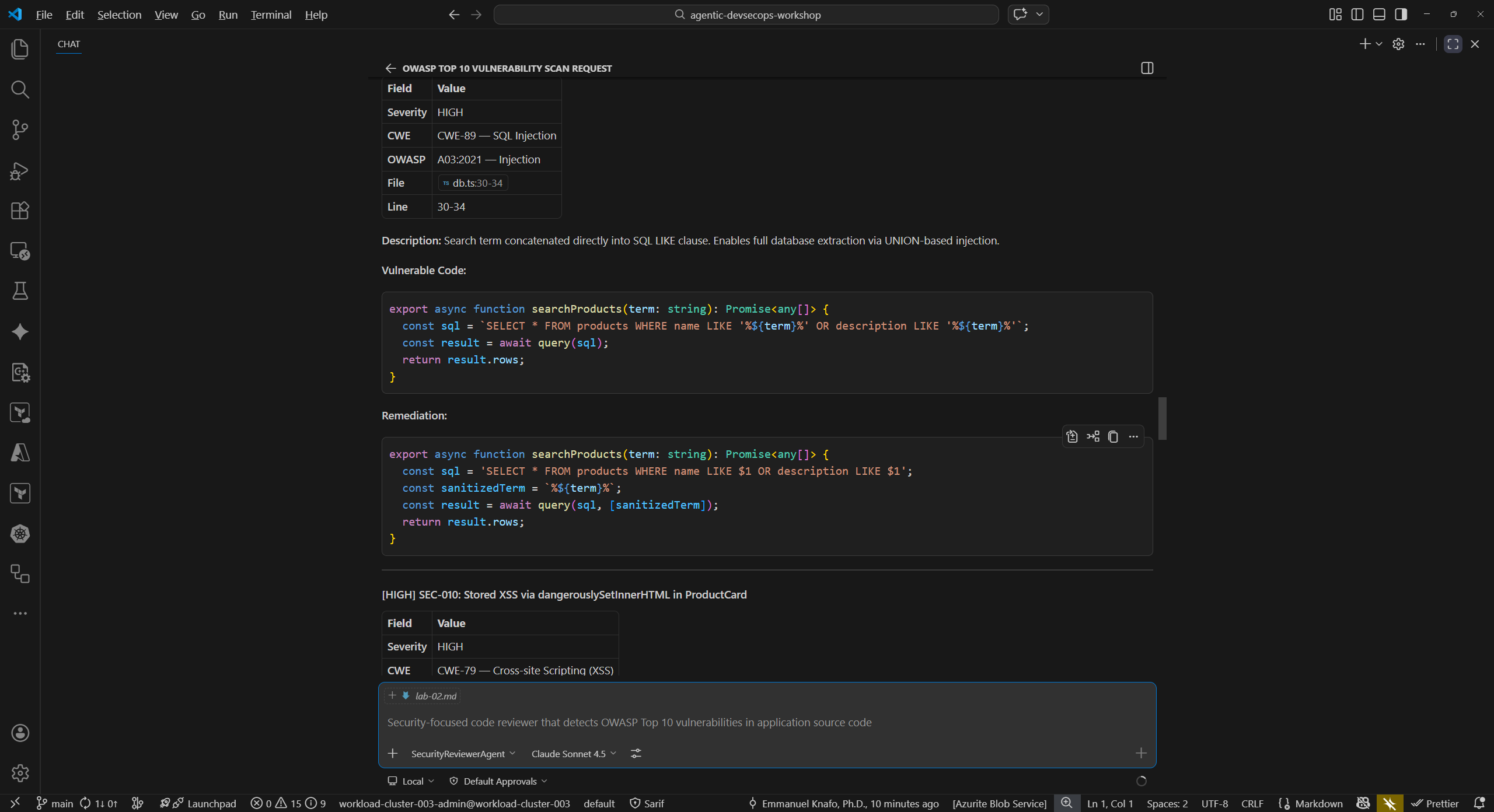
@security-reviewer-agent Scan sample-app/src/ for OWASP Top 10 vulnerabilities. Report findings with CWE IDs and severity. -
Wait for the agent to complete its analysis. Review the output and look for these categories of findings:
Finding CWE File SQL injection via string concatenation CWE-89 sample-app/src/lib/db.tsCross-site scripting (XSS) via dangerouslySetInnerHTMLCWE-79 sample-app/src/components/ProductCard.tsxHardcoded secrets (JWT secret, API key) CWE-798 sample-app/src/lib/auth.tsWeak cryptographic hashing (MD5) CWE-328 sample-app/src/lib/auth.tsPredictable token generation ( Math.random())CWE-330 sample-app/src/lib/auth.ts - Note the severity level assigned to each finding. Critical and High findings represent immediate risks that should be addressed before deployment.
Exercise 3.2: Infrastructure Security Scanning
Next, scan the infrastructure-as-code template for security misconfigurations.
-
In Copilot Chat, type:
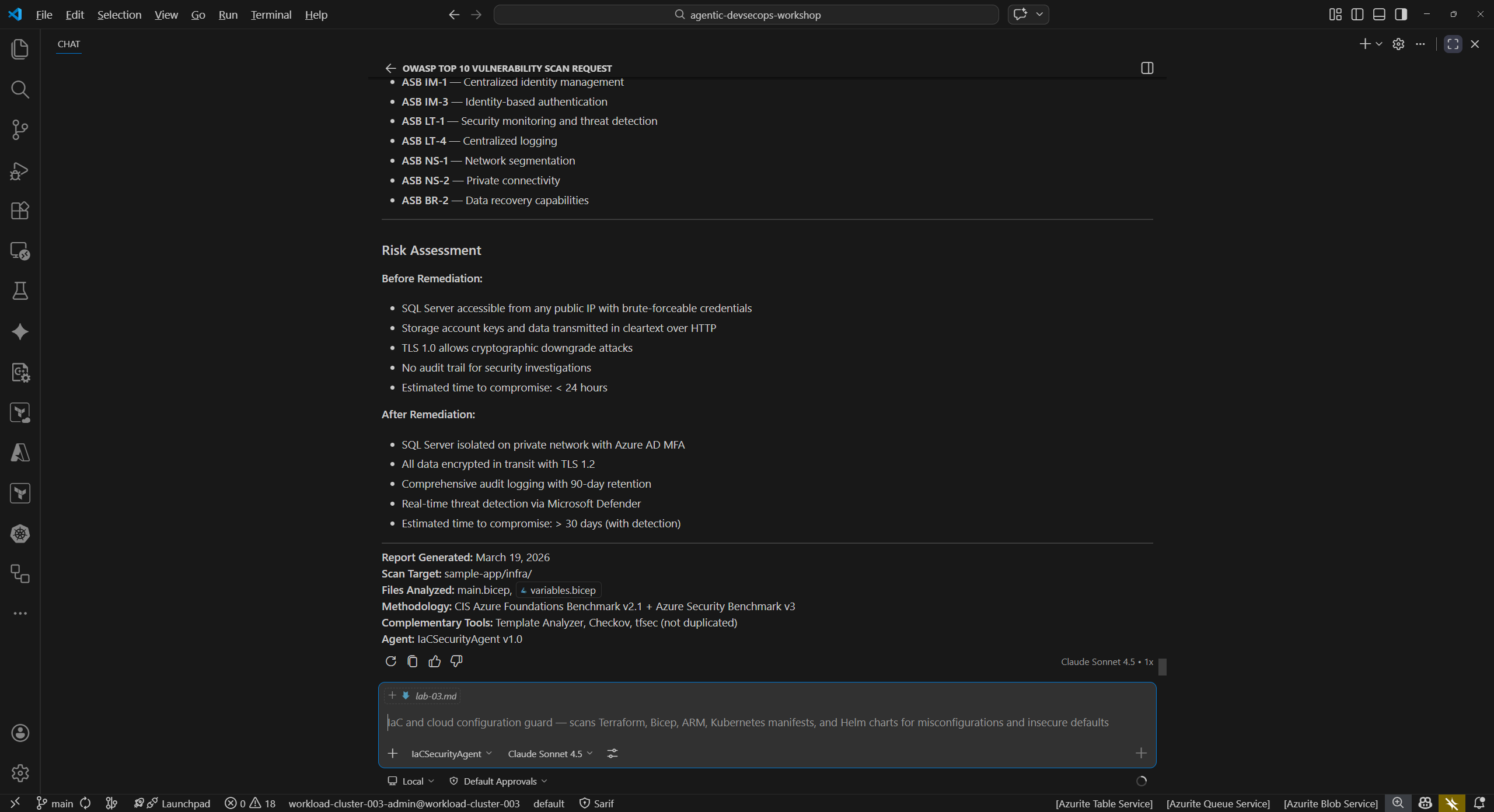
@iac-security-agent Scan sample-app/infra/main.bicep for security misconfigurations -
Review the findings. The agent should identify issues such as:
- Public blob access enabled on the storage account
- TLS 1.0 permitted (minimum TLS version should be 1.2)
- HTTP traffic allowed (HTTPS should be enforced)
- Overly permissive firewall rules
- Plaintext SQL administrator password passed as a parameter
-
For each finding, note the line number in
main.bicepand the recommended remediation.
Exercise 3.3: Supply Chain Security
Now analyze the project dependencies for known vulnerabilities and license risks.
-
In Copilot Chat, type:
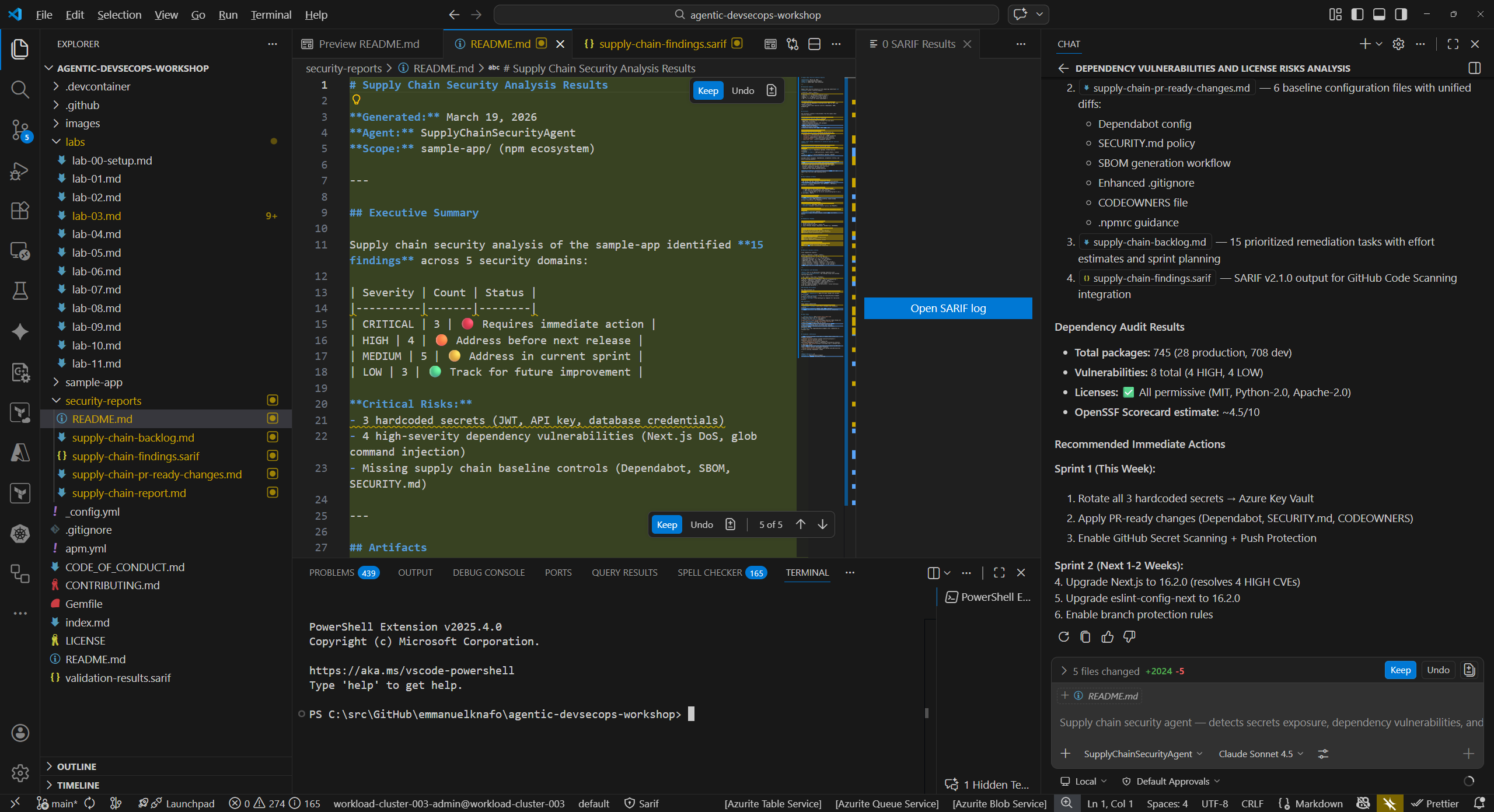
@supply-chain-security-agent Analyze sample-app/package.json for dependency vulnerabilities and license risks -
Review the findings. Common issues include:
- Dependencies with known CVEs
- Missing lockfile integrity checks
- Outdated packages with available security patches
- License compatibility concerns
-
Note which dependencies the agent flags and the recommended upgrade paths.
Exercise 3.4: Compare Findings Against Known Issues
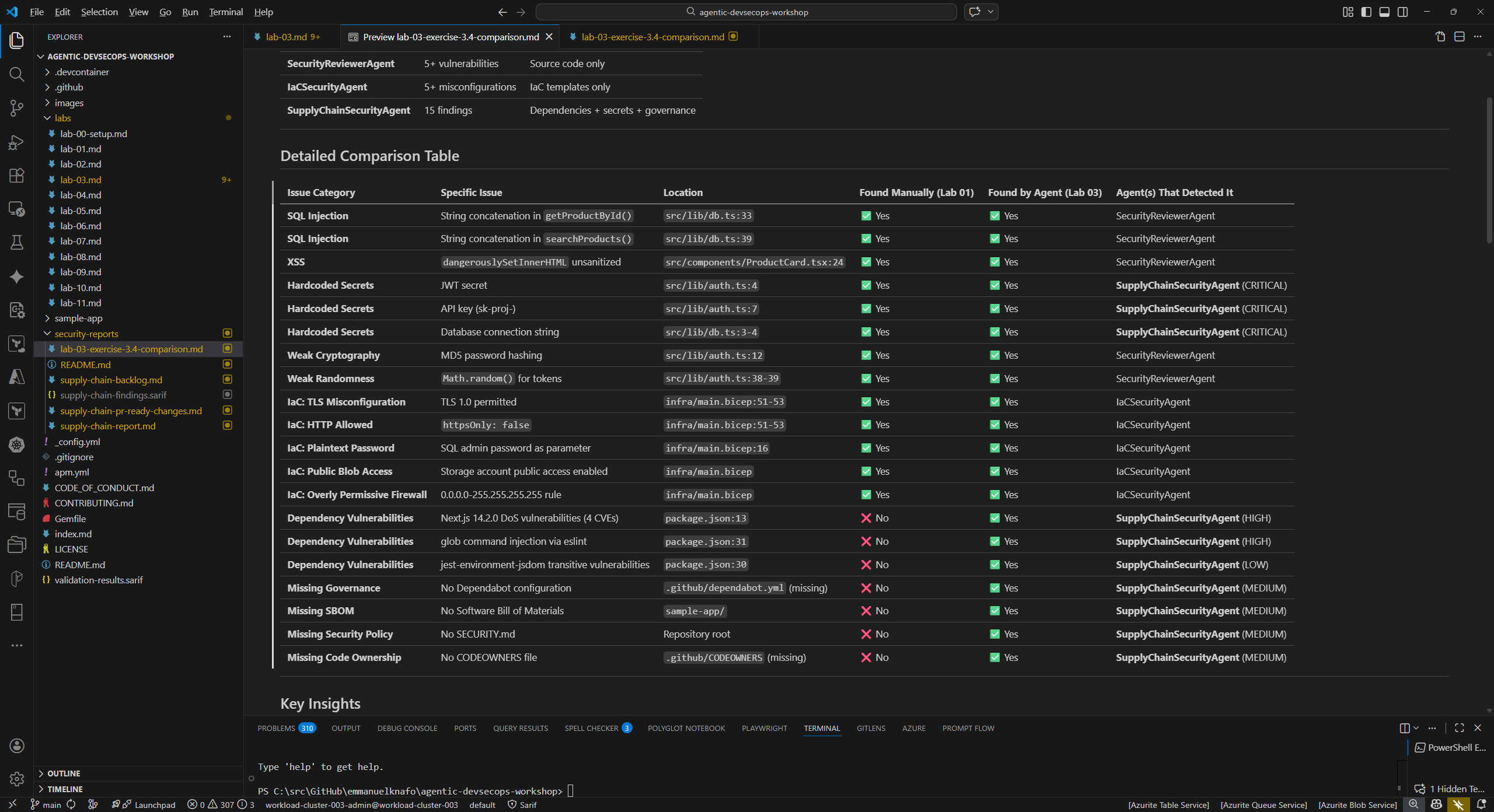
In Lab 01 you manually reviewed the sample app and identified intentional vulnerabilities. Now compare those manual findings against the agent results.
- Open your notes from Lab 01 (or revisit
sample-app/src/andsample-app/infra/to refresh your memory). -
Create a comparison table:
Issue Found Manually (Lab 01) Found by Agent (Lab 03) SQL injection in db.tsYes / No Yes / No XSS in ProductCard.tsxYes / No Yes / No Hardcoded secrets in auth.tsYes / No Yes / No Weak crypto in auth.tsYes / No Yes / No TLS misconfiguration in main.bicepYes / No Yes / No -
Consider these questions:
- Which issues did the agents find that you missed during manual review?
- Did you spot anything in Lab 01 that the agents did not flag?
- How does automated agent scanning complement manual code review?
Verification Checkpoint
Before proceeding, verify:
- The security-reviewer-agent found vulnerabilities in the source code with CWE IDs
- The iac-security-agent found misconfigurations in the Bicep template
- The supply-chain-security-agent analyzed dependencies for risks
- You identified at least 5 total vulnerabilities with CWE IDs across all scans
- You compared agent findings against your manual review from Lab 01
Next Steps
Proceed to Lab 04 — Accessibility Scanning with Copilot Agents.