Overview
Learning Objectives
By the end of this lab, you will be able to:
- Run the a11y-detector to find WCAG 2.2 Level AA violations
- Use the a11y-scan prompt template for targeted component scanning
- Try the a11y-resolver handoff for automated accessibility fixes
- Map findings to WCAG success criteria references
Exercises
Exercise 4.1: Full Accessibility Scan
Start with a broad scan of the entire sample app source directory.
- Open the Copilot Chat panel (
Ctrl+Shift+I). -
Type the following prompt:
@a11y-detector Scan sample-app/src/ for WCAG 2.2 Level AA violations -
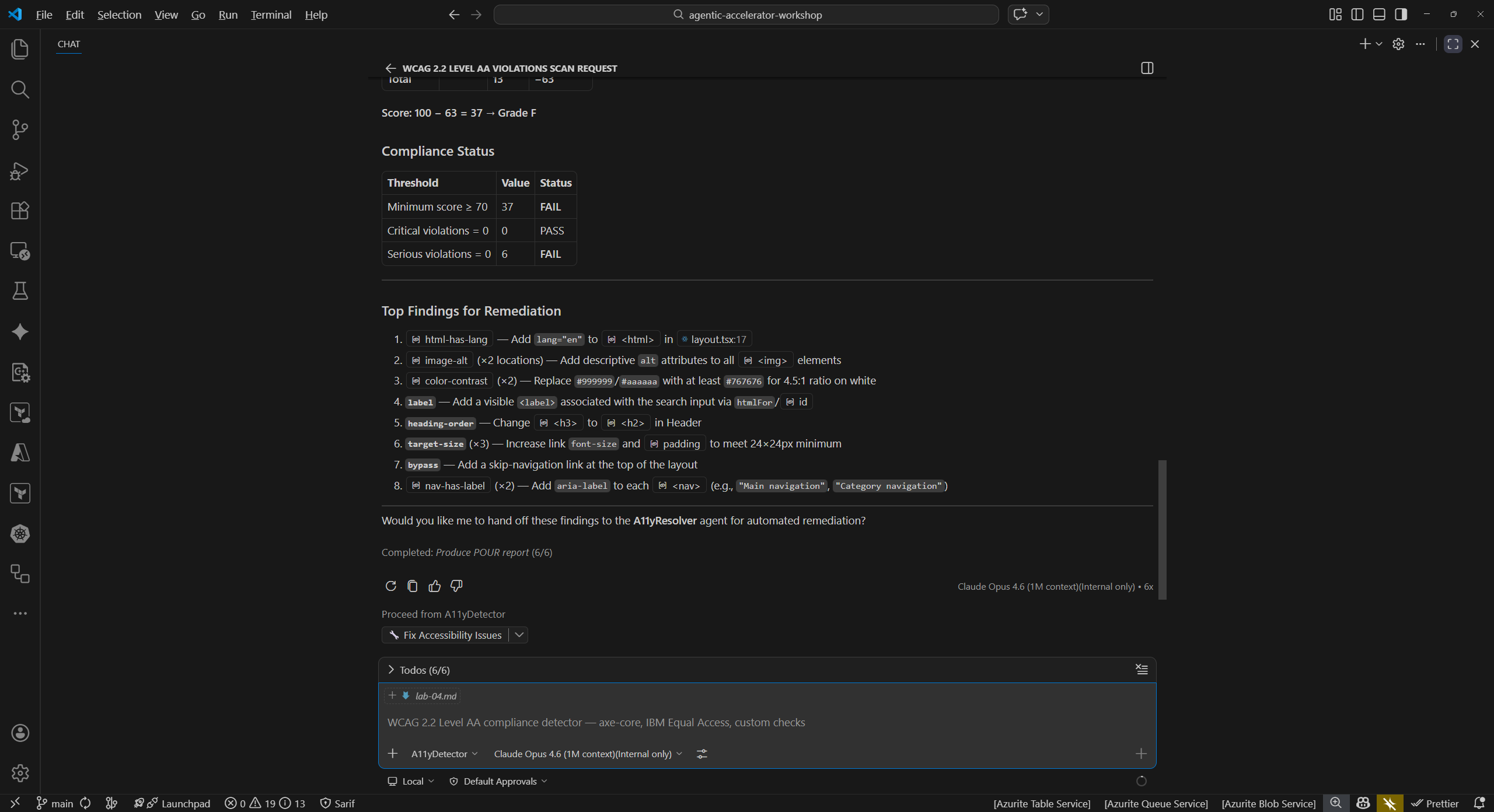
Wait for the detector to complete its analysis. Review the output and look for findings such as:
Finding WCAG Criterion File Missing langattribute on<html>element3.1.1 Language of Page sample-app/src/app/layout.tsxInsufficient color contrast ratios 1.4.3 Contrast (Minimum) sample-app/src/app/globals.cssMissing form labels or aria-labelattributes1.3.1 Info and Relationships sample-app/src/app/products/page.tsxTouch targets smaller than 44x44 CSS pixels 2.5.8 Target Size (Minimum) Multiple components - Count the total number of violations reported. The detector should find at least 5 distinct issues.
Exercise 4.2: Targeted Component Scan with Prompt File
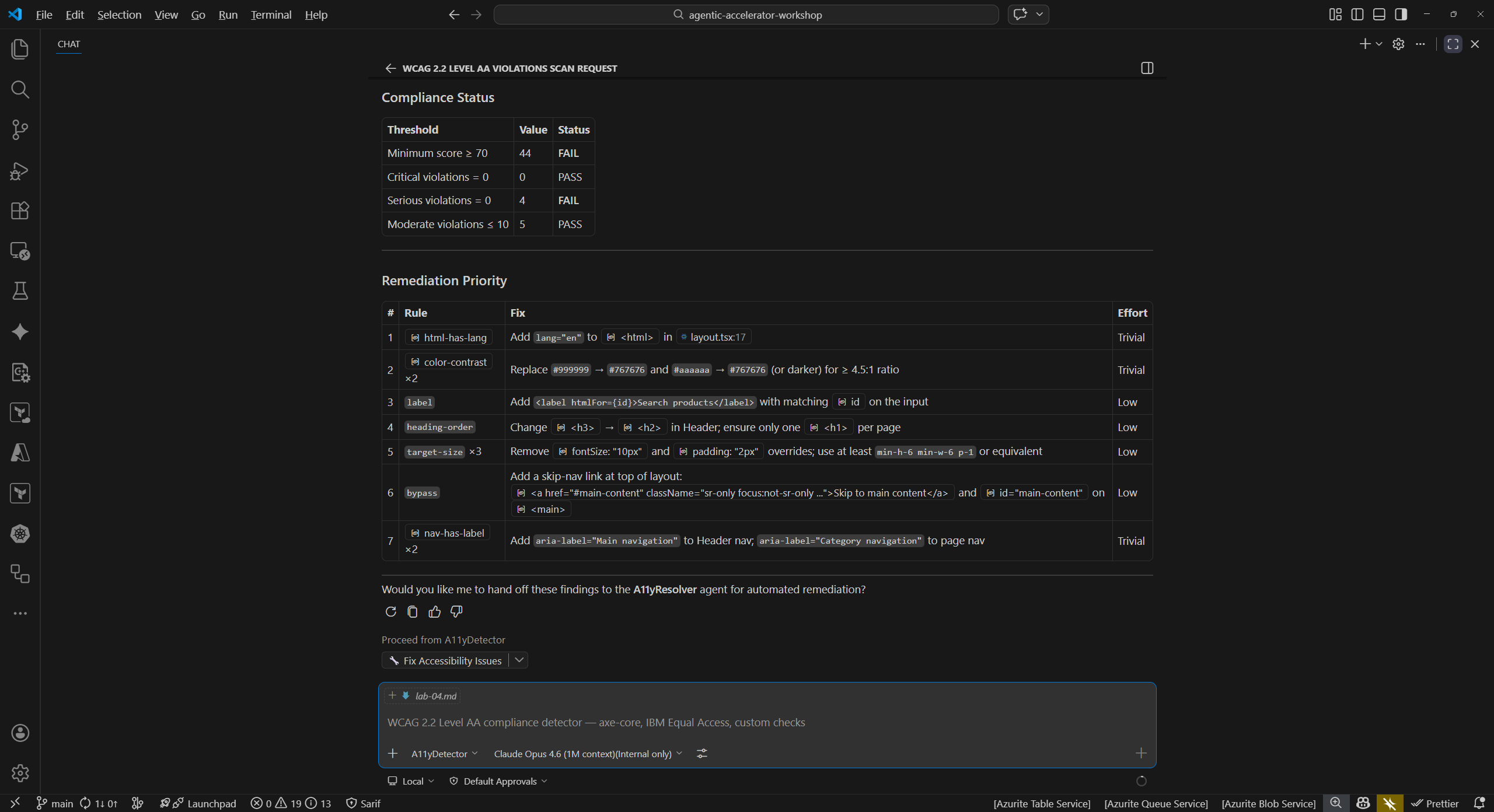
Instead of scanning the entire directory, use the a11y-scan prompt file to focus on a single component.
-
In Copilot Chat, type:
/a11y-scan component=sample-app/src/app/page.tsx - Compare the targeted output to the full scan from Exercise 4.1. Notice that the targeted scan focuses on a single component and provides more detailed findings for that file.
- The prompt file approach is useful when you want to check a specific component during development rather than scanning the entire project.
Exercise 4.3: Handoff to Resolver
Now try the detector-to-resolver handoff pattern you learned about in Lab 02.
- From the detector output in Exercise 4.1, identify the missing
langattribute finding. -
In Copilot Chat, type:
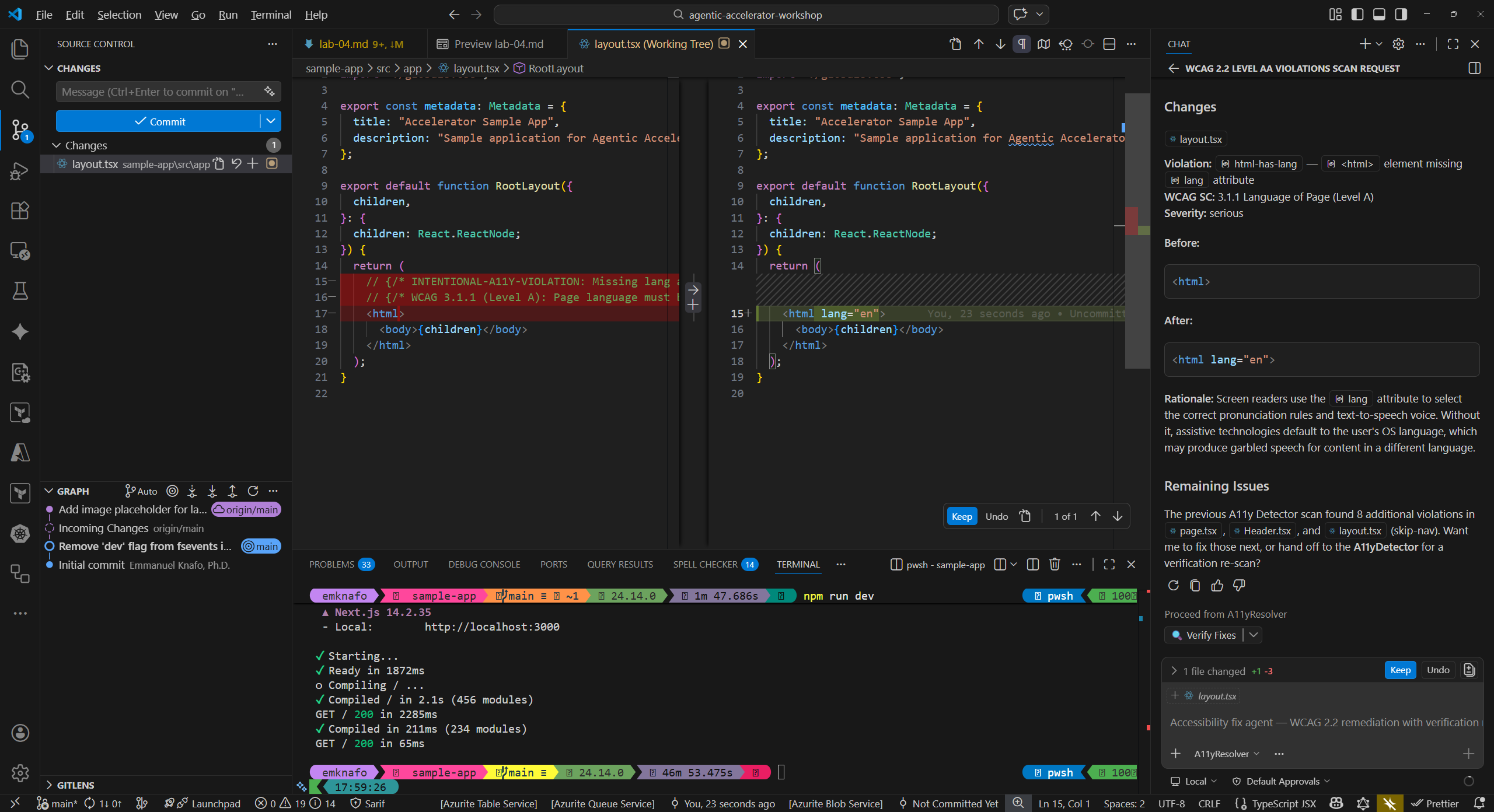
@a11y-resolver Fix the missing lang attribute in sample-app/src/app/layout.tsx - Review the proposed fix. The resolver should suggest adding
lang="en"to the<html>element inlayout.tsx. - Examine the code change the resolver proposes. Verify that it addresses the WCAG 3.1.1 violation without introducing new issues.
- Optionally, accept the fix and re-run the detector to confirm the violation is resolved.
Exercise 4.4: Map Findings to WCAG Criteria
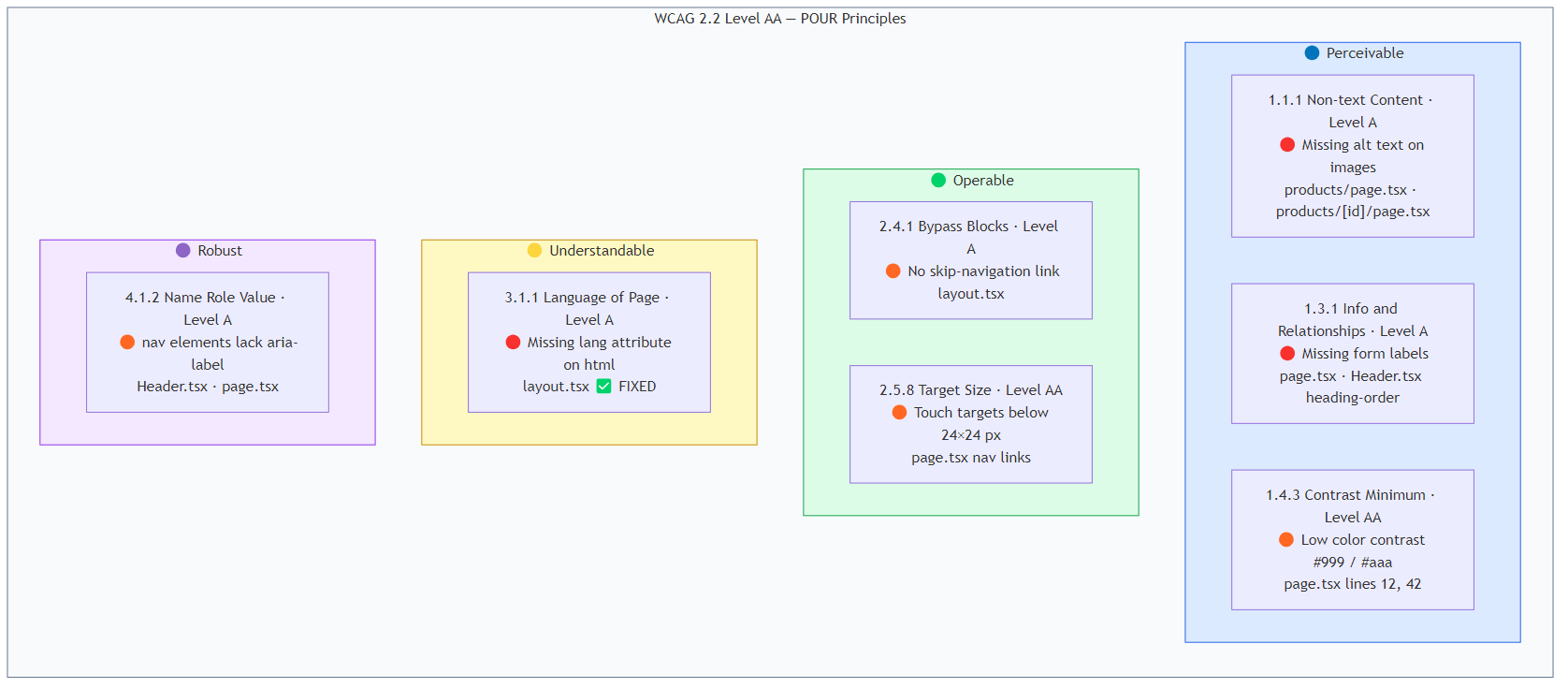
Review all findings from the exercises above and map each one to its WCAG 2.2 success criterion.
-
Create a reference table for your findings:
Finding WCAG Criterion Level Principle Missing langattribute3.1.1 Language of Page A Understandable Low color contrast 1.4.3 Contrast (Minimum) AA Perceivable Missing form labels 1.3.1 Info and Relationships A Perceivable Small touch targets 2.5.8 Target Size (Minimum) AA Operable Missing alt text on images 1.1.1 Non-text Content A Perceivable -
Consider why accessibility matters beyond compliance:
- Users with visual impairments rely on screen readers that need proper semantic markup.
- Users with motor impairments need adequately sized touch targets.
- Users with cognitive disabilities benefit from clear, well-structured content.
- Accessible applications are often more usable for everyone.
-
Note the WCAG conformance levels (A, AA, AAA). Level AA is the standard most organizations target for compliance.
Verification Checkpoint
Before proceeding, verify:
- The a11y-detector found at least 5 WCAG 2.2 Level AA violations
- You used the
/a11y-scanprompt file for a targeted component scan - The a11y-resolver proposed at least 2 fixes for detected violations
- You can map each finding to a specific WCAG success criterion
- You understand the detect → fix → verify cycle from Lab 02
Next Steps
Proceed to Lab 05 — Code Quality Analysis with Copilot Agents.