Lab 07-ado: ADO YAML Pipelines for Accessibility Scanning
| Duration | 50 min |
| Level | Advanced |
| Prerequisites | Lab 06-ado |
| Platform | Azure DevOps |
Learning Objectives
By the end of this lab, you will be able to:
- Understand ADO YAML pipeline syntax and compare it with GitHub Actions
- Configure a multi-stage scan pipeline with matrix strategy
- Use variable groups to manage pipeline configuration
- Set up schedule triggers with cron syntax
- Configure environment approvals and deployment gates
- Create reusable pipeline templates with parameters
- Link commits and PRs to ADO work items using AB# syntax
Exercises
Exercise 7.1: ADO YAML Pipeline Basics (10 min)
You will review the CI pipeline to understand ADO YAML pipeline syntax and compare it with GitHub Actions.
-
Open
.azuredevops/pipelines/ci.ymlin your editor. -
Review the pipeline structure:
trigger: branches: include: - main pr: branches: include: - main pool: vmImage: 'ubuntu-latest' stages: - stage: Build jobs: - job: BuildAndTest steps: - checkout: self - task: NodeTool@0 inputs: versionSpec: '20.x' - script: npm ci displayName: 'Install dependencies' - script: npm run build displayName: 'Build project' - script: npm test displayName: 'Run tests' -
Compare the syntax with GitHub Actions:
Concept GitHub Actions ADO YAML Pipelines Trigger on: pushtrigger: branches: include:PR trigger on: pull_requestpr: branches: include:Runner runs-on: ubuntu-latestpool: vmImage: 'ubuntu-latest'Hierarchy jobs → stepsstages → jobs → stepsTask uses: actions/setup-node@v4task: NodeTool@0Script run: npm ciscript: npm ci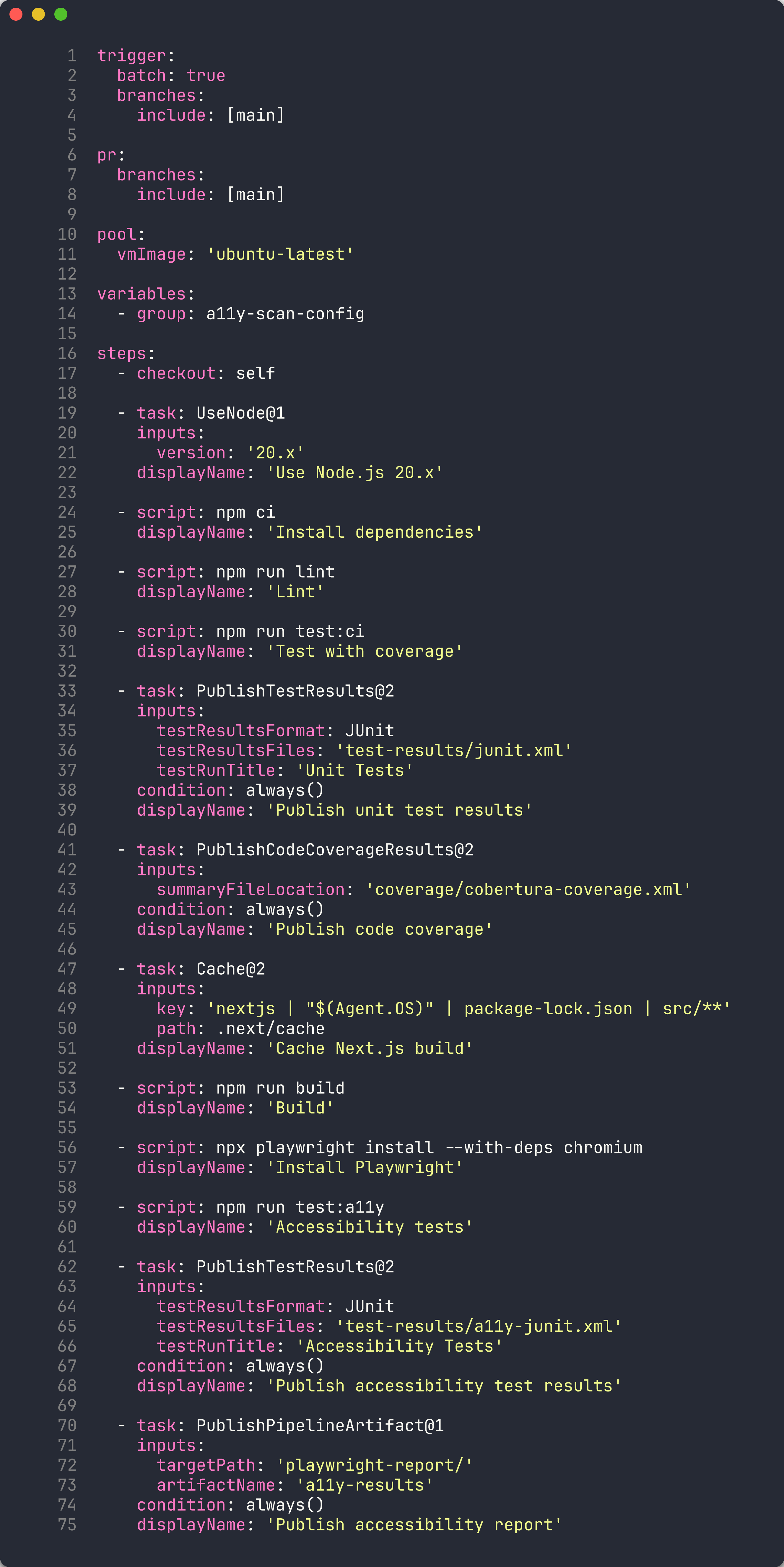
-
ADO pipelines add a stages layer above jobs, enabling multi-stage workflows with approvals between stages.
Exercise 7.2: Multi-Stage Scan Pipeline (10 min)
You will review the scan pipeline that uses a matrix strategy to scan multiple demo apps.
-
Open
.azuredevops/pipelines/a11y-scan.ymlin your editor. -
Review the matrix strategy:
stages: - stage: Scan jobs: - job: ScanApps strategy: matrix: App001: APP_NAME: 'a11y-demo-app-001' APP_URL: 'https://a11y-demo-app-001.azurewebsites.net' App002: APP_NAME: 'a11y-demo-app-002' APP_URL: 'https://a11y-demo-app-002.azurewebsites.net' App003: APP_NAME: 'a11y-demo-app-003' APP_URL: 'https://a11y-demo-app-003.azurewebsites.net' steps: - script: | npx ts-node src/cli/commands/scan.ts \ --url $(APP_URL) \ --format sarif \ --output $(Build.ArtifactStagingDirectory)/$(APP_NAME).sarif displayName: 'Scan $(APP_NAME)' - task: AdvancedSecurity-Publish@1 inputs: sarifInputFilePath: '$(Build.ArtifactStagingDirectory)/$(APP_NAME).sarif' category: 'accessibility' -
Compare the matrix syntax:
Aspect GitHub Actions ADO YAML Pipelines Declaration strategy: matrix: app: [001, 002]strategy: matrix: App001: ...Variable access $$(APP_NAME)Named entries Implicit from array values Explicit named keys (App001, App002) 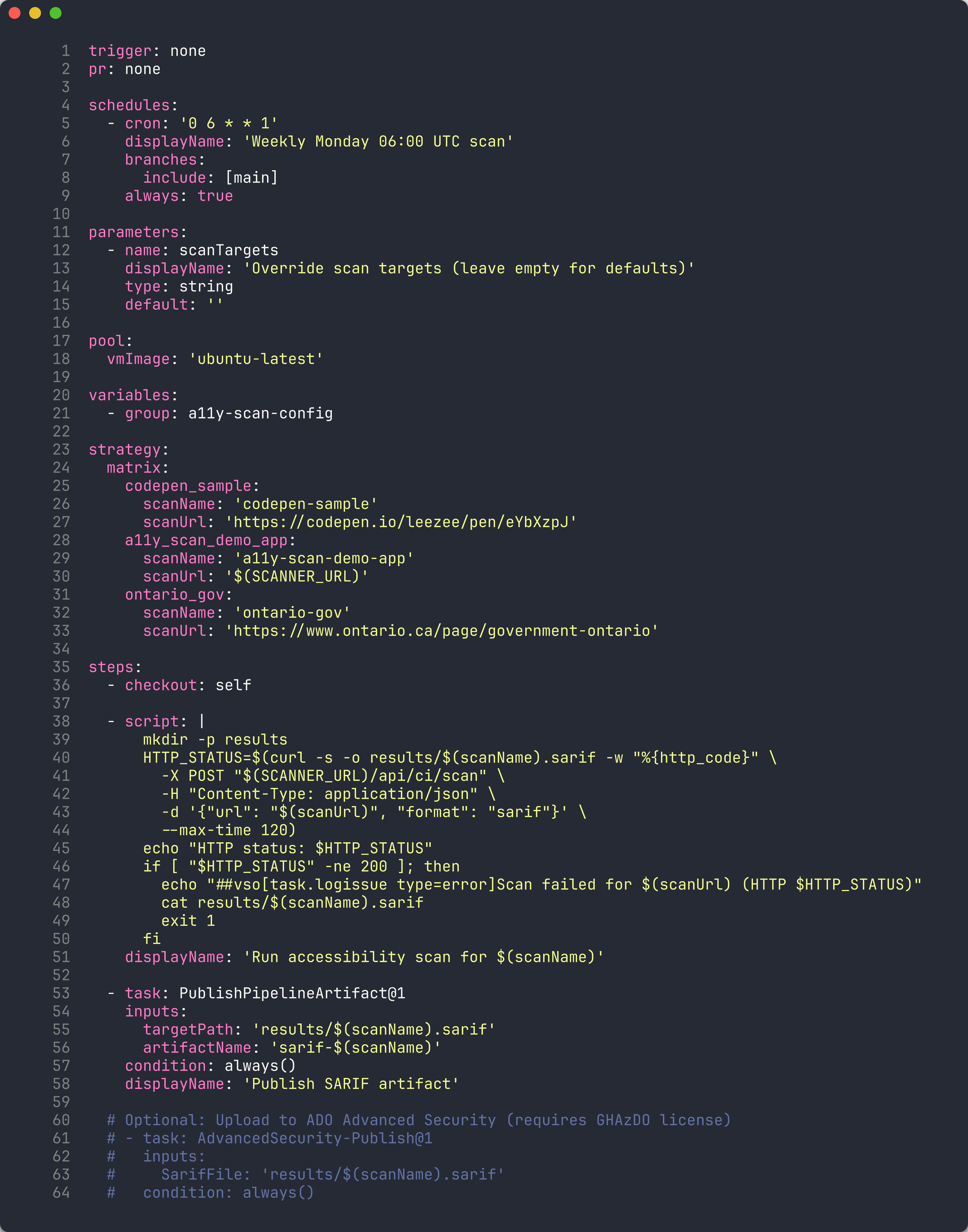
-
Each matrix entry runs as a parallel job, scanning one demo app and publishing its SARIF results to Advanced Security.
Exercise 7.3: Variable Groups for Configuration (5 min)
You will review the variable groups that centralize pipeline configuration.
-
Navigate to Pipelines → Library in the ADO portal.
-
Review the 4 variable groups used by the scan pipelines:
Variable Group Purpose Key Variables commonShared settings NODE_VERSION,PLAYWRIGHT_VERSIONoidcAzure OIDC credentials AZURE_CLIENT_ID,AZURE_TENANT_ID,AZURE_SUBSCRIPTION_IDscannerScanner configuration SCANNER_THRESHOLD,SARIF_OUTPUT_DIRapp-urlsDemo app URLs APP_URL_001throughAPP_URL_005
-
Variable groups are referenced in pipeline YAML using the
variablessection:variables: - group: common - group: scanner - group: app-urls -
Variable groups allow you to manage shared configuration in one place. Updating a variable group value automatically applies to all pipelines that reference it.
Exercise 7.4: Schedule Triggers with Cron (5 min)
You will review how ADO pipelines use cron-based schedule triggers for automated recurring scans.
-
Open
.azuredevops/pipelines/scan-and-store.ymlin your editor. -
Review the schedule trigger syntax:
schedules: - cron: '0 6 * * 1' displayName: 'Weekly Monday 06:00 UTC' branches: include: - main always: true -
Understand the cron fields:
Field Value Meaning Minute 0At minute 0 Hour 6At 06:00 UTC Day of month *Every day Month *Every month Day of week 1Monday only 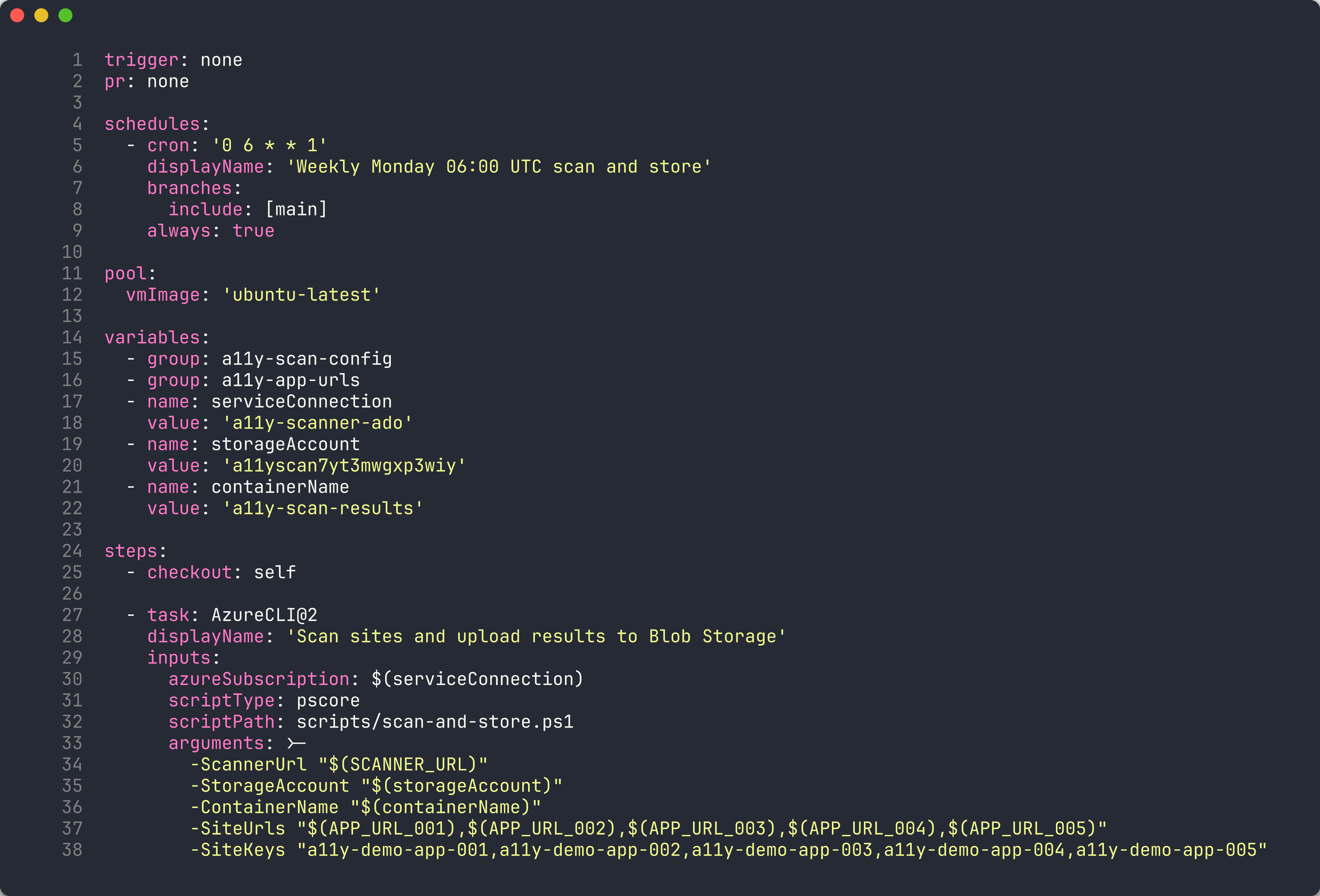
-
The
always: truesetting ensures the pipeline runs even when there are no code changes since the last run. This is important for scheduled accessibility scans — you want to detect regressions regardless of code activity.
Exercise 7.5: Environment Approvals and Gates (5 min)
You will review how ADO environments enforce approval workflows before deployment.
-
Navigate to Pipelines → Environments in the ADO portal.
-
Review the configured environments:
Environment Purpose Approval Required productionProduction deployment gate Yes — requires manual approval a11y-demo-app-001Per-app deployment No — auto-approved a11y-demo-app-002Per-app deployment No — auto-approved 
- Open the
productionenvironment and review the approval gate configuration:- Approvers — One or more team members who must approve before deployment proceeds
- Timeout — Maximum wait time for approval before the pipeline fails
- Instructions — Guidance displayed to approvers

-
In pipeline YAML, environments are referenced in deployment jobs:
- stage: Deploy jobs: - deployment: DeployToProduction environment: 'production' strategy: runOnce: deploy: steps: - script: echo "Deploying..." - When the pipeline reaches the
productionenvironment, execution pauses until an approver clicks Approve. This ensures human review before production changes.
Exercise 7.6: Pipeline Templates for Reuse (10 min)
You will review the pipeline templates that enable reuse across multiple pipelines.
-
Open the
.azuredevops/pipelines/templates/directory in your editor. -
Review the 5 templates:
Template Purpose install-deps.ymlInstall Node.js, npm dependencies, and Playwright browsers a11y-scan-job.ymlRun accessibility scan against a single URL and publish SARIF deploy-app-stage.ymlDeploy a demo app to Azure App Service publish-results.ymlUpload scan results as pipeline artifacts notify-teams.ymlSend notification to Microsoft Teams channel 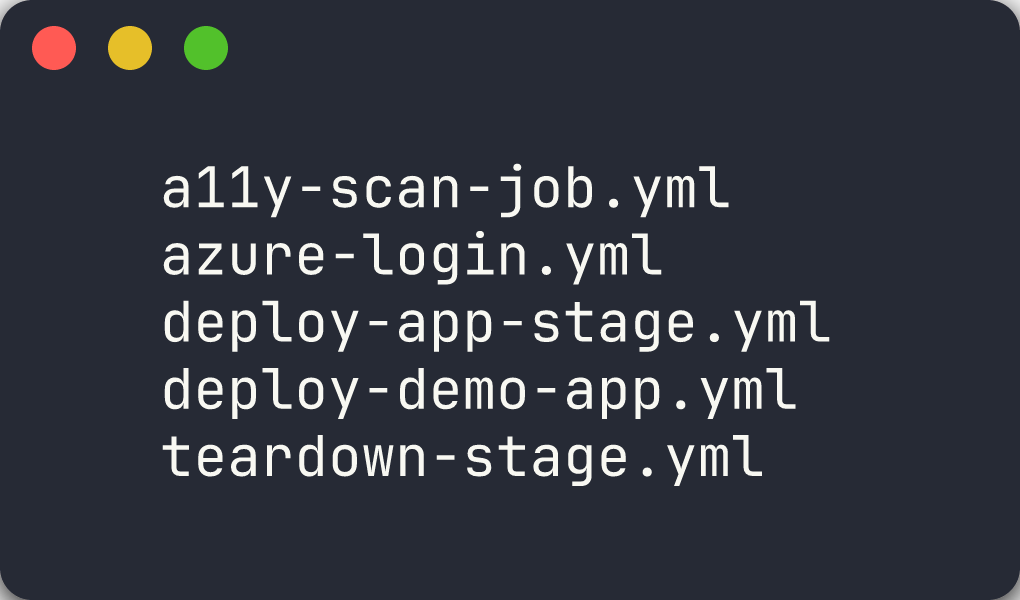
-
Review
deploy-app-stage.ymlto understand template parameters:parameters: - name: appName type: string - name: resourceGroup type: string - name: environment type: string default: 'production' stages: - stage: Deploy_$ jobs: - deployment: Deploy environment: $ strategy: runOnce: deploy: steps: - task: AzureWebApp@1 inputs: appName: $ resourceGroupName: $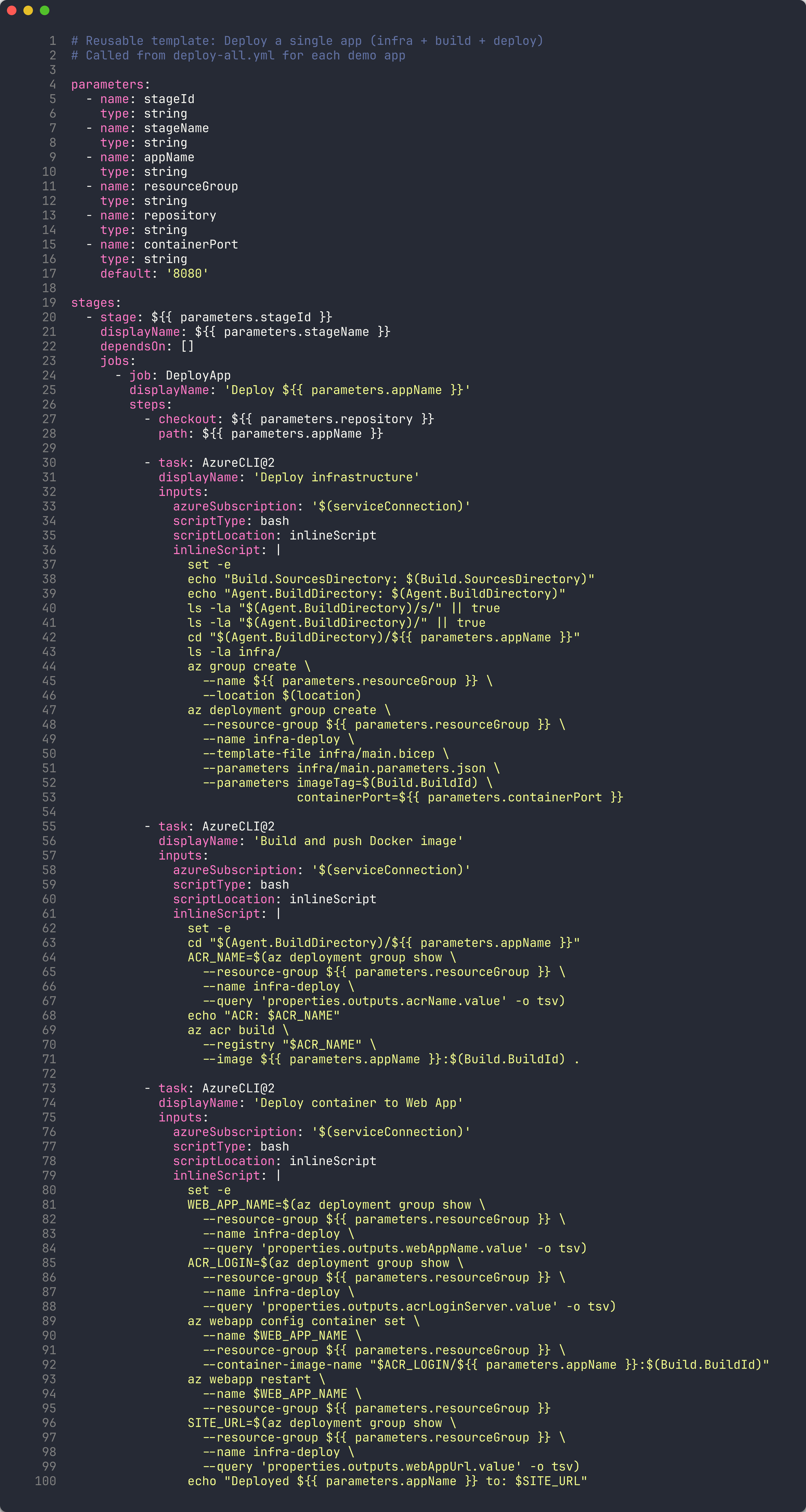
-
Templates are consumed using the
templatekeyword:stages: - template: templates/deploy-app-stage.yml parameters: appName: 'a11y-demo-app-001' resourceGroup: 'rg-a11y-demo-001' environment: 'production' -
The
extendspattern provides even stronger governance. A pipeline that usesextendsmust inherit from an approved template:extends: template: templates/secure-pipeline.yml parameters: appName: 'a11y-demo-app-001'This ensures all pipelines in the project follow organizational security and compliance standards.
Exercise 7.7: AB# Work Item Linking (5 min)
You will review how ADO work items are linked to commits and pull requests using the AB# syntax.
-
Review the work item linking convention from the project’s workflow instructions. Every commit message includes the ADO work item ID:
feat: add axe-core scanning configuration AB#1234 fix: correct SARIF severity mapping AB#1235 - The
AB#prefix tells GitHub and Azure DevOps to automatically link the commit to the corresponding work item. This creates bidirectional traceability:- From the commit you can navigate to the work item
- From the work item you can see all related commits
-
To auto-close a work item when a PR merges, use
Fixes AB#in the commit message or PR description:feat: add axe-core scanning configuration Fixes AB#1234
-
Review the work item hierarchy used in this project:
Epic
 └── Feature
      ├── User Story
      └── Bug
Every commit traces back to a User Story or Bug, which belongs to a Feature, which belongs to an Epic. This hierarchy is defined in the project’s ADO organization (
MngEnvMCAP675646) under theAODA WCAG Complianceproject. -
The branching convention reinforces this traceability:
feature/{work-item-id}-short-descriptionFor example:
feature/1234-axe-core-config
Verification Checkpoint
Before completing the lab, verify:
- Reviewed ADO YAML pipeline syntax and understand stages/jobs/steps hierarchy
- Understand the matrix strategy for multi-app scanning
- Reviewed variable groups and their role in pipeline configuration
- Understand cron schedule syntax for automated recurring scans
- Reviewed environment approvals and deployment gates
- Understand pipeline templates and the extends pattern
- Know how to use AB# syntax to link commits to ADO work items
Congratulations
You have completed the ADO track of the Accessibility Scan Workshop (Labs 00–05, 06-ado, 07-ado). Here is a summary of what you learned:
| Lab | What You Learned |
|---|---|
| Lab 00 | Set up the development environment with Node.js, Docker, and scanner tools |
| Lab 01 | Explored the 5 demo apps and mapped their violations to WCAG POUR principles |
| Lab 02 | Ran axe-core scans via web UI, CLI, and API to detect WCAG violations |
| Lab 03 | Used IBM Equal Access for broader policy-based scanning and compared with axe-core |
| Lab 04 | Extended coverage with custom Playwright checks for issues automated engines miss |
| Lab 05 | Generated SARIF output and uploaded findings to the GitHub Security tab |
| Lab 06-ado | Enabled ADO Advanced Security and published SARIF results via pipeline |
| Lab 07-ado | Built ADO YAML pipelines with templates, approvals, and work item linking |
You now have the skills to implement a complete accessibility scanning platform on Azure DevOps that:
- Scans web pages using multiple engines (axe-core, IBM Equal Access, custom Playwright checks)
- Produces unified SARIF output for all scan engines
- Integrates with ADO Advanced Security for centralized alert management
- Uses multi-stage pipelines with matrix strategy for parallel scanning
- Manages configuration through variable groups
- Enforces deployment gates with environment approvals
- Reuses pipeline logic through templates and the extends pattern
- Links work items to commits and PRs using AB# syntax for full traceability
- Runs automatically on schedule and on-demand via ADO Pipelines