Lab 06: GitHub Actions Pipelines and Scan Gates
| Duration | 40 minutes |
| Level | Advanced |
| Prerequisites | Lab 05, Azure subscription (Exercises 6.3–6.5) |
[!TIP] This lab covers the GitHub Actions workflow. For the Azure DevOps variant, see Lab 06-ado: ADO Advanced Security.
Learning Objectives
By the end of this lab, you will be able to:
- Review the CI workflow structure and understand its build/test/scan pipeline
- Understand the scan workflow’s matrix strategy for scanning multiple apps
- Configure OIDC authentication for GitHub Actions to Azure
- Bootstrap demo app repos using the provided scripts
- Trigger and monitor multi-app deployment workflows
- Configure threshold-based scan gates to enforce minimum accessibility scores
Exercises
Exercise 6.1: Review CI Workflow
You will examine the scanner’s CI pipeline to understand how accessibility testing integrates into the build process.
-
Open
.github/workflows/ci.ymlin your editor. -
Review the workflow structure:
name: CI on: push: branches: [main] pull_request: branches: [main] jobs: lint: # ESLint checks... test: # Vitest unit tests... build: # Next.js production build... e2e: # Playwright end-to-end tests including self-scan... -
Note the key stages:
Stage Purpose lint Runs ESLint to enforce code quality and catch common issues test Runs Vitest unit tests for scanner components (engine, parsers, formatters) build Creates a production Next.js build to verify compilation e2e Runs Playwright tests that scan the scanner’s own pages for accessibility 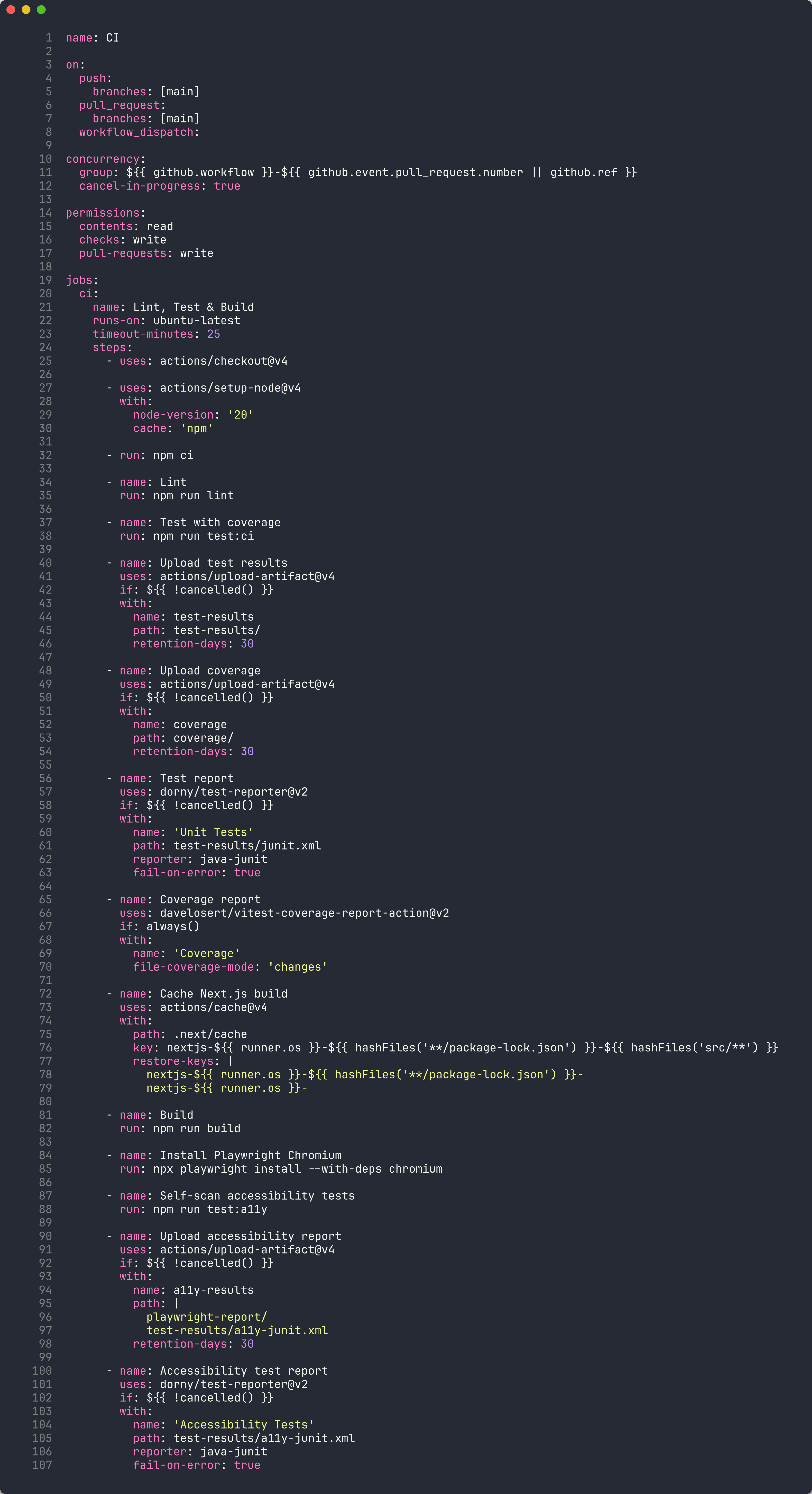
-
The
e2ejob is particularly interesting — it performs a self-scan, scanning the scanner’s own UI for accessibility violations. This ensures the scanner tool itself meets WCAG standards.
Exercise 6.2: Review Scan Workflow
You will examine the multi-app scan workflow that scans all 5 demo apps using a matrix strategy.
-
Open
.github/workflows/a11y-scan.ymlin your editor. -
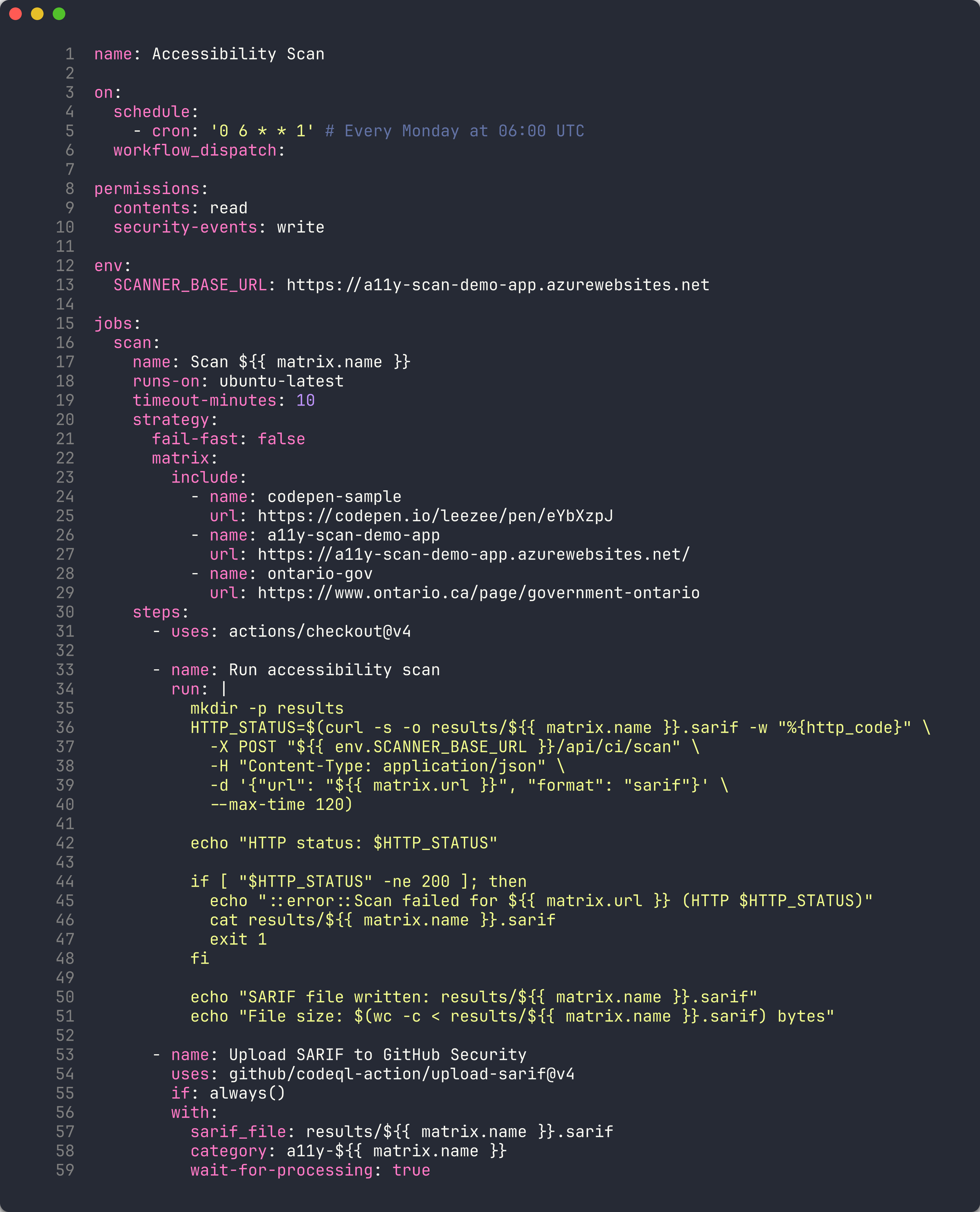
Review the matrix strategy:
strategy: matrix: include: - app: a11y-demo-app-001 url: https://a11y-demo-app-001.azurewebsites.net - app: a11y-demo-app-002 url: https://a11y-demo-app-002.azurewebsites.net # ... apps 003-005 - Each matrix job:
- Scans the deployed demo app at its Azure URL
- Generates SARIF output
- Uploads findings to the Security tab via
codeql-action/upload-sarif
-
Review the
scan-all.ymlworkflow that dispatches scan jobs to all 5 sibling repos:# scan-all.yml dispatches the a11y-scan workflow # to each demo app repository
Exercise 6.3: Configure OIDC Authentication
[!NOTE] This exercise requires an Azure subscription (full-day tier only).
You will configure OpenID Connect (OIDC) federated credentials so GitHub Actions can authenticate to Azure without storing secrets.
-
Ensure you are logged into the Azure CLI:
az login -
Run the OIDC setup script from the scanner repository:
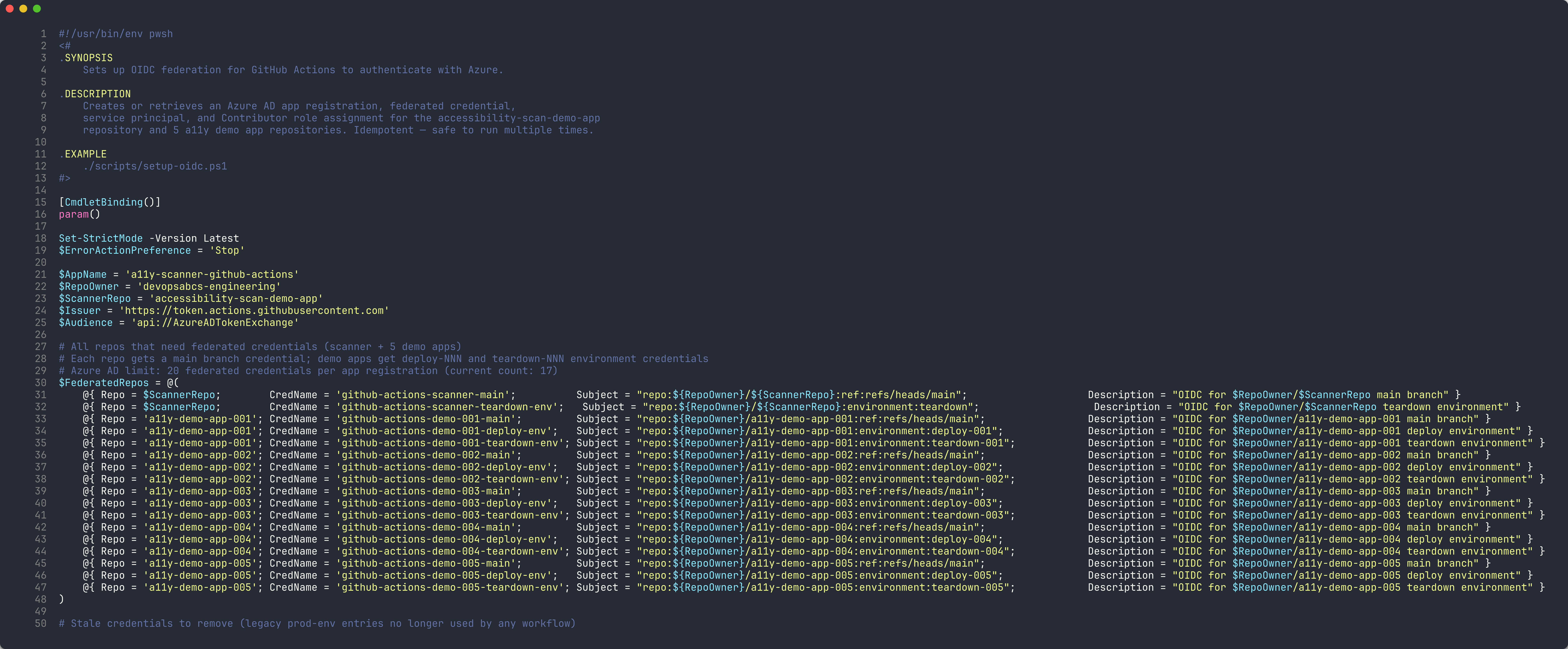
./scripts/setup-oidc.ps1 - The script performs 5 steps:
- App registration — Creates or retrieves an Azure AD app named
a11y-scanner-github-actions - Federated credentials — Creates OIDC credentials for the scanner repo and each demo app repo
- Service principal — Creates or retrieves the service principal
- Role assignment — Grants
Contributorrole on the subscription - Summary — Displays the Client ID, Tenant ID, and Subscription ID
- App registration — Creates or retrieves an Azure AD app named
-
Configure the output values as GitHub repository secrets:
gh secret set AZURE_CLIENT_ID --body "<client-id>"
gh secret set AZURE_TENANT_ID --body "<tenant-id>"
gh secret set AZURE_SUBSCRIPTION_ID --body "<subscription-id>"
Exercise 6.4: Bootstrap Demo App Repos
[!NOTE] This exercise requires an Azure subscription (full-day tier only).
You will create the 5 demo app repositories from the template directories.
-
Run the bootstrap script:
./scripts/bootstrap-demo-apps.ps1 - The script creates 5 public repositories under your GitHub account:
a11y-demo-app-001througha11y-demo-app-005- Each repo receives the code from the corresponding template directory
- OIDC secrets, topics, and environments are configured automatically
-
Verify the repos were created:
gh repo list --limit 10 | grep a11y-demo-app
Exercise 6.5: Trigger Deploy-All Workflow
[!NOTE] This exercise requires an Azure subscription (full-day tier only).
You will deploy all 5 demo apps to Azure.
-
Trigger the deploy-all workflow:
gh workflow run deploy-all.yml -
Monitor the deployment progress:
gh run watch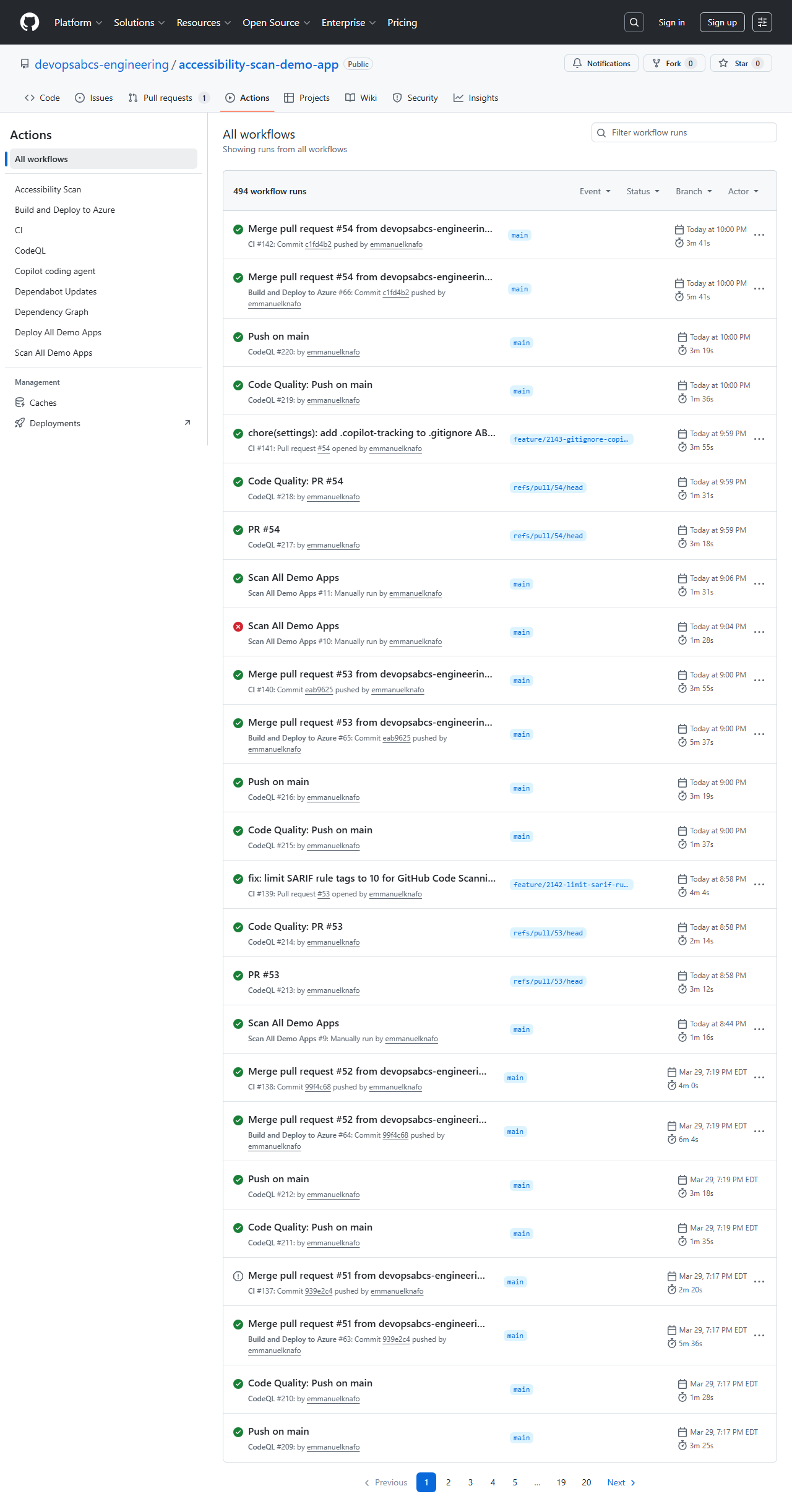
-
The deploy-all workflow dispatches CI/CD to each demo app repository. Each app is deployed to its own Azure resource group (
rg-a11y-demo-001throughrg-a11y-demo-005).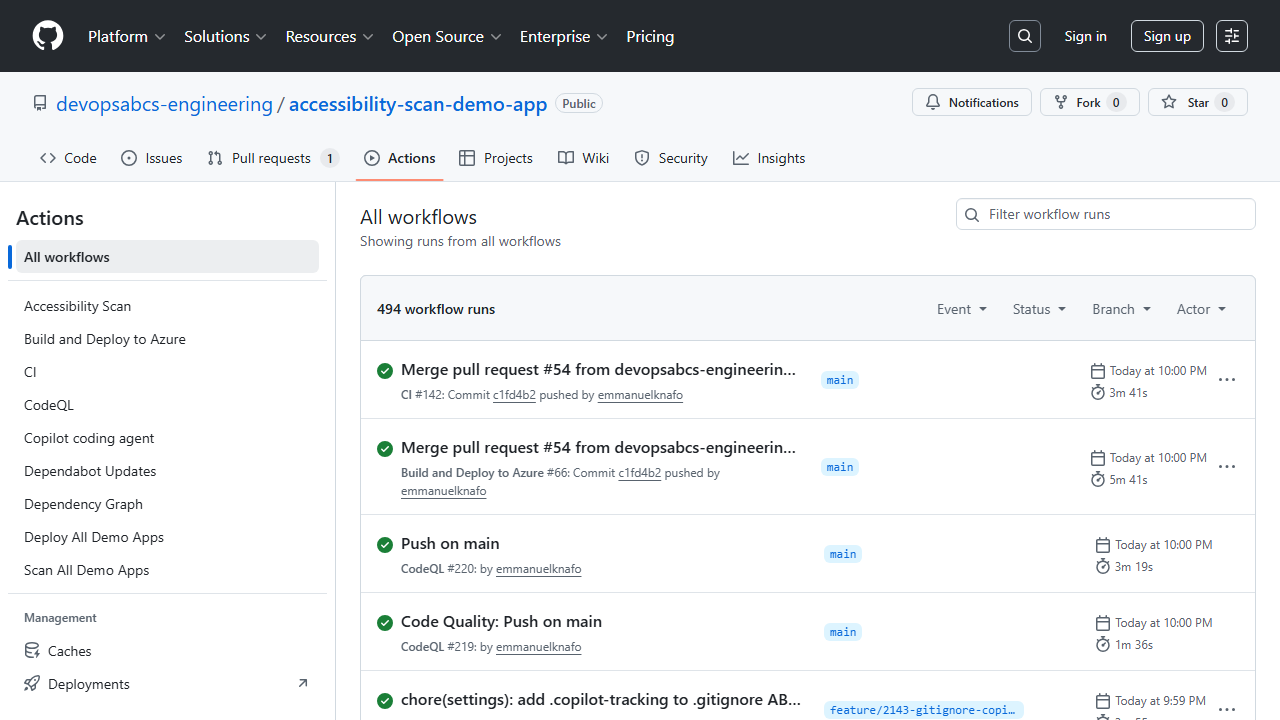
-
After deployment, verify the apps are accessible:
curl -s -o /dev/null -w "%{http_code}" https://a11y-demo-app-001.azurewebsites.net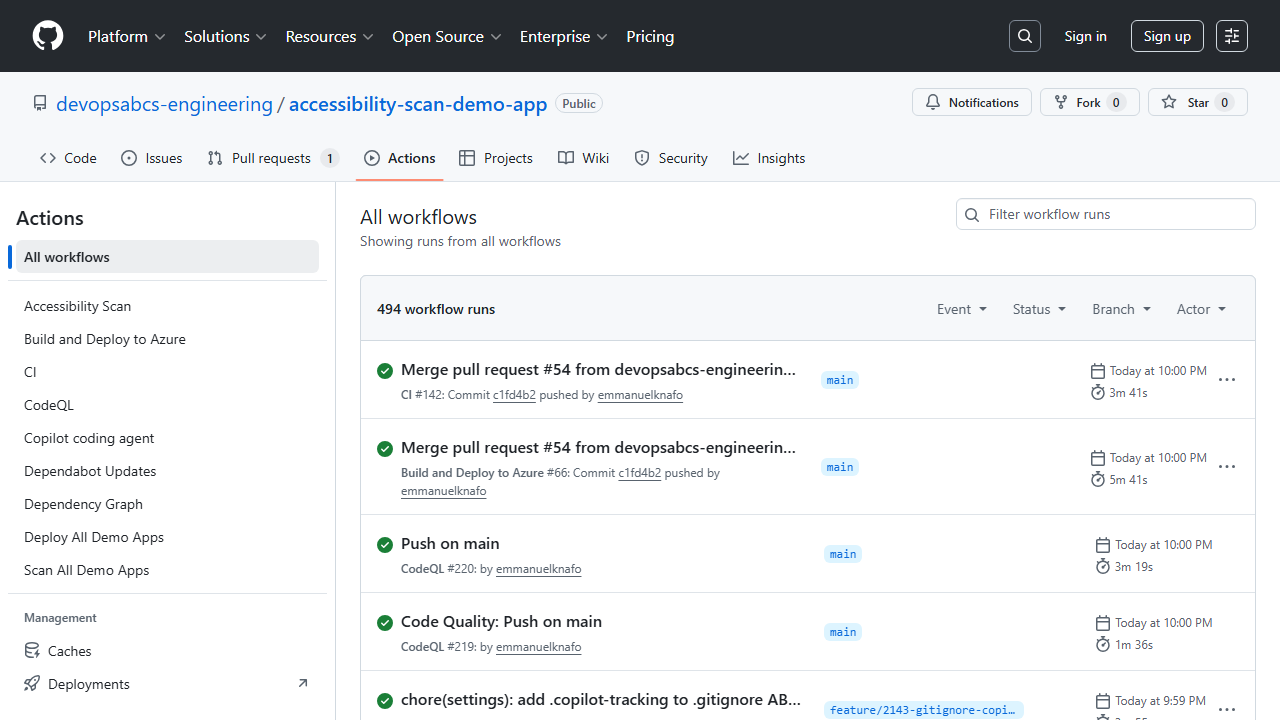
[!IMPORTANT] The demo apps deploy to Azure App Service and incur real costs. Run the teardown workflow or delete the resource groups after completing the workshop.
Exercise 6.6: Configure Threshold Gates
You will configure scan score thresholds to enforce minimum accessibility standards.
-
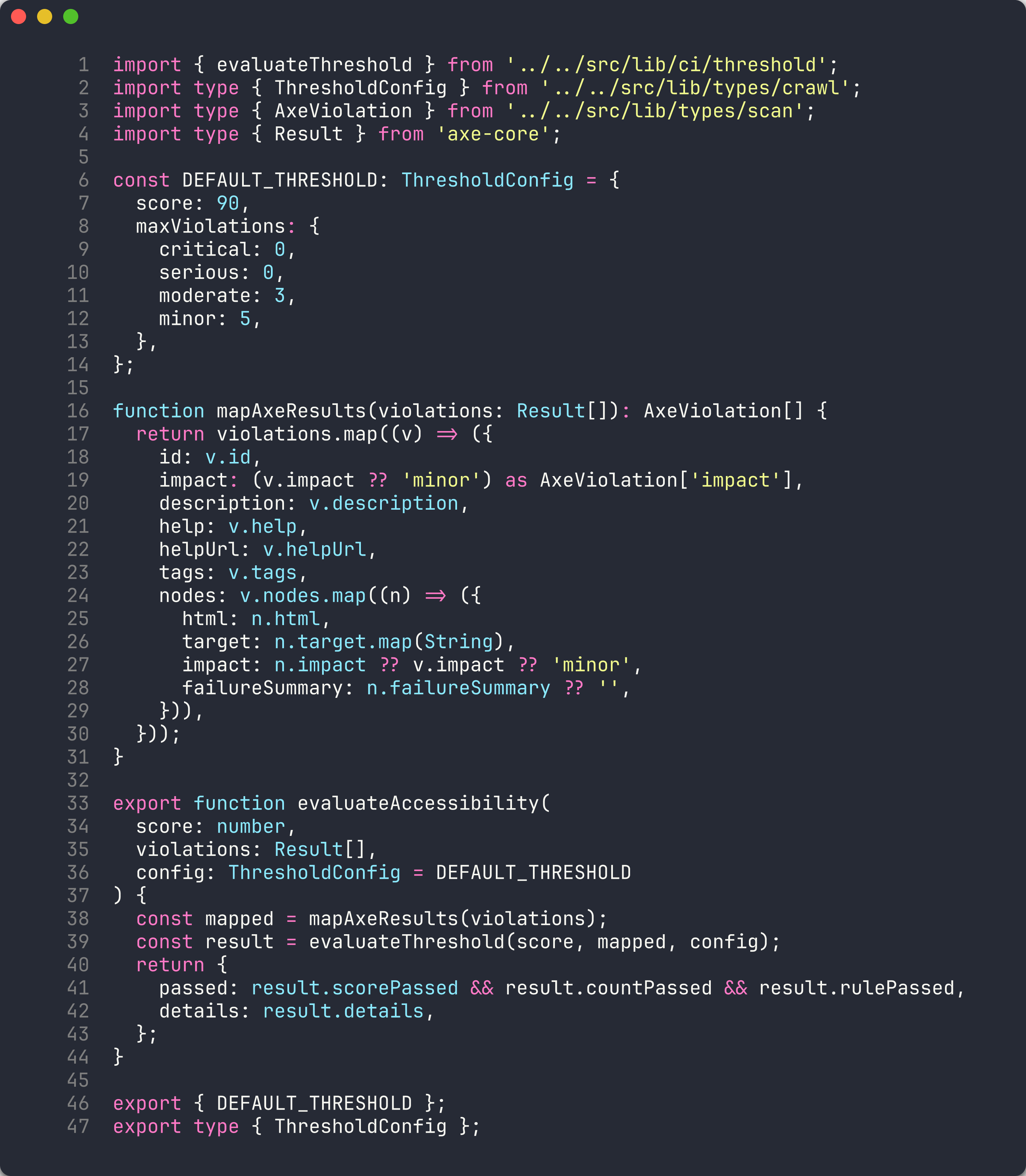
Review the scanner’s threshold configuration. The CLI supports a
--thresholdflag:npx ts-node src/cli/commands/scan.ts --url http://localhost:8001 --threshold 70The command exits with a non-zero code if the score is below the threshold, failing the pipeline.
-
Create or update a workflow that uses the threshold as a quality gate:
- name: Scan for accessibility run: | npx ts-node src/cli/commands/scan.ts \ --url $ \ --threshold 70 \ --format sarif \ --output results/$.sarif -
When the scan score falls below the threshold, the step fails and the workflow is marked as failed. This prevents deployment of apps that do not meet the minimum accessibility standard.
[!TIP] Start with a low threshold (for example, 30) for existing apps with many violations, and gradually increase it as violations are remediated. A threshold of 70 is a reasonable target for production applications.
Verification Checkpoint
Before proceeding, verify:
- Reviewed the CI workflow structure and understand the self-scan pattern
- Understand the matrix strategy in the scan workflow
- (Full-day) Configured OIDC authentication for GitHub Actions
- (Full-day) Bootstrapped demo app repos using the script
- (Full-day) Triggered and monitored a deploy-all workflow
- Understand how threshold gates enforce minimum accessibility scores
Next Steps
Proceed to Lab 07: Remediation Workflows with Copilot Agents.