Lab 03: IBM Equal Access — Comprehensive Policy Scanning
| Duration | 30 minutes |
| Level | Intermediate |
| Prerequisites | Lab 01 |
Learning Objectives
By the end of this lab, you will be able to:
- Explain how IBM Equal Access differs from axe-core in rule coverage and approach
- Run an IBM Equal Access scan on a demo app using the scanner
- Compare IBM findings with axe-core findings for the same page
- Review a combined report that deduplicates findings across engines
Exercises
Exercise 3.1: Understand IBM Equal Access
The scanner supports two accessibility engines. You will review how IBM Equal Access complements axe-core.
-
Review the engine comparison:
Aspect axe-core IBM Equal Access Maintainer Deque Systems IBM Rule count ~90 rules ~400+ rules Focus WCAG conformance testing Policy-based assessment (WCAG + IBM requirements) Result types Violation / Pass / Incomplete Violation / Need Review / Recommendation Strengths Fast, industry standard, low false-positive rate Broader rule coverage, policy customization, government compliance -
Key differences to note:
- IBM Equal Access uses the ACE (Accessibility Conformance Engine) which includes rules beyond WCAG, such as IBM-specific requirements.
- IBM categorizes findings as Violation (definite failure), Need Review (potential issue requiring human judgment), and Recommendation (best practice suggestion).
- The scanner’s
accessibility-checkernpm package provides the IBM engine integration.
[!NOTE] Both engines are complementary. axe-core catches common violations with high confidence, while IBM Equal Access provides broader coverage and catches issues axe-core may miss.
Exercise 3.2: Run IBM Scan on Demo App 002
You will scan a demo app using the IBM Equal Access engine.
-
Ensure demo app 002 is running at
http://localhost:8002. -
Open the scanner web UI at
http://localhost:3000. -
Enter the demo app 002 URL and select the scan options. If the scanner supports engine selection, choose IBM Equal Access or Combined mode.
- Review the results. IBM Equal Access typically finds additional issues that axe-core does not flag, such as:
- Elements that need review for keyboard operability
- Advisory recommendations for ARIA usage
- Policy-specific checks for form interactions

-
Click on a specific IBM finding to view its details. Note the difference in rule identifiers — IBM rules use identifiers like
WCAG20_Html_HasLangwhile axe-core useshtml-has-lang.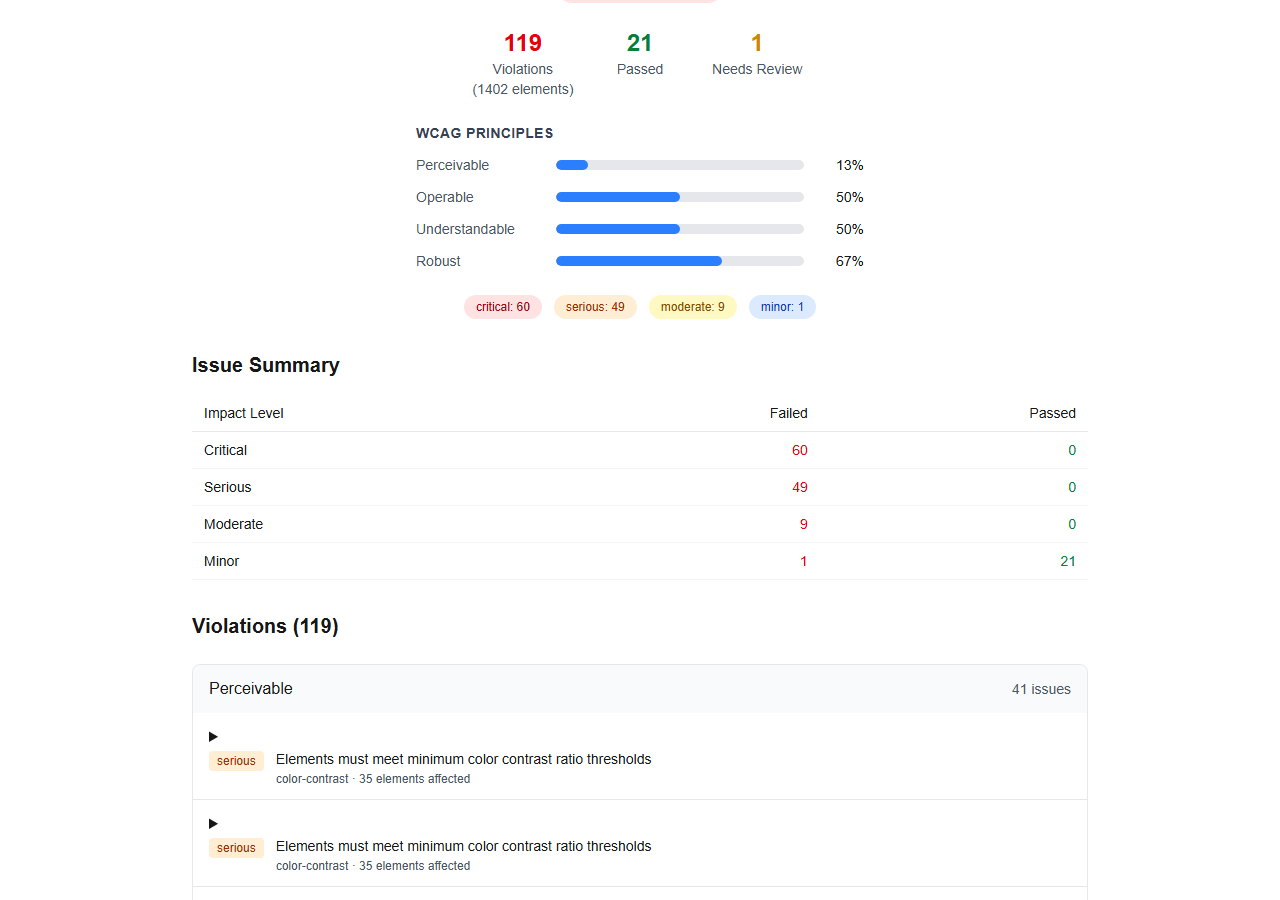
Exercise 3.3: Compare IBM and axe-core Findings
You will compare the findings from both engines on the same page.
-
Review the side-by-side comparison for demo app 002:
Category axe-core IBM Equal Access Total findings ~20–30 violations ~40–60 violations + need-review Language check html-has-langWCAG20_Html_HasLangImage alt text image-altWCAG20_Img_HasAltColor contrast color-contrastIBMA_Color_Contrast_WCAG2AAForm labels labelWCAG20_Input_ExplicitLabelUnique to engine Keyboard trap detection Need-review items, recommendation items 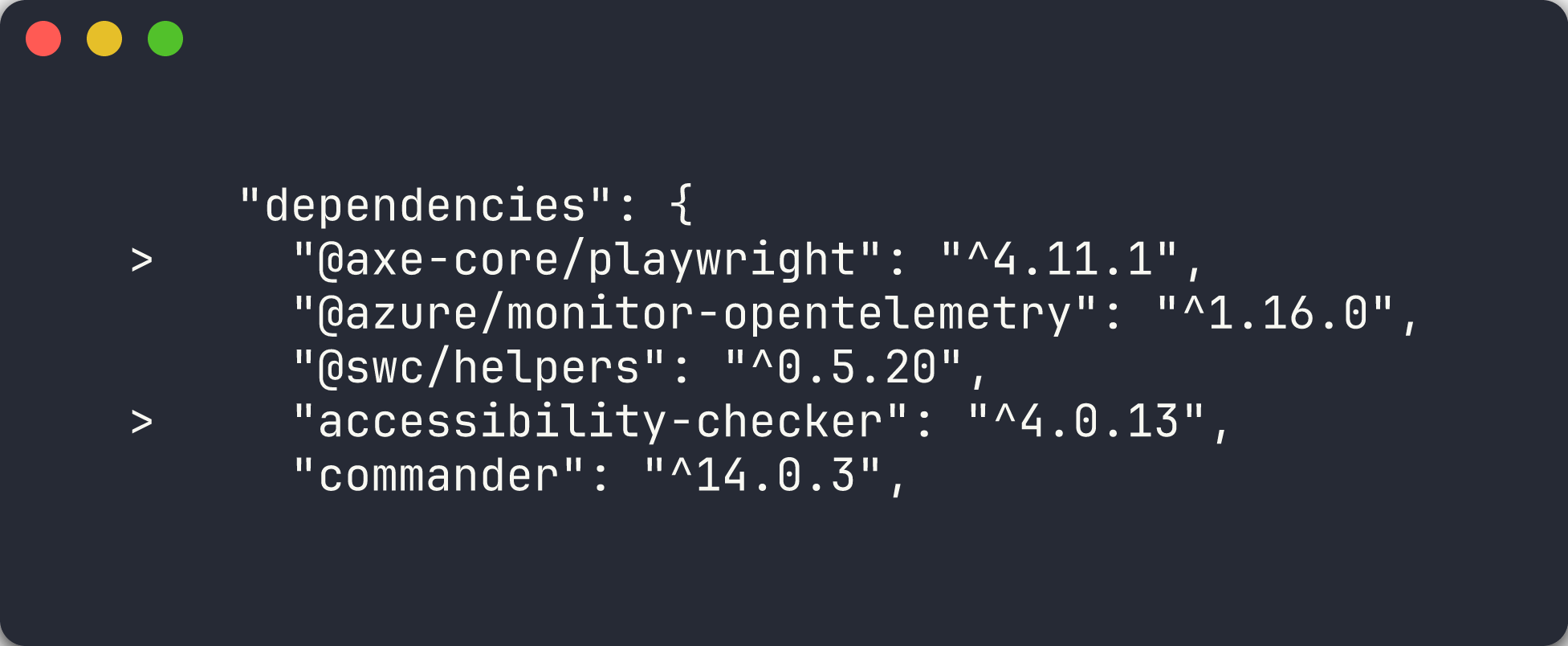
-
Note that some violations are detected by both engines under different rule names. The scanner normalizes and deduplicates these in the combined report.
-
Pay attention to findings that appear only in IBM Equal Access. These are often related to:
- ARIA attribute validation
- Widget role definitions
- Proper use of
tabindex - Reading order and focus management
Exercise 3.4: Review Combined Report
The scanner can merge findings from both engines into a single deduplicated report.
-
Run a combined scan (both engines) on demo app 002 via the CLI:
npx ts-node src/cli/commands/scan.ts --url http://localhost:8002 --format json --output results/demo-002-combined.json - Open
results/demo-002-combined.jsonand review the structure. The combined report:- Lists each unique violation once, even if both engines detected it
- Indicates which engine(s) flagged each finding
- Preserves the highest impact level when engines disagree

-
Review how deduplication works:
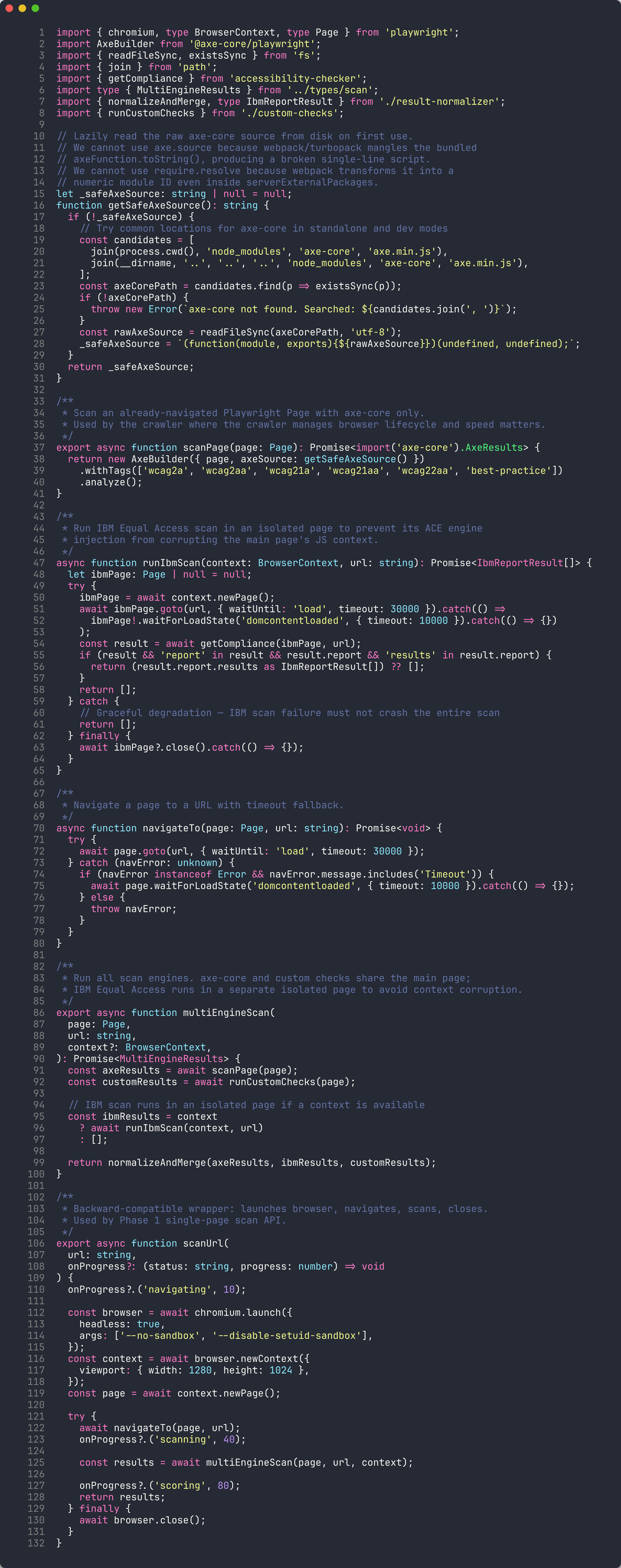
- Rules are matched by their target WCAG success criterion
- When both engines find the same violation on the same element, a single entry is created
- Engine-specific metadata is preserved for traceability
[!TIP] Using both engines together provides the most comprehensive coverage. axe-core’s low false-positive rate combined with IBM’s broader rule set catches violations that either engine alone would miss.
Verification Checkpoint
Before proceeding, verify:
- Can explain the differences between axe-core and IBM Equal Access
- Ran an IBM scan on demo app 002 and reviewed the findings
- Identified at least 2 findings that IBM catches but axe-core does not
- Reviewed a combined report showing deduplicated findings from both engines
Next Steps
Proceed to Lab 04: Custom Playwright Checks — Manual Inspection.