Lab 06 ADO: Advanced Security — SARIF Upload
| Duration | Level | Prerequisites |
|---|---|---|
| 35 min | Intermediate | Lab 05 |
Learning Objectives
- Upload SARIF files using
AdvancedSecurity-Publish@1 - Navigate findings in ADO Advanced Security
- Compare GitHub and ADO SARIF upload workflows
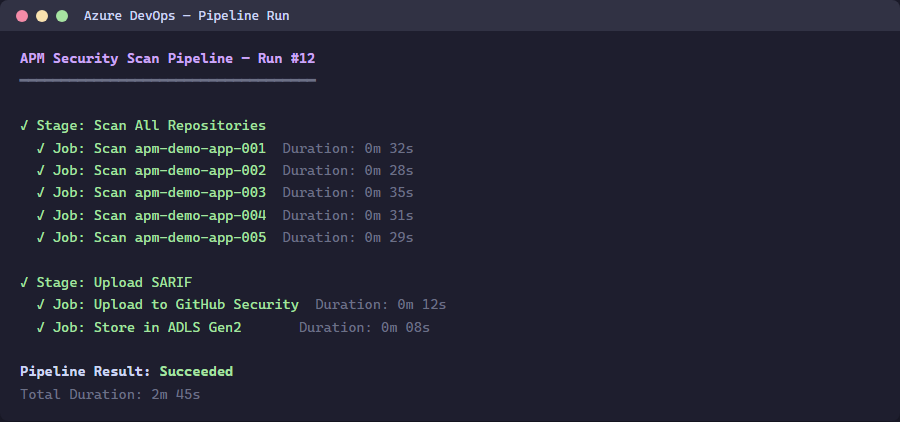
Exercise 1: Run the ADO Scan Pipeline
Navigate to the ADO project and run the apm-security-scan pipeline.
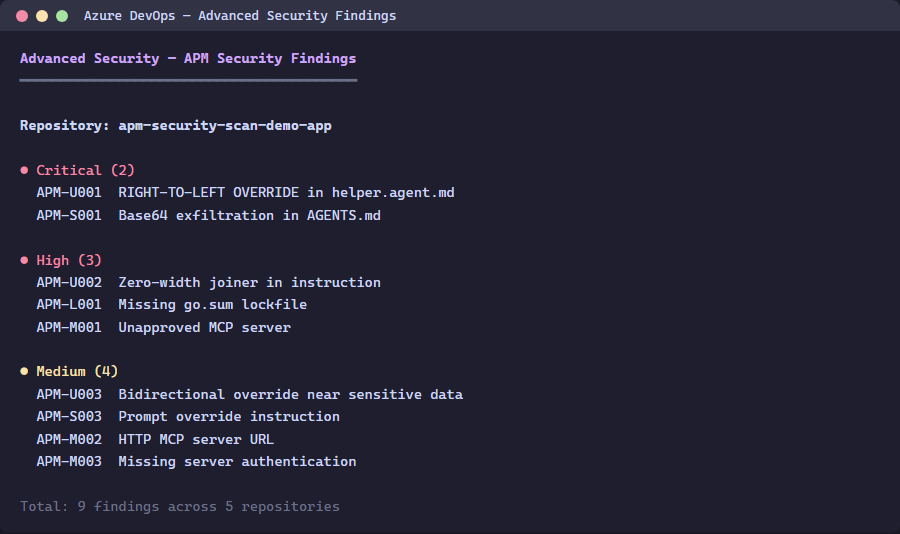
Exercise 2: View Advanced Security Findings
Navigate to Repos > Advanced Security in your ADO project.
Exercise 3: Compare with GitHub
Note the differences:
| Feature | GitHub | ADO |
|---|---|---|
| Upload task | github/codeql-action/upload-sarif@v3 | AdvancedSecurity-Publish@1 |
| Cross-repo | gh api with encoded SARIF | Pipeline per repo |
| Navigation | Security > Code scanning | Repos > Advanced Security |
Verification Checkpoint
- ADO pipeline runs successfully
- SARIF findings appear in Advanced Security
- You can explain the difference between GitHub and ADO SARIF upload
Next Steps
Proceed to Lab 07 ADO: Pipelines.