Lab 00: Prerequisites & Environment Setup
| Duration | Level | Prerequisites |
|---|---|---|
| 30 min | Beginner | None |
Learning Objectives
- Install the APM CLI, Python 3.12+, and VS Code extensions
- Clone the scanner demo-app repository
- Verify all tools are working correctly
Exercise 1: Install Required Tools
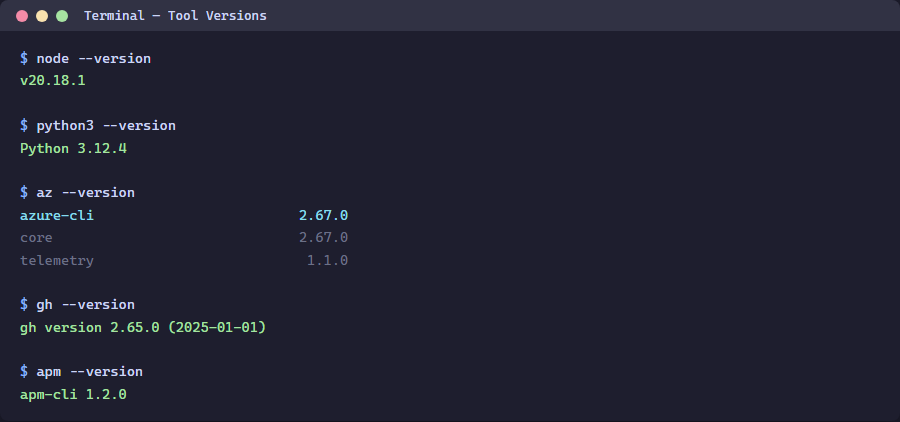
Ensure the following tools are installed:
# Verify Node.js (required for APM CLI)
node --version

# Install APM CLI globally
npm install -g @microsoft/apm

# Verify APM CLI
apm --version

# Verify Python 3.12+
python --version

# Verify Azure CLI
az version
Exercise 2: Clone the Demo App Repository
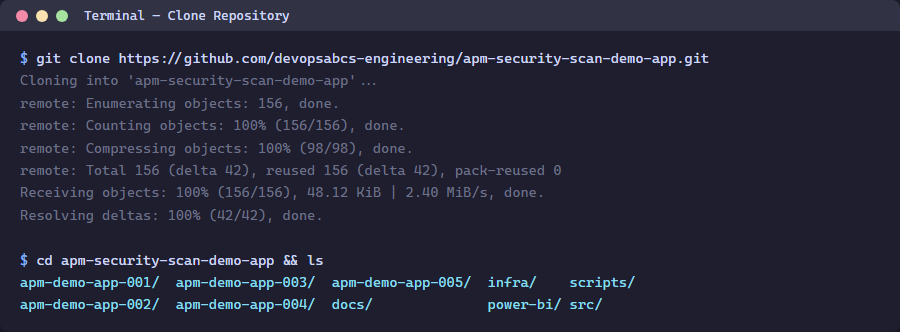
cd C:\src\GitHub\devopsabcs-engineering
git clone https://github.com/devopsabcs-engineering/apm-security-scan-demo-app.git
cd apm-security-scan-demo-app
Exercise 3: Verify Project Structure
Get-ChildItem -Name
You should see 5 demo app directories (apm-demo-app-001 through 005), src/converters/, scripts/, and more.
Verification Checkpoint
apm --versionreturns a version numberpython --versionshows 3.12 or higher- The demo-app repository is cloned locally
- You can see all 5 demo app directories
Next Steps
Proceed to Lab 01: Explore Demo Apps & Violations.