Lab 02: Unicode Content Security Scanning
| Duration | Level | Prerequisites |
|---|---|---|
| 35 min | Intermediate | Lab 01 |
Learning Objectives
- Run
apm auditto detect hidden Unicode characters - Understand the 3-tier severity model (Critical/Warning/Info)
- Interpret SARIF output from the Unicode scanner
- Learn about the Glassworm attack vector
Exercise 1: Run APM Audit on App 001
Working Directory: Run the following commands from the
apm-security-scan-demo-apprepository root.
cd apm-demo-app-001
apm audit
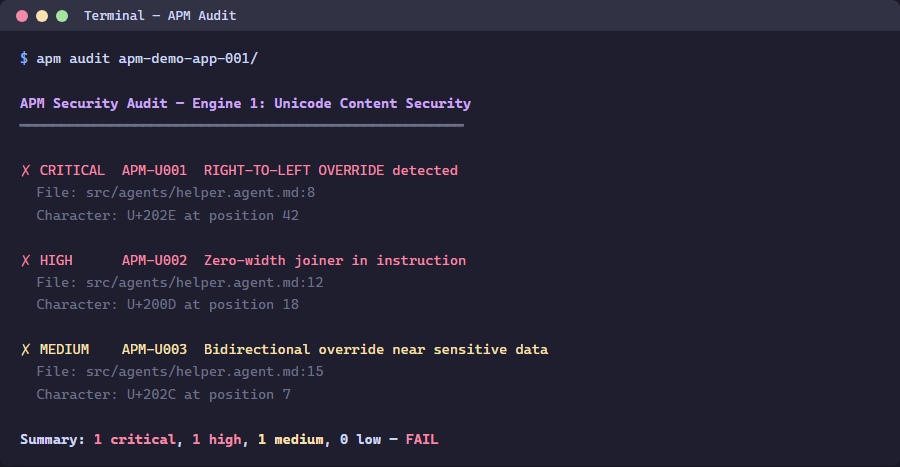
Exercise 2: Generate SARIF Output
apm audit -f sarif -o apm-unicode-results.sarif
Inspect the SARIF file:
Get-Content apm-unicode-results.sarif | python -m json.tool | Select-Object -First 50
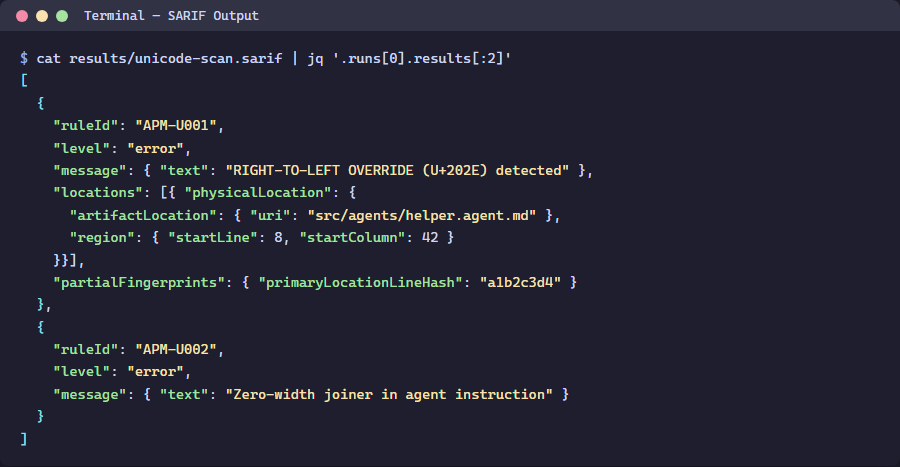
Exercise 3: Understand Severity Tiers
| Tier | Severity | Unicode Categories | Example |
|---|---|---|---|
| Critical | error | Tag characters, bidi overrides | U+E0001–U+E007F (Glassworm) |
| Warning | warning | Zero-width, homoglyphs | U+200B (ZWSP) |
| Info | note | Non-breaking spaces | U+00A0 |
Exercise 4: Scan All 5 Apps
cd ..
foreach ($app in @('001','002','003','004','005')) {
    Write-Host "=== apm-demo-app-$app ===" -ForegroundColor Cyan
    Push-Location "apm-demo-app-$app"
    apm audit 2>&1 | Select-Object -First 10
    Pop-Location
}
Verification Checkpoint
apm auditruns successfully on app 001- SARIF file is generated with findings
- You can explain the Glassworm attack vector
Next Steps
Proceed to Lab 03: Lockfile Integrity & Policy Checks.