Overview
| Item | Value |
|---|---|
| Duration | 30 minutes |
| Level | Beginner |
| Prerequisites | Lab 00 |
Learning Objectives
By the end of this lab, you will be able to:
- Explain the LangGraph supervisor/specialist pattern used by this agent
- Identify the four architectural layers involved in giving an agent tools (implementation, hosting, registration, consumption)
- Read
azure.yamland map every block to a deployed Azure resource - Explain why MCP tool servers are deployed independently of the agent
Exercises
The deployment uses a hybrid network: public Foundry client access, public synthetic MCP ingress, dedicated agent and Container Apps egress subnets, and private-only Cosmos when the optional checkpoint experiment is deployed. The separately owned network foundation prevents staging and production from overwriting shared subnets. Trace these boundaries in Private Cosmos networking; this is not a fully private Foundry or web-chat deployment.
Exercise 1.1: The Supervisor/Specialist Graph
Open src/threat-assessment-agent/graph.py.
flowchart LR
    subgraph Graph["LangGraph supervisor graph"]
        Supervisor((supervisor)) --> Investigator[Evidence Investigator]
        Supervisor --> Analyst[Risk Analyst]
        Supervisor --> Composer[Report Composer]
        Investigator --> Supervisor
        Analyst --> Supervisor
        Composer --> Supervisor
    end
A supervisor node routes to three specialist nodes and only allows the graph to proceed to reporting once both evidence and risk analysis are complete:
| Node | Role | Tool access |
|---|---|---|
| Evidence Investigator | Gathers device/vulnerability context | defender-conn only |
| Risk Analyst | Scores anomalies and login patterns | anomaly-conn only |
| Report Composer | Synthesizes the final report | None — read-only synthesis |
This tool isolation by role is deliberate: no single node can call every
tool, and the Report Composer — the node that produces the customer-facing
output — can’t call any tool. Find the EVIDENCE_INVESTIGATOR_PROMPT,
RISK_ANALYST_PROMPT, and REPORT_COMPOSER_PROMPT constants in graph.py
and note how each prompt only describes the tools that node is allowed to
use.
Exercise 1.2: Graceful Tool-Resolution Degradation
Open src/threat-assessment-agent/state.py
and find the evidence_tool_unavailable / risk_tool_unavailable flags.
These flags retain explicit dependency-failure reporting; they are not the normal behavior of the verified release. The current transport uses the versioned Toolbox MCP endpoint, refreshed Entra authorization and RemoteTool connections. Both specialists successfully called their tools in run
- Degraded output cannot pass the release gate when required tool receipts are absent. Keep availability fallback separate from quality approval.
Exercise 1.3: The Four Tool Layers
MCP tools are not “part of the agent” — they pass through four distinct
layers. Read azure.yaml at the repository root and match each block to a
layer:
| Layer | What it does | azure.yaml block |
|---|---|---|
| 1. Implementation | The actual MCP server code (Defender tools, anomaly tools) | mcp/defender-server/, mcp/anomaly-server/ (source folders, not azd services; see Lab 02) |
| 2. Hosting | Independent Azure runtime with its own auth, networking, health checks | Deployed as Azure Container Apps |
| 3. Registration | Defines endpoint + credential policy per MCP server | anomaly-conn / defender-conn (host: azure.ai.connection) |
| 4. Consumption | Aggregates registered tools for reuse across agents | security-tools (host: azure.ai.toolbox) |
[!IMPORTANT] The Foundry Toolbox is the registration/aggregation layer, not the hosting runtime for your MCP server code. Your MCP servers still need somewhere to run — in this PoC, that’s Azure Container Apps.
Exercise 1.4: Match Resources to the Portal
Preview this mapping now, then return after Labs 02 and 03 create your resources. Use your own resource group in the portal. Screenshots are historical: Cosmos DB belongs to a separate experiment and is not created by the base workshop.
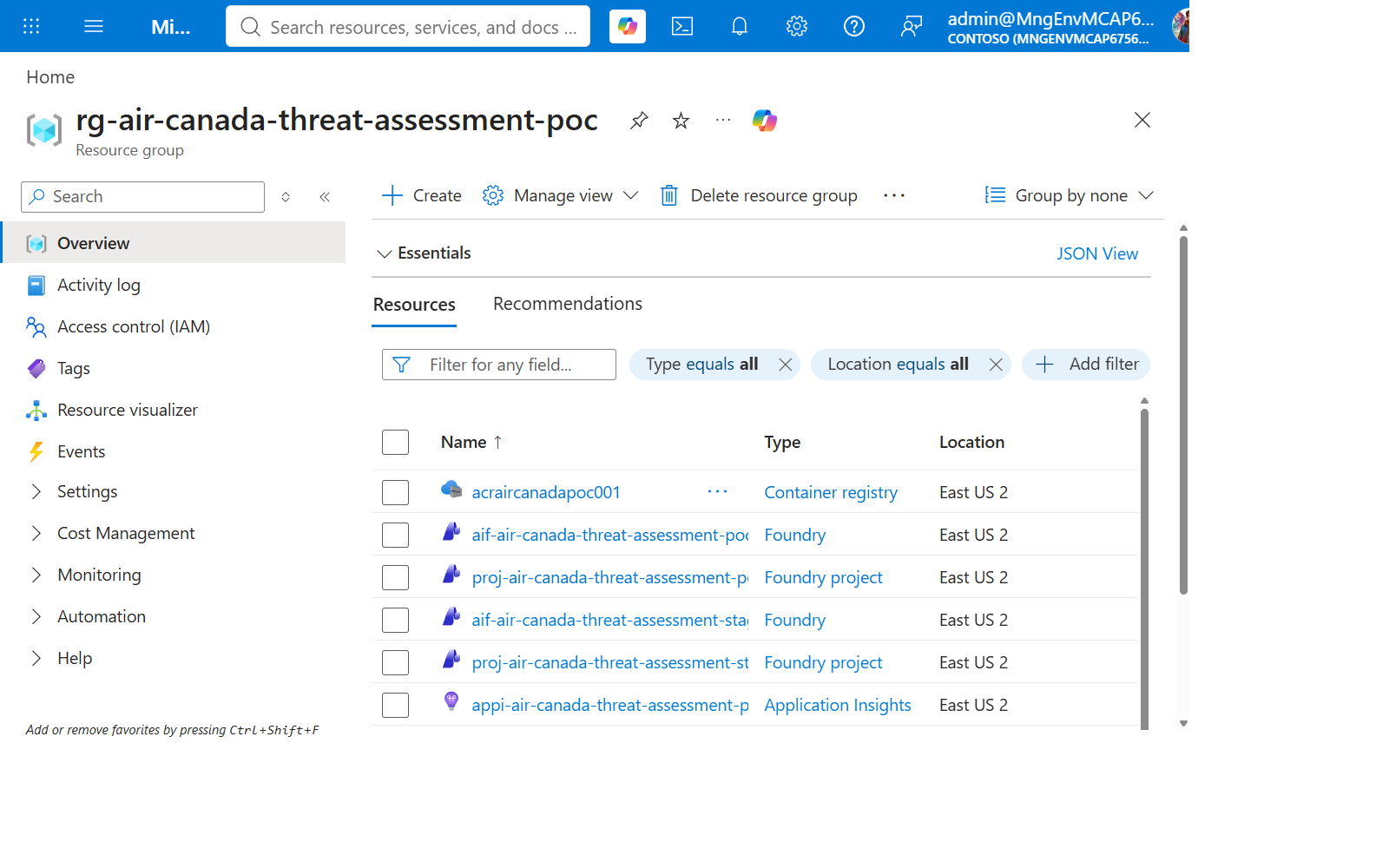
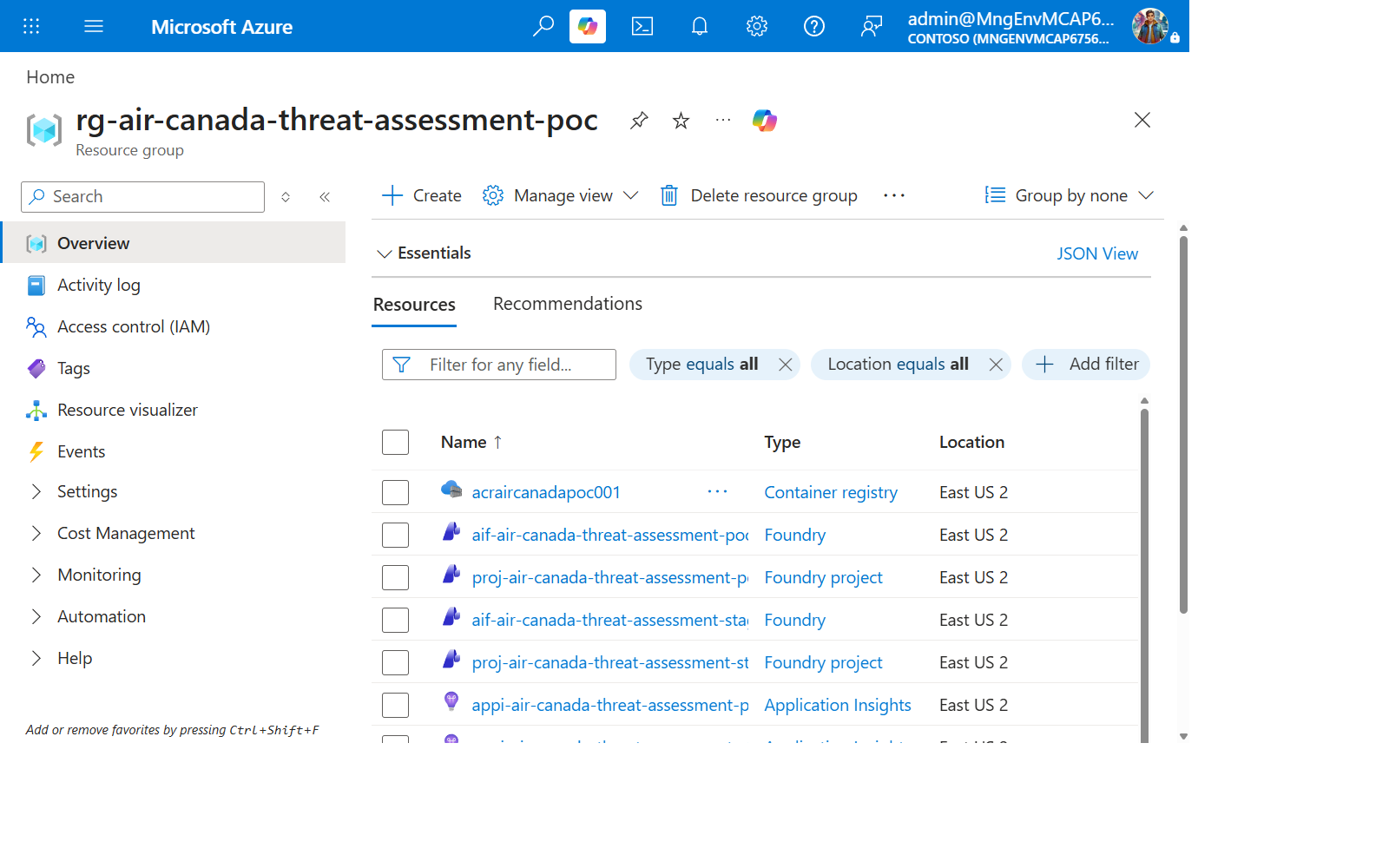
| Resource | Type | azure.yaml service |
|---|---|---|
aif-* |
Cognitive Services account (kind AIServices) |
ai-project |
aif-*/proj-* |
Foundry project (nested resource) | (implicit — the project the agent deploys into) |
mcp-learn-defender-server |
Container App | Bicep module mcp-container-apps.bicep, not an azd service |
mcp-learn-anomaly-server |
Container App | Bicep module mcp-container-apps.bicep, not an azd service |
acr* |
Container Registry | (backs the Container Apps’ images) |
Knowledge Check
- Why does the Report Composer node have zero tool access?
- Name the four tool layers in order, from “your code” to “the LLM calling it.”
- What does
main.py’s degradation behavior return when tool resolution fails, and why is that better than crashing?
Next Steps
Continue to Lab 02: Deploy the MCP Tool Servers.